6 EN
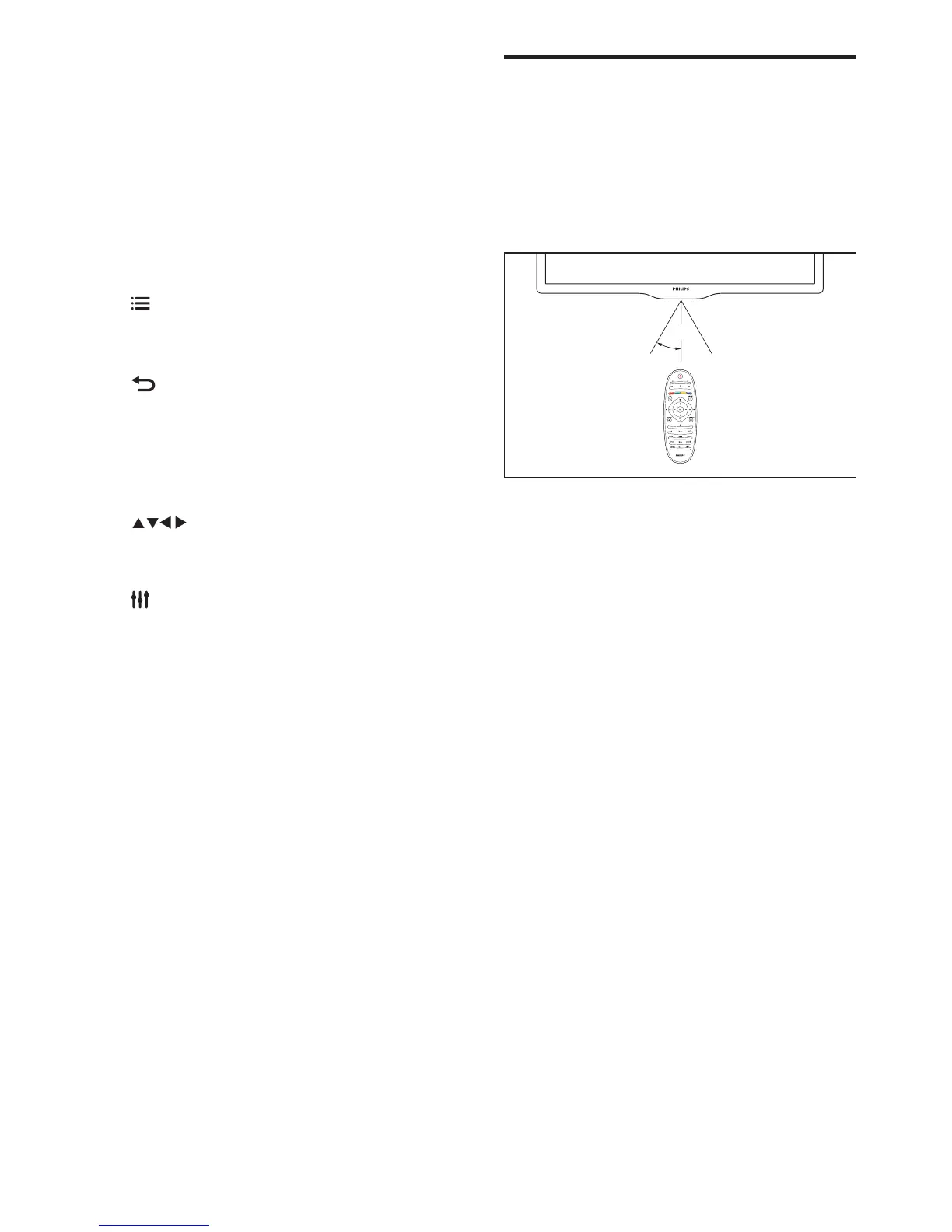
Remote control usage
When you use the remote control, hold it close
to the TV and point it at the remote control
sensor. Make sure that the line-of-sight between
the remote control and TV is not blocked by
furniture, walls or other objects.
~5m
~30˚
h +/-
• Adjust volume.
i 0-9 Numeric buttons
• Select channels.
j SUBTITLE
• No function.
k TEXT
• No function.
l OPTIONS
• Access options for the current
activity or selection.
m
• Return to the previous menu or exit
a function.
n OK
• Conrm an entry or selection.
o (Navigation buttons)
• Navigate through menus and select
items.
p ADJUST
• Access the menu to adjust settings.
q Colour buttons
• Select tasks or options




 To Next Page