7EN
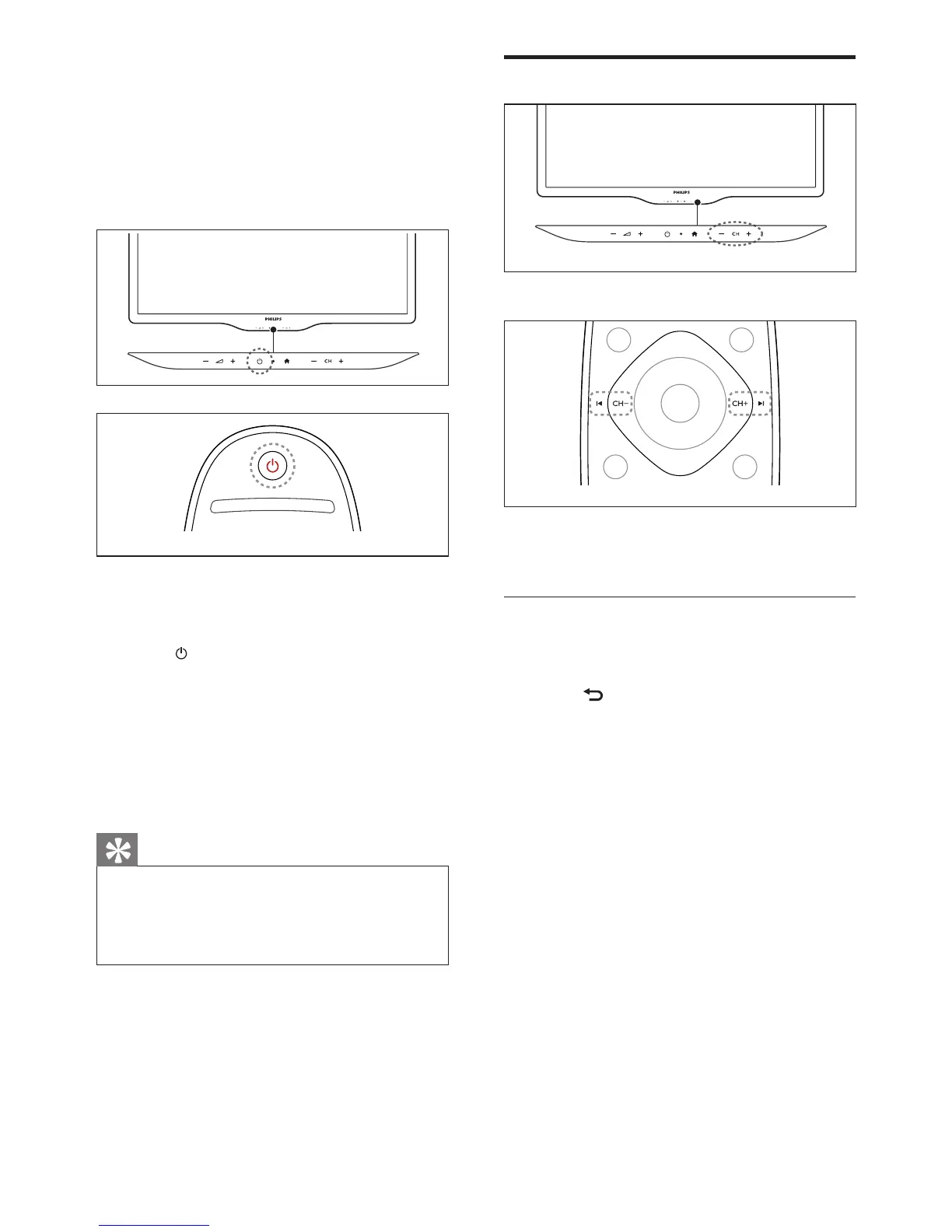
Switch channels
• Press CH +/- on the TV.
• Press CH+ or CH- on the remote
control.
Other ways to switch channels
• Enter a channel number using the
Numeric buttons.
• Press (BACK) on the remote control
to return to the previous channel.
4 Use your TV
This section helps you perform basic TV
operations.
Switch your TV on
• Press the power switch on the TV.
Switch your TV to standby
• Press (Standby-On) on the remote
control again.
• The remote control sensor on the TV
switches to red.
Switch your TV off
• Press the power switch on the TV again.
• The remote control sensor on the TV
switches off.
Tip
• Your product consumes very little power in
standby mode, but it will still consume a little
power. Unplug the power plug of your TV
from the wall socket if it is not to be used for
long time.





 To Next Page