EasyManua.ls Logo

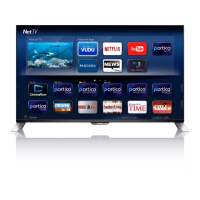
Philips 43PUK7150 - User Manual

Philips 43PUK7150
121 pages
Print Icon
To Next Page IconTo Next Page
Loading...
Register your product and get support at
7150 series
www.philips.com/welcome
User Manual
43PUK7150
49PUK7150
55PUK7150

Table of Contents

Questions and Answers

  • S
    shelley26Sep 5, 2025
    Why I can’t find the Bluetooth name of Philips Speaker System on my Bluetooth device?
    • J
      Jennifer Hill MDSep 5, 2025
      If you can't find the Bluetooth name of the unit on your device, ensure that the Bluetooth function is activated on your Bluetooth device. You may also need to re-pair the unit with your Bluetooth device.
  • M
    Michelle StanleySep 5, 2025
    What to do if the subwoofer is idle or the indicator of subwoofer does not light up on my Philips Speaker System?
    • K
      Kimberly HawkinsSep 6, 2025
      To reset the subwoofer, unplug the power cord from the mains for a few minutes.
  • T
    Thomas BuckleySep 6, 2025
    How to troubleshoot a Philips Clock Radio with no power?
    • K
      Kathleen WrightSep 6, 2025
      If your Philips Clock Radio isn't turning on, ensure the AC power plug is correctly connected. Also, verify that the AC outlet has power.
  • M
    Megan KimSep 6, 2025
    What to do if my Philips Clock Radio is not responding?
    • L
      Laura HughesSep 6, 2025
      If your Philips Clock Radio isn't responding, disconnect the AC power plug and then reconnect it. After that, try turning the unit on again.
  • S
    Shawn WilsonSep 7, 2025
    Why does my Philips Clock Radio keep losing its clock/alarm settings?
    • G
      guzmanmonicaSep 7, 2025
      If the clock or alarm setting on your Philips Clock Radio is erased, reset the clock and alarm. This issue can occur if the power has been interrupted or the power plug has been disconnected. You may also need to replace the backup batteries.
  • N
    Nicholas HollandSep 7, 2025
    How to fix poor Bluetooth audio quality on Philips Clock Radio?
    • M
      melissagomezSep 7, 2025
      To improve poor audio quality via Bluetooth on your Philips Clock Radio: * Move your Bluetooth device closer to the clock radio, or remove any obstacles between them. * Ensure that the Bluetooth function is enabled on your device. * Disconnect other Bluetooth devices that may be connected to the clock radio.

Philips 43PUK7150 Specifications

General IconGeneral
BrandPhilips
Model43PUK7150
CategoryElectric Shaver
LanguageEnglish

Related product manuals