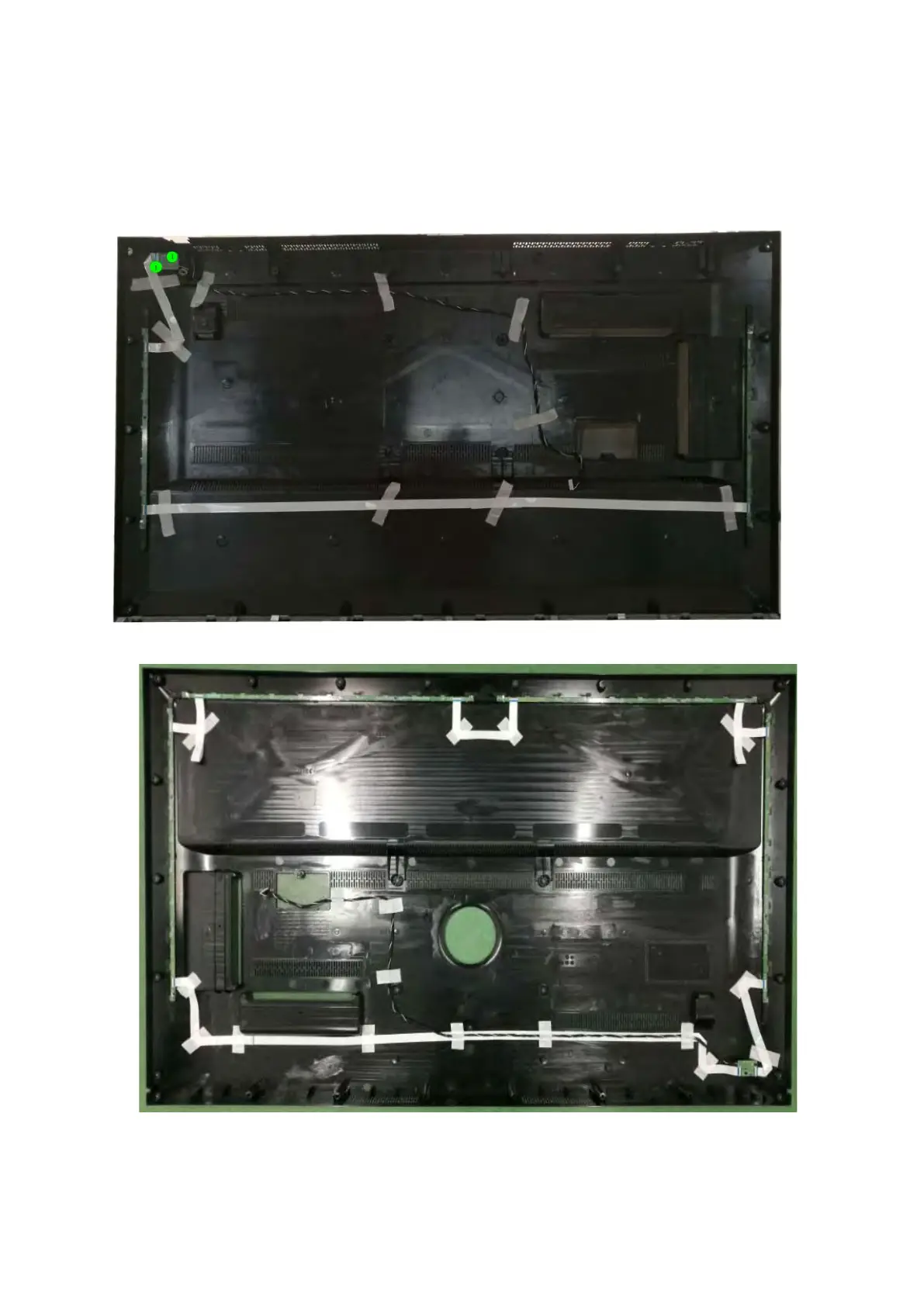
3.2.4 Keyboard Control Unit
1. Release the connector from the SSB Board.
Caution: be careful, the Keyboard is catch on the Back cover, please be careful to avoid damage the fragile connectors!
2. Remove all the fixation screws from the keyboard control panel [1] and take it out from the Back cover
When defective, replace the whole unit.
(49" 64x2 series)
(55" 64x2 series)



 To Next Page