MediaSuite xxHFL5573D/10 Page 52
The most practical connectors for a game console are on the side of the TV. However, you
can also use the connectors at the back of the TV.
For best gaming experience, set the TV to game mode.
1. Press ADJUST
2. Select [Smart picture] > \[Game], then press OK
3. To exit, press
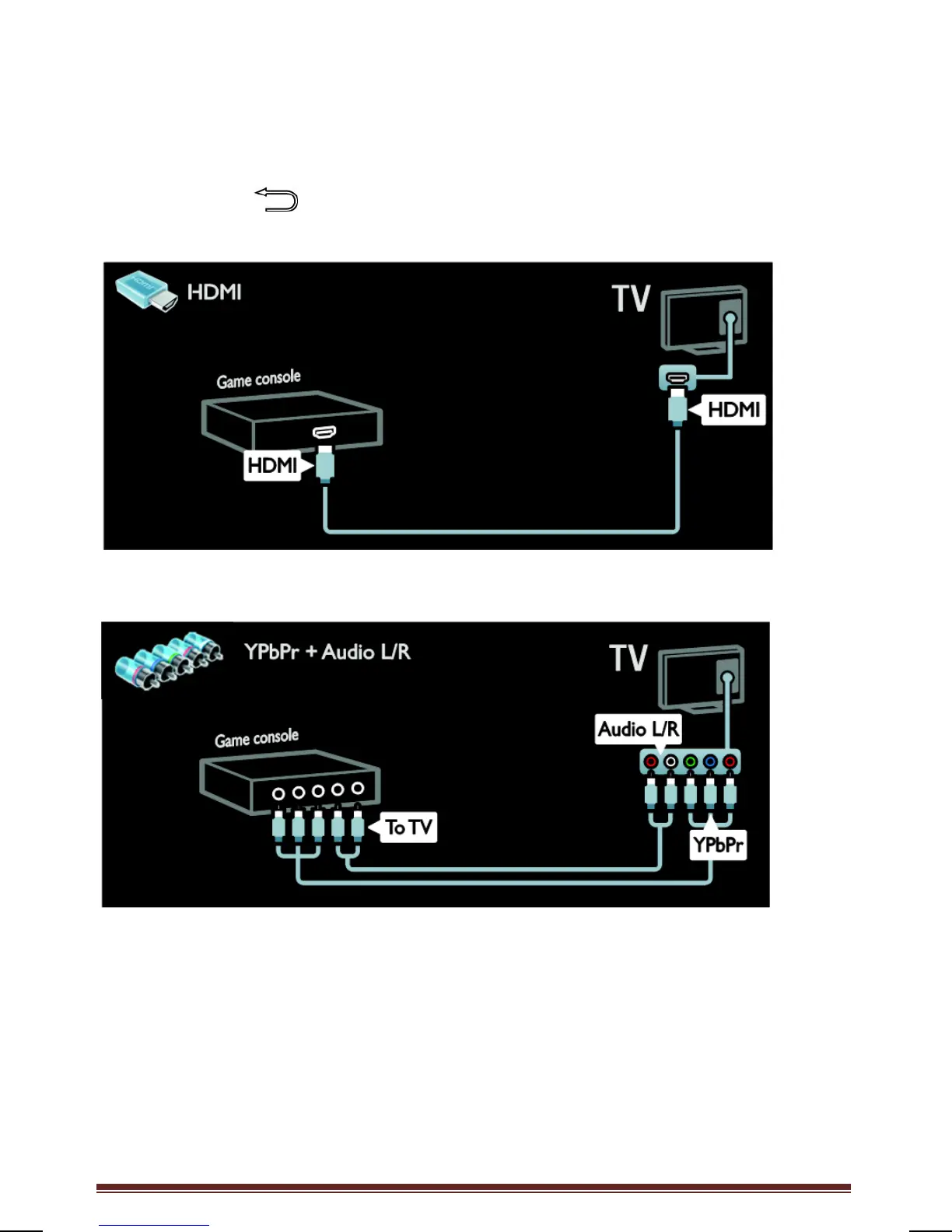
Connect the game console with a HDMI cable to the TV.
Connect the game console with a component cable (Y Pb Pr) and an audio L/R cable to the
TV.




 To Next Page