16
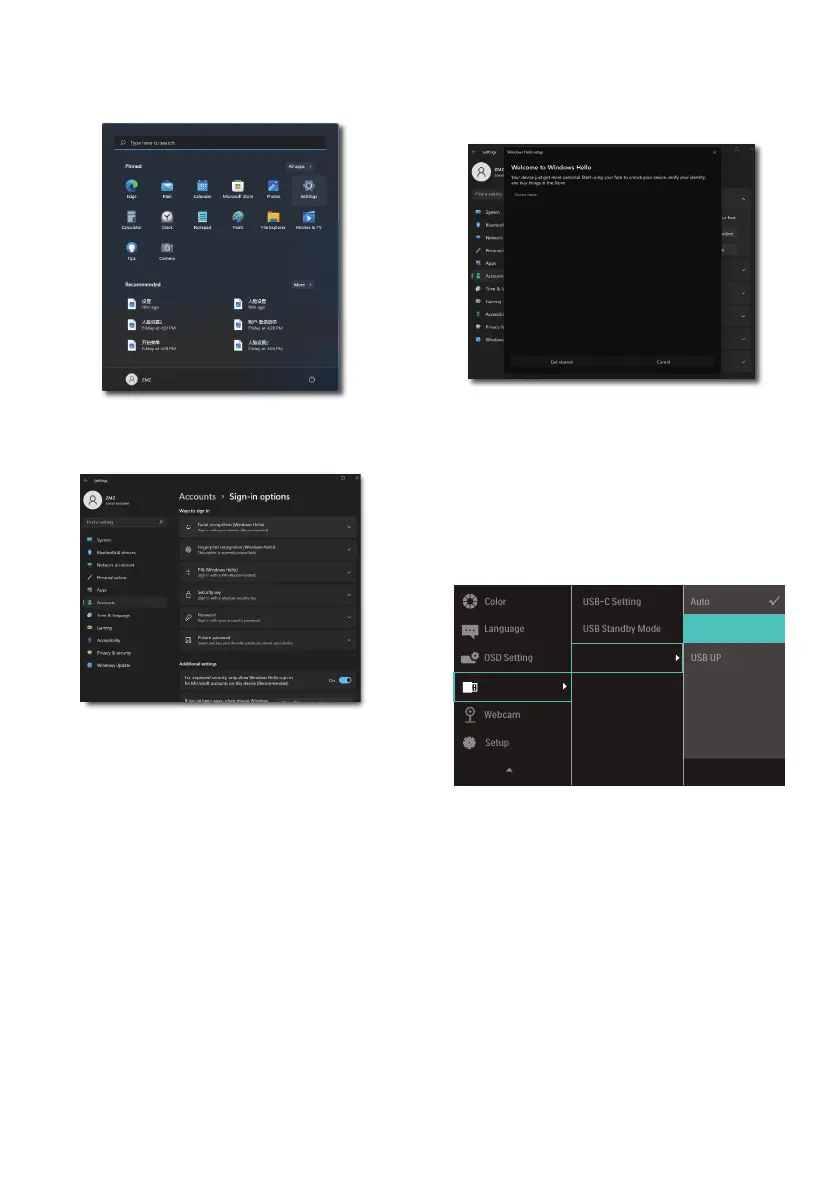
3. Setting in Windows11 for Windows
Hello
a. In the settings app click on
accounts.
b. Click on sign-in options in the
sidebar.
c. You need to set up a PIN code
before you're allowed to use
Windows Hello. Once you've
added this, the option for Hello
will unlock.
d. You'll now see which options
are available to set up under
Windows Hello.
e. Click on "Get started." The setting
is complete.
4. If you connect the USB cable from
“USB C ” port of this monitor,
please enter OSD menu to make
a appropriate selection of “USB C”
under the “KVM” layer.















 To Next Page