5
2. Setting up the
monitor
2.1 Installation
1
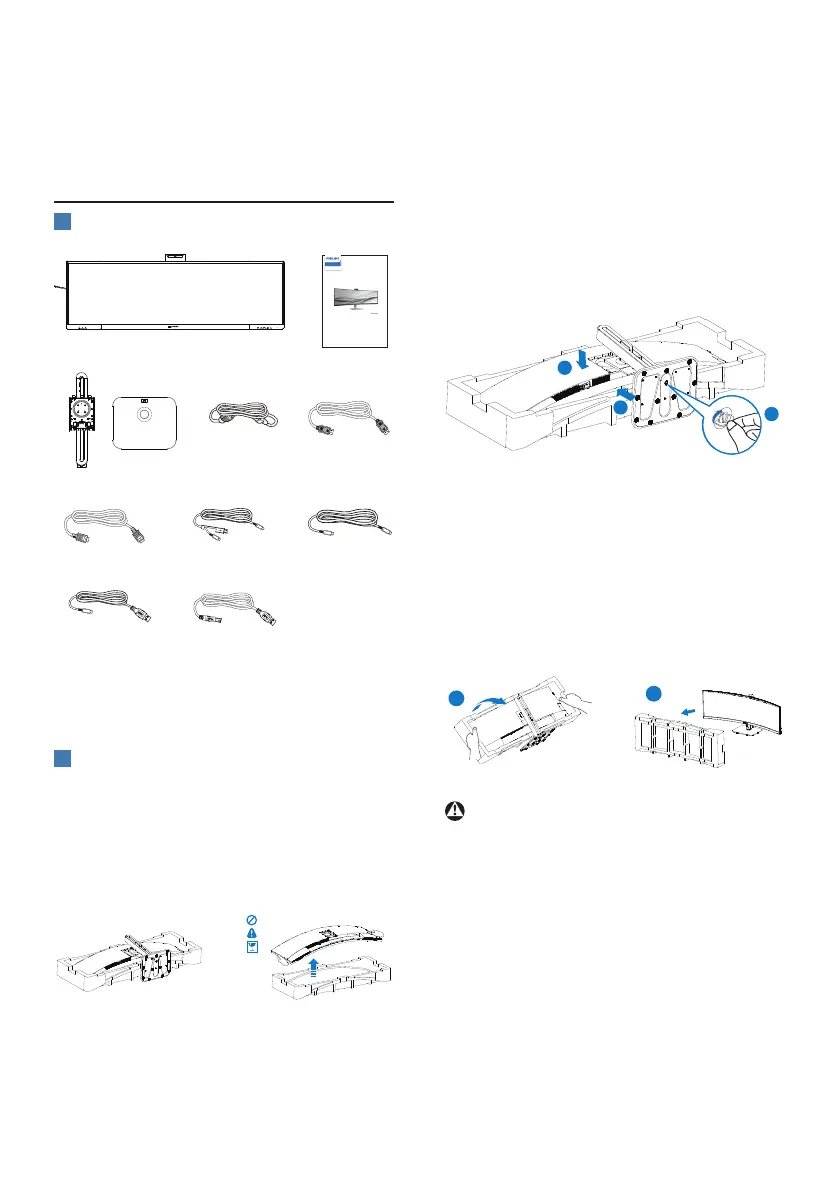
Package contents
Quick start
Register your product and get support at www.philips.com/welcome
49B2U5900CH
Curved Business
Monitor
5000 Series
* HDMI
* DP
*USB C-C
*USB A-B
*USB C-C/A
*USB C-A
Power
*Dierent according to region.
2
Install the base
1. To well protect this monitor and
avoid scratching or damaging of
the monitor, keep the monitor face
down in the cushion for the base
installation.
2. Hold the stand with both hands.
(1) Gently attach the base to the
stand.
(2) Use a screwdriver to tighten the
screws located at the bottom of
the base, and secure the base to
the stand tightly.
(3) Gently attach the stand to the
VESA mount area until the latch
locks the stand.
1
2
3
3. After attaching the base, erect
the monitor with both hands
holding the monitor together with
styrofoam rmly. Now you can pull
out the styrofoam. When you pull
out the styrofoam, do not squeeze
the panel.
1
2
Warning
This product is curve design, when
attach / detach the base, place the
protective material under the monitor
and do not press down the monitor to
avoid the damage.















 To Next Page