iPronto User Guide
45
The Browser
Setting the Home Page
In the Browser Settings, you can set the Home Page for every individual browser in every layout. When you press the
Home button, this page is always displayed.
1 Open the browser that you want to configure.
2Tap and hold the View Control button for 5 seconds to display the Application Settings.
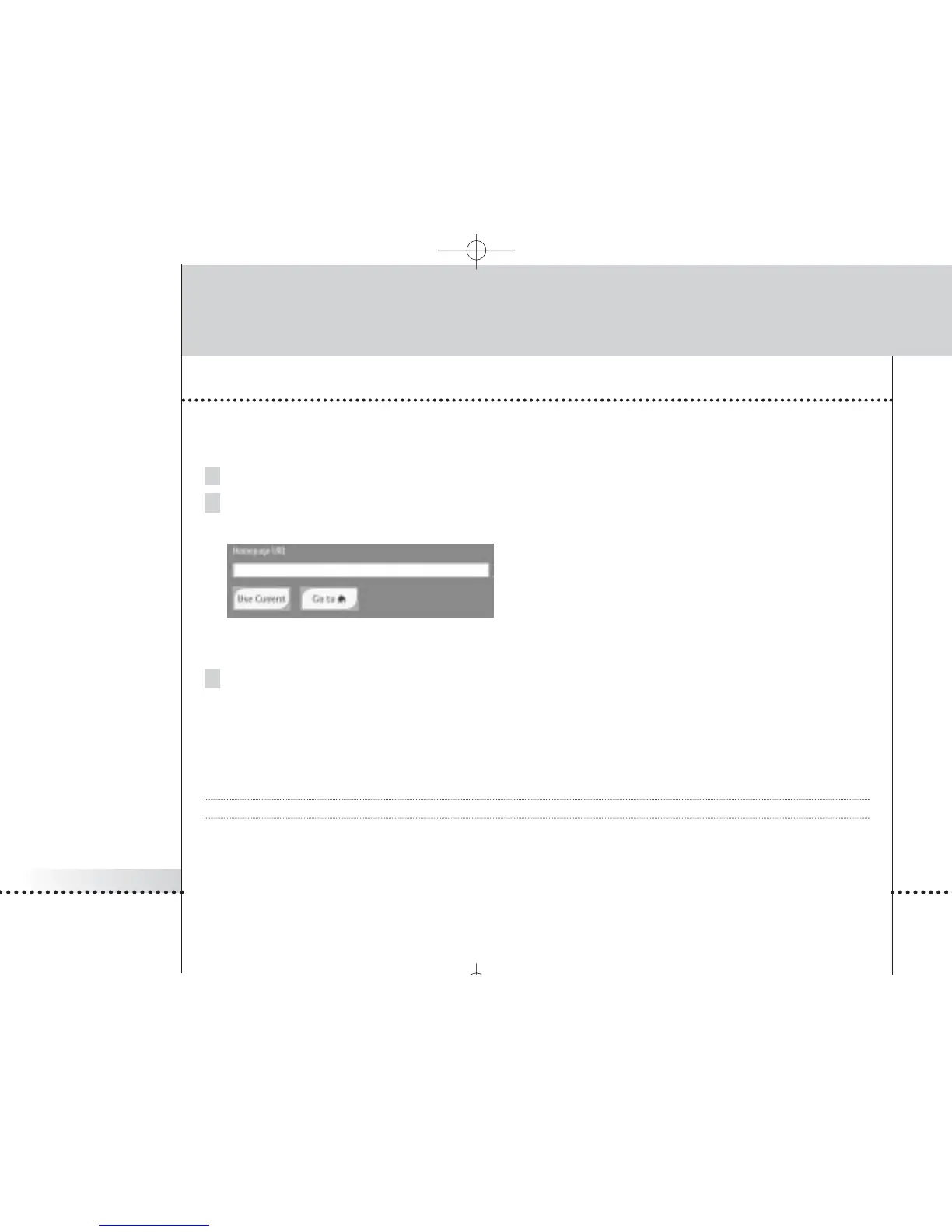
The flipside of the browser appears.
Browser flipside
3 In the Homepage URL text box, enter the URL of the Home Page with the on-screen keyboard.
See The Keyboard on page 33 for more information.
-or-
To set the currently active web page as Home Page, tap the Use Current button.
Note You cannot modify the home page of layout 8. With layout 8 you always enter the iPronto Portal.








 To Next Page