iPronto User Guide
46
The Browser
Entering a URL
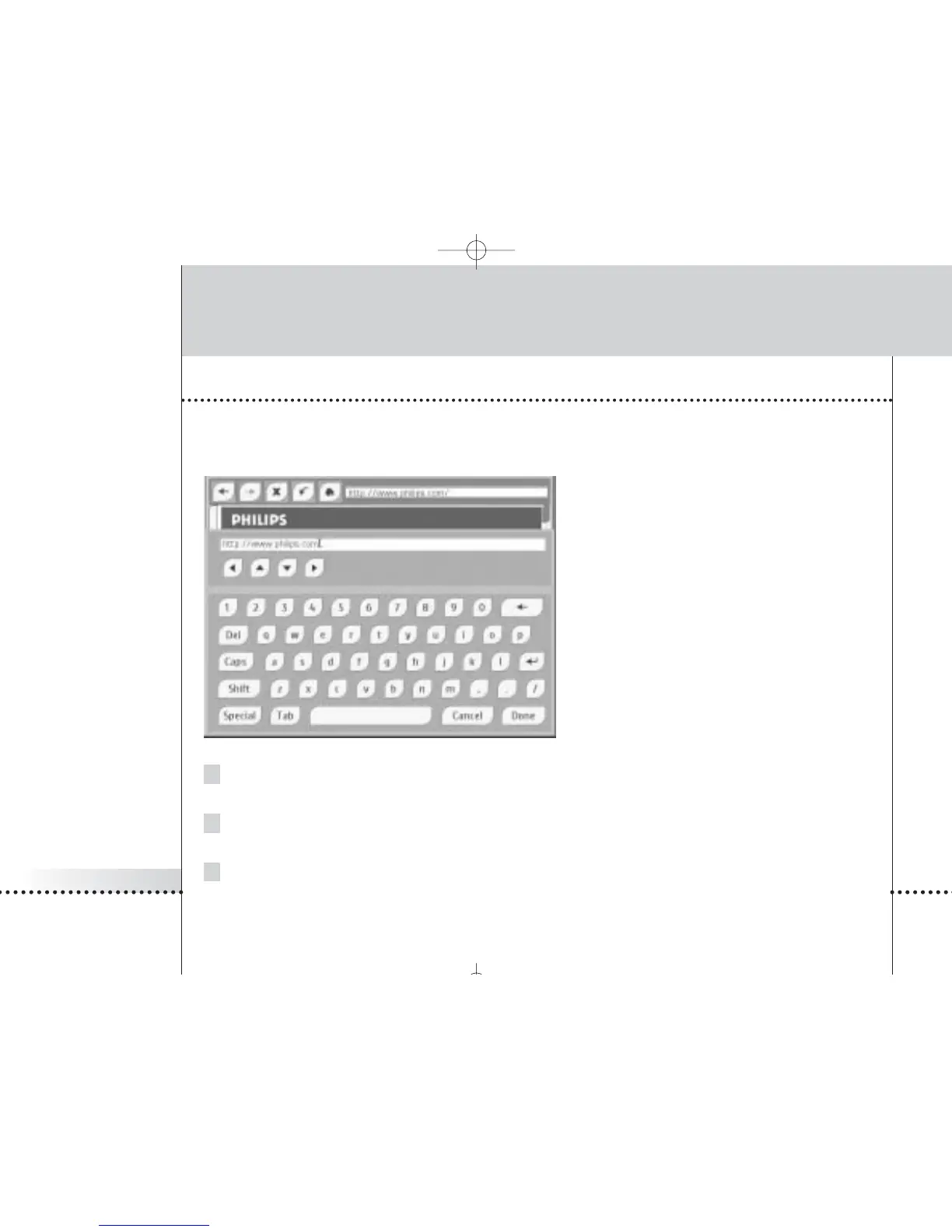
The URL that you are visiting is displayed in the bar at the top of the browser.
You can enter a URL with the iPronto’s on-screen keyboard.
1Tap the text box on the touch screen.
The on-screen keyboard appears.
2 Enter the URL with the on-screen keyboard.
The URL appears in the keyboard’s text box.
3Tap the Done button to close the keyboard.
See The Keyboard on page 33 for more information.









 To Next Page