iPronto User Guide
57
Troubleshooting
My iPronto does not respond
When your iPronto does not respond, try the following:
1 The iPronto may be powered off. Press the Power button to power it on.
2 The battery may be low. Check the battery status on the status display. Recharge the battery if
necessary.
See Installing and Recharging the Battery on page 10.
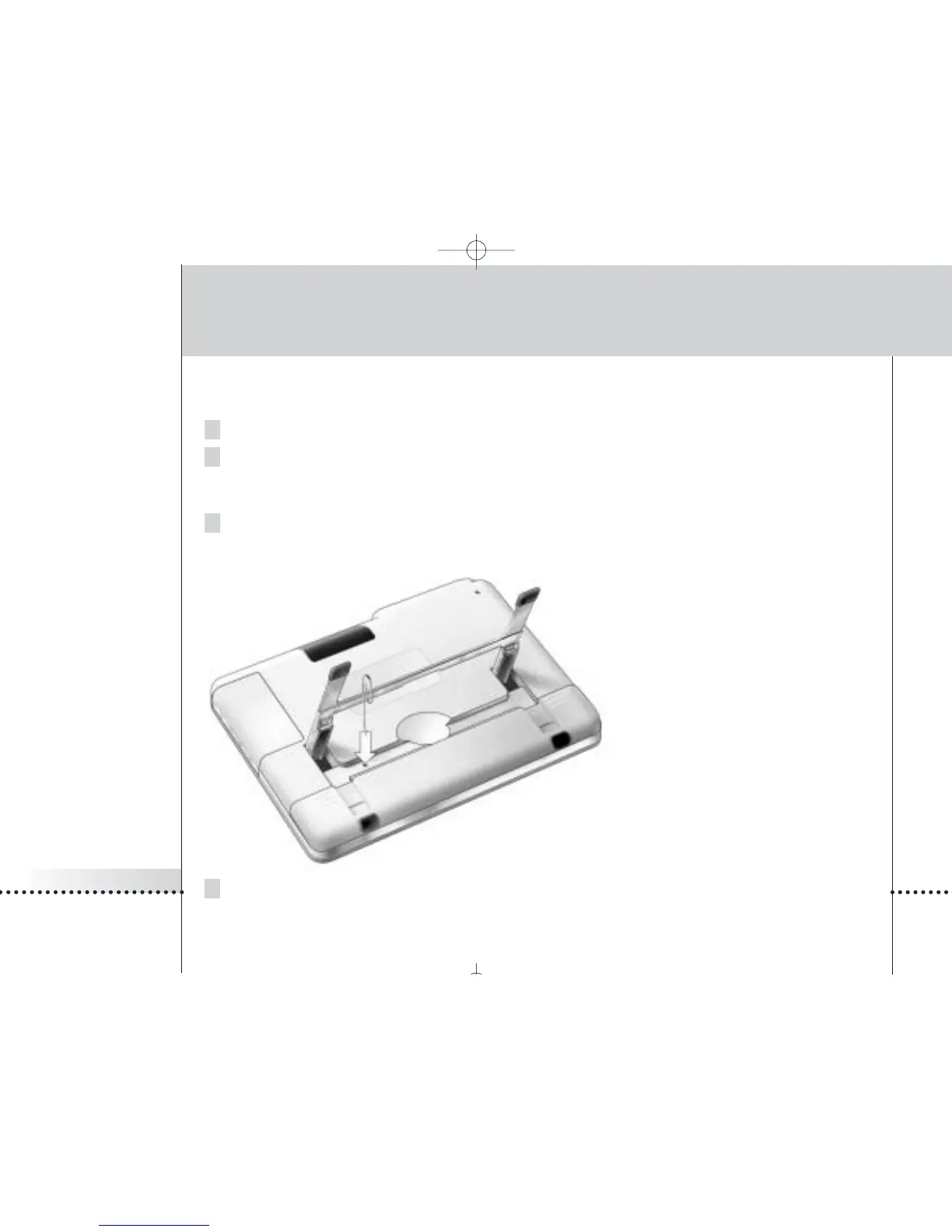
3 If steps 1 and 2 have no result, use the Reset button. The Reset button is located at the back of the
iPronto, as indicated in the illustration:
Press the Reset button with a pointed
object, such as an unfolded paperclip.
The iPronto will reboot. Some settings
may be lost, such as date and time
settings.
4 If resetting does not help, contact your dealer.








 To Next Page