EasyManua.ls Logo

Philips 6652C - Page 28

Philips 6652C
60 pages
Print Icon
To Next Page IconTo Next Page
To Previous Page IconTo Previous Page
Loading...
~======================~
FREQ
A
~USEtfALl
A
FREQ
C
DUTY
FACT
A
PERIOD
A.
TOT
A l
.rl.B
RATIO
A/B
TOT
A /
.n..JlB
RATIO
C/B
TOT
AlMAN
TU!JIE A - B
Vm.::t)C
Vmir1
P
WID
TH A
Vpp
A
PHASE
A-8
"
TEST
r-
FUNCTION--,
•D•
D
STORE
IC!JI
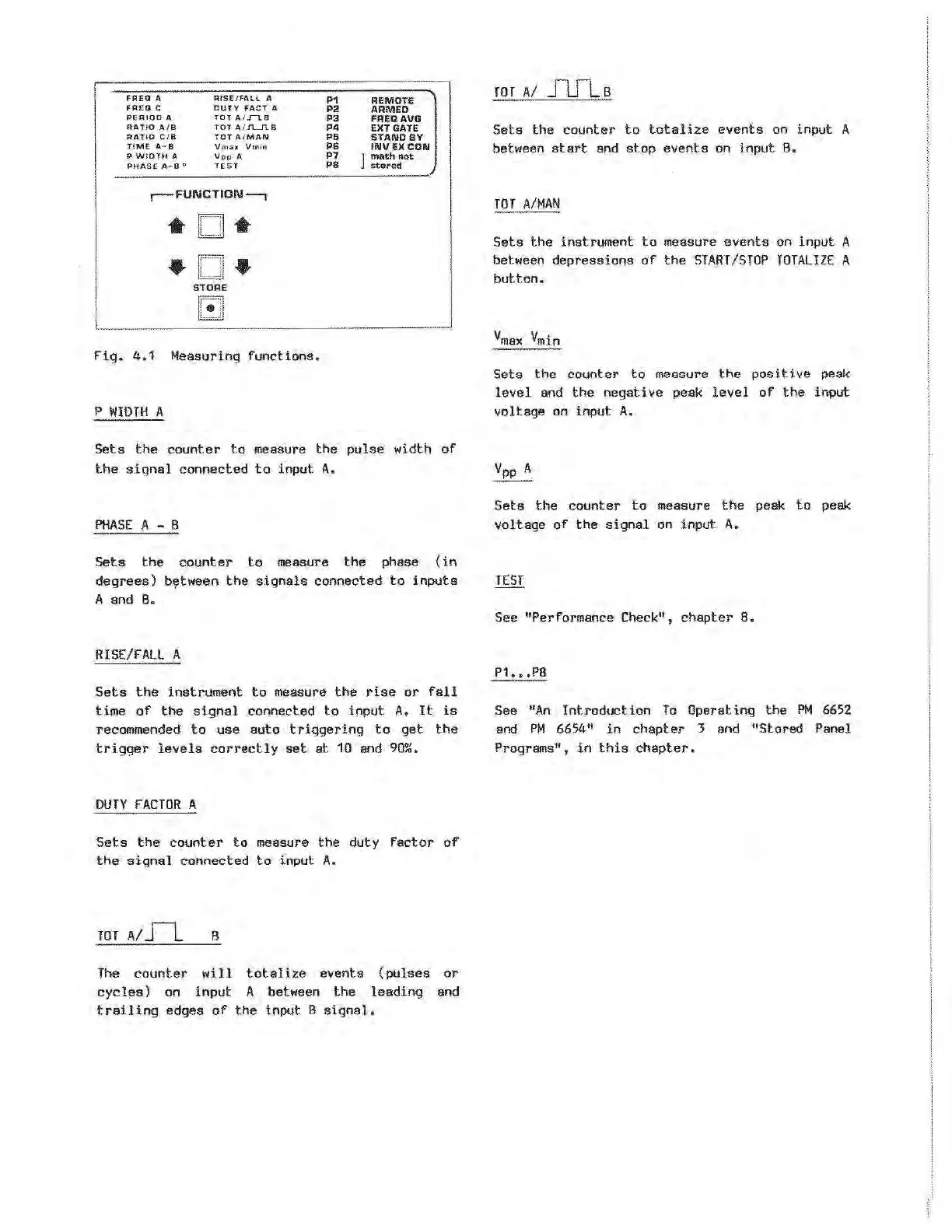
Fig.
4.1
Measuring
functions.
P
WIDTH
A
P1
P2
P3
P4
PS
P6
P7
PB
REMOTE
ARMED
FREQAVG
EXT GATE
STANDBY
INVEXCON
l
math
not
ste>red
__
_]
Sets
the
counter
to
measure
the
pulse
width
of
the
signal
connected
to
input
A.
PHASE
A - B
Sets
the
counter
to
measure
the
phase
(in
degrees)
bt;!tween
the
signals
connected
to
inputs
A and
B.
RISE/FALL
A
Sets
the
instrument
to
measure
the
rise
or
fall
time
of
the
signal
connected
to
input
A.
It
is
recommended
to
use
auto
triggering
to
get
the
trigger
levels
correctly
set
at
10
and
90%.
DUTY
fACTOR
A
Sets
the
counter
to
measure
the
duty
factor
of
the
signal
connected
to
input
A.
TOT
A/
Jl
B
The
counter
will
totalize
events
(pulses
or
cycles)
on
input
A between
the
leading
and
trailing
edges
of
the
input B
signal.
TOT
A/
J1fls
Sets
the
counter
to
totalize
events
on
input
A
between
start
and
stop
events
on input
B.
TOT
A/MAN
Sets
the
instrument
to
measure
events
on
input
A
between
depressions
of
the
START/STOP
TOTALIZE
A
button.
Sets
the
counter
to
measure
the
positive
peak
level
and
the
negative
peak
level
of
the
input
voltage
on input
A.
Sets
the
counter
to
measure
the
peak
to
peak
voltage
of
the
signal
on input
A.
See "Performance Check" ,
chapter
8.
P1
•••
PB
See
"An
Introduction
To
Operating
the
PM
66S2
and
PM
6654
11
in
chapter
3 and "Stored Panel
Programs",
in
this
chapter.
Artisan Technology Group - Quality Instrumentation ... Guaranteed | (888) 88-SOURCE | www.artisantg.com