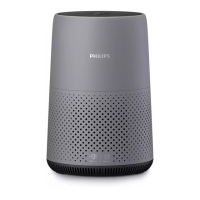
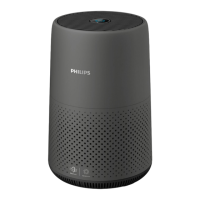
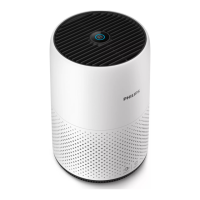
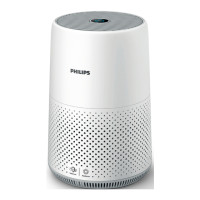
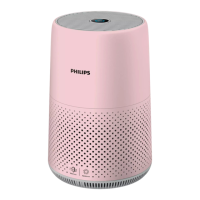
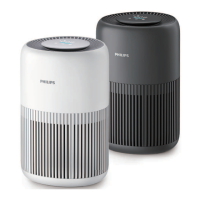
This document describes the Philips AC0650 air purifier, a household appliance designed to improve indoor air quality. The manual provides comprehensive instructions for its setup, operation, maintenance, and troubleshooting, ensuring users can effectively utilize the device to create a healthier living environment.
Function Description
The Philips AC0650 is an air purifier that uses a NanoProtect HEPA and pre-filter (FY0611) to remove pollutants from the air. Its primary function is to purify the air by capturing particles such as dust, allergens, and other airborne contaminants. The device is equipped with a "healthy air protect lock" feature, which ensures the filter remains in optimal condition during operation. When the filter approaches its end of life, a filter replacement alert (◉) illuminates, indicating that a replacement is necessary to maintain effective purification. The air purifier offers different operating modes—Turbo, Medium, and Sleep—allowing users to adjust the purification intensity and noise level according to their needs.
Usage Features
The air purifier is designed for ease of use, with straightforward installation and operation.
Installation:
- Filter Installation: Before first use, all packaging materials must be removed from the filter. The base of the appliance is rotated anti-clockwise to detach it, the filter is pulled out, packaging is removed, and the filter is reinserted. The base is then reattached by rotating it clockwise. It is crucial to ensure the air purifier is unplugged from the electrical outlet during this process.
- Connecting Power: The power adapter should first be connected to the power socket on the appliance, and then to a wall outlet. Users are reminded to pull the plug, not the cord, when unplugging to avoid electric shock.
Operation:
- Turning On/Off: The air purifier is switched on by pressing the power button located on the back of the unit. By default, it operates in Medium mode. Pressing the power button again will switch the appliance off. For optimal purification, it is recommended to close doors and windows during operation.
- Changing Mode Settings: The device offers three operating modes:
- Turbo Mode: Provides the highest purification speed for rapid air cleaning.
- Medium Mode: Operates at a moderate speed, suitable for general use.
- Sleep Mode: Runs quietly at a low speed, ideal for use in bedrooms or during periods when minimal noise is desired.
Users can cycle through these modes by pressing the mode switch button. The brightness of the mode button reflects the current operating mode: lowest brightness for Sleep mode, mid-level for Medium mode, and highest for Turbo mode.
- Wi-Fi Connection: The air purifier can be connected to a smartphone or tablet via the Philips "Air+" app, available on the App Store or Google Play.
- First-time Setup: After plugging in the purifier and turning it on, the Wi-Fi indicator will blink orange, signaling pairing mode. Users must ensure their smartphone is connected to a 2.4GHz Wi-Fi network (5GHz networks are not supported) and has Bluetooth enabled for smooth pairing. The "Air+" app guides users through adding the device.
- Resetting Wi-Fi Connection: If the default network changes or setup needs to be redone, users can reset the Wi-Fi connection by pressing and holding the mode switch button for 3 seconds until a beep is heard. The Wi-Fi indicator will blink orange, and the device will enter pairing mode, allowing re-connection via the app.
- Factory Reset: To return the air purifier to its default status, users can press and hold both the power button and the mode switch button simultaneously for 10 seconds until a beep is heard.
Maintenance Features
Regular cleaning and timely filter replacement are essential to ensure the air purifier's optimal performance and longevity.
Cleaning Schedule:
- When Necessary: Wipe the surface of the appliance with a soft, dry cloth and clean the air outlet cover.
- Every Four Weeks: Clean the surface of the filter.
Cleaning Procedures:
- Cleaning the Body: Both the interior and exterior of the air purifier should be cleaned regularly with a soft, dry cloth to prevent dust accumulation. The air outlet can also be cleaned with a dry, soft cloth. It is crucial to avoid abrasive, aggressive, or flammable cleaning agents like bleach or alcohol, as these can damage the appliance.
- Cleaning the Filter Surface: The surface of the filter can be cleaned using a soft, wet cloth or a vacuum cleaner. Users are cautioned against using high-power or industrial vacuum cleaners, as these may damage the filter.
Replacing the Filter:
- Filter Replacement Alert: The filter replacement alert (◉) will light up when the NanoProtect filter is nearing the end of its lifespan, indicating it needs to be replaced.
- Replacement Process:
- Turn off and unplug the air purifier.
- Rotate the base anti-clockwise to remove it.
- Pull out and discard the used filter.
- Remove all packaging from the new filter.
- Insert the new filter into the appliance.
- Reattach the base by rotating it clockwise.
- Plug in and turn on the air purifier.
- Press and hold the mode switch button for 3 seconds to reset the filter lifetime counter.
- Thoroughly wash hands after handling the filter.
- Manual Filter Reset: If a filter is replaced before the alert appears, the filter lifetime counter can be manually reset. Within 10 seconds of turning on the appliance, press and hold the mode switch button for 5 seconds.
- Important Notes: The filter is not washable or reusable. Always turn off and unplug the air purifier before replacing the filter.
Storage:
For long-term storage, follow these steps:
- Turn off and unplug the air purifier.
- Clean the appliance and the filter surface.
- Allow all parts to air dry thoroughly.
- Wrap the filter in airtight plastic bags.
- Store the air purifier and filter in a cool, dry location.
- Always wash hands thoroughly after handling a filter.
Troubleshooting
The manual includes a troubleshooting section to address common issues:
- Appliance not working: Check if the filter replacement alert is flashing (indicating a locked state due to an expired filter) and reset the filter lifetime counter after replacement.
- Weak airflow: Clean the filter surface.
- No air quality improvement: Ensure all packing material is removed from the filter, the filter is properly installed, and doors/windows are closed. Check for indoor pollution sources and replace the filter if it has reached its end of life.
- Strange smell: A plastic smell during initial use is normal. If a burnt smell persists, contact customer service. If the filter produces a smell after use, reactivate it by placing it in direct sunlight; otherwise, replace it.
- Loud operation: Check if filter packing is removed. High speed operation due to poor air quality can cause noise; consider using Sleep mode in bedrooms. Remove any foreign objects from the air outlet if abnormal sounds occur.
- Filter replacement alert persists after replacement: Reset the filter lifetime counter by pressing and holding the mode switch button for 3 seconds.
- Wi-Fi setup unsuccessful: Ensure the router is 2.4GHz, not 5GHz. Check Wi-Fi range, network name (case-sensitive), and password. Avoid electromagnetic interference. Ensure the mobile device is not in airplane mode. Consult the app's help section for more tips.
The Philips AC0650 air purifier is designed to be a reliable and user-friendly device for maintaining clean indoor air, with features that guide users through its entire lifecycle from setup to maintenance.

 Need help?
 General
 Weight and Dimensions

 To Next Page