9EN
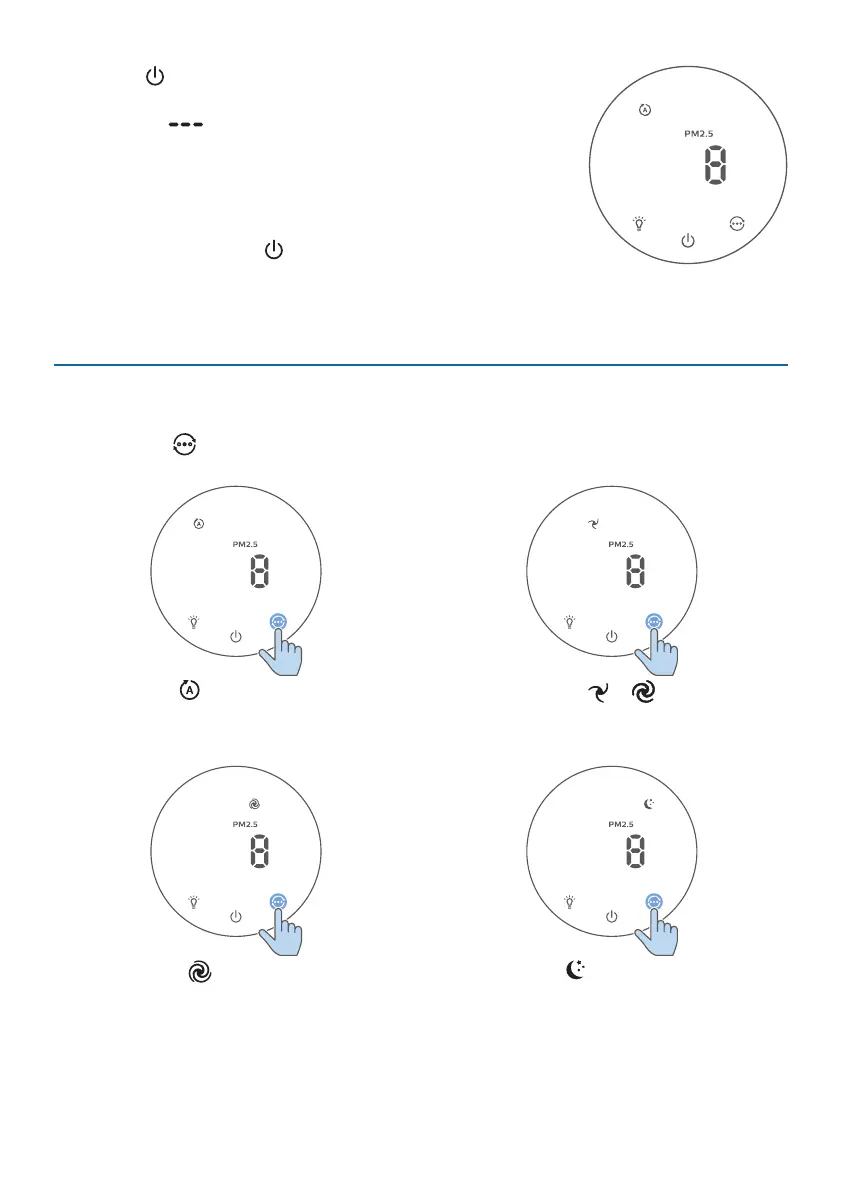
2 Touch to switch on the air purier.
» The air purier beeps.
» The “ ” displays on the screen during warming
up. Then the air purier shows the PM2.5/IAI level
after measuring the air quality.
» The air purier operates in the auto mode with IAI
displayed on the screen.
3 Touch and hold the button for 3 seconds to switch o
the air purier.
Note: If the air purier stays connected to the electrical outlet after turning OFF,
the air purier will operate under the previous settings when turned ON again.
Changing the mode setting
You can choose Auto mode, Speed 1, Speed 2, Turbo mode or Sleep mode by
touching the button.
Automode( ):The air purier
automatically adjusts the fan speed in
accordance with the ambient air quality.
Manualspeed( & ): In manual
mode, the air purier operates on
speed 1 or speed 2.
Turbomode( ):The air purier
operates on the highest speed.
Sleepmode( ):The air purier
operates quietly at a low speed. After
3seconds, the screen lights o.


 To Next Page