11
4 Use the air
purifier
Understand the air
quality light
Color of the air quality
light
Air quality
level
Blue Very good
Dark purple Good
Purple Fair
Red Bad
The air quality light automatically goes
on when the purier is switched on.
Note
• The built-in air quality sensor measures the
air quality and automatically selects the
appropriate color of the air quality light. When
the air is clean, the color of the air quality light
is in blue. When the air quality deteriorates,
the color of the air quality light changes from
dark purple to red.
Switch on
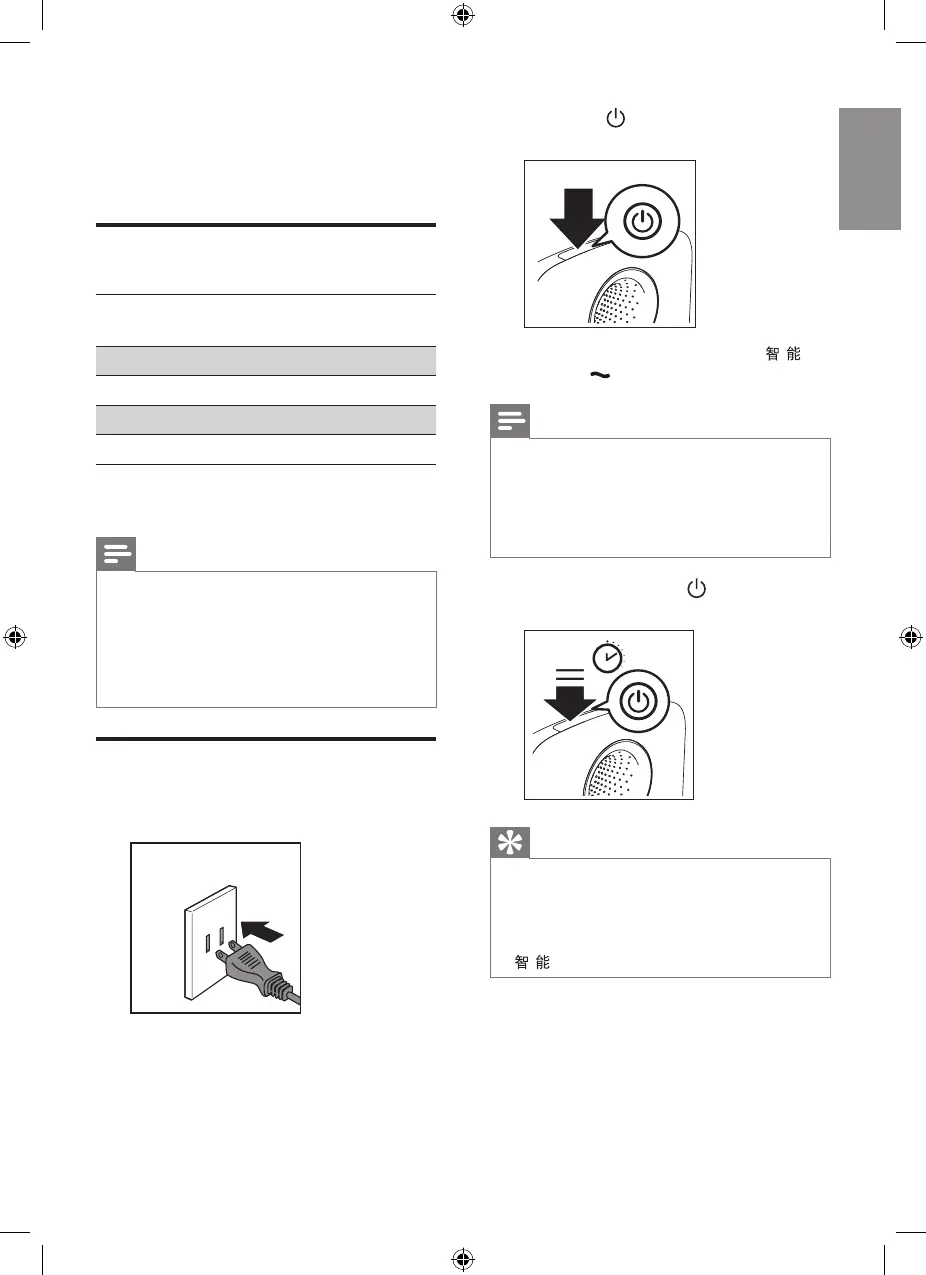
1 Put the plug of the air purier into
the power socket.
» All lights go on from left to right
in cycle, and you hear a beep.
Then, the lights go out again.
» The air quality light shows
4 colors successively.
2 Press the button to switch on the
purier.
» The fan speed indicators
and goes on.
Note
• When the purier is switched on, the air quality
sensor will take some time to measure the
air quality in the room. The air quality light
changes its color and eventually stays in
the correct color in accordance with the air
quality..
3 Press and hold the button for
2 seconds to switch o the purier.
2”
Tip
• The purier has a memory mode. It will recall
the previous settings of your last use.
• If you disconnect the purier from the power
supply after switching o, it will enter the
default mode for next use. The fan speed is
.


 To Next Page