20
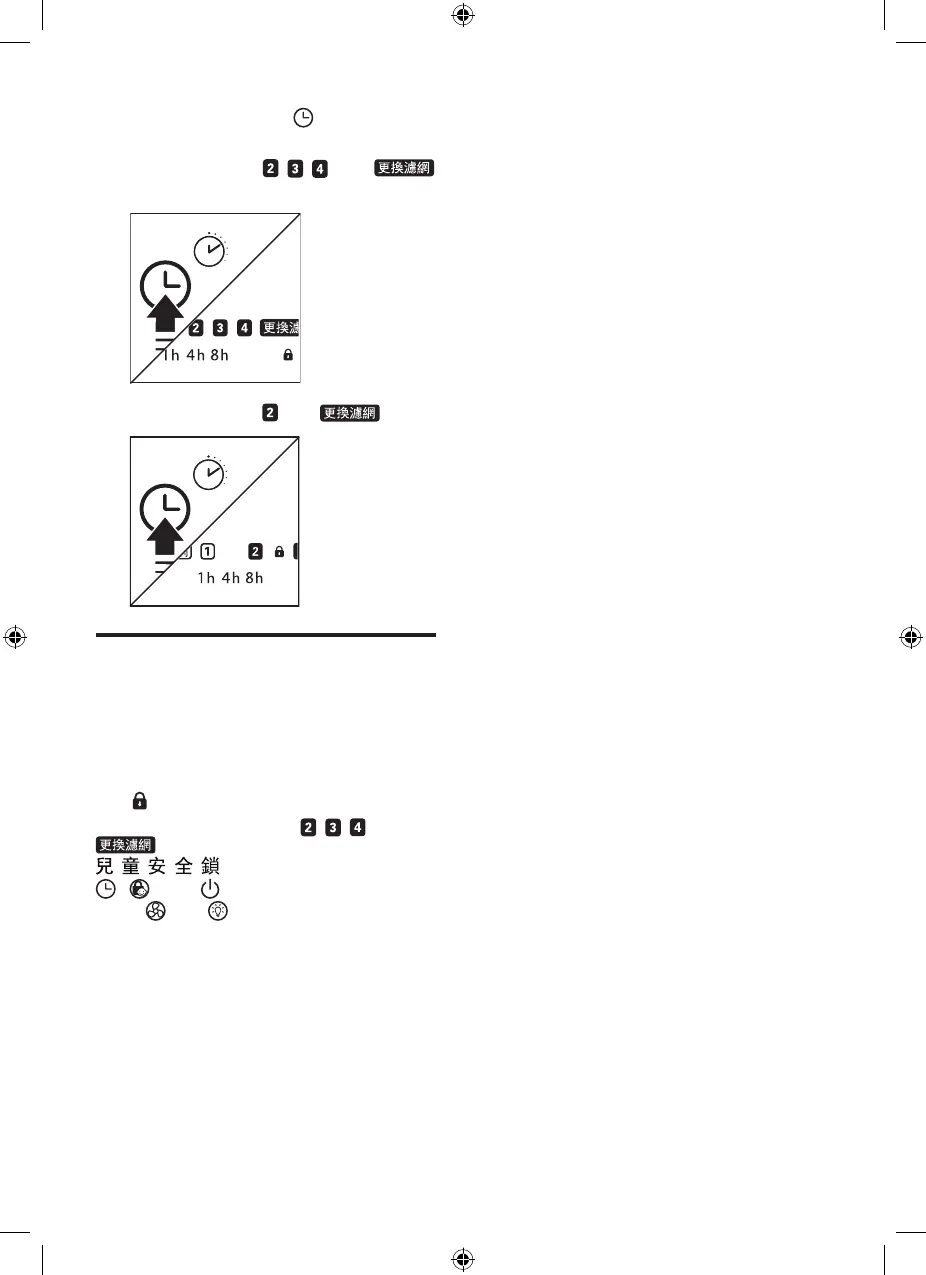
10 Press and hold the button for
3 seconds to reset the lter lifetime.
» For AC4372: , , , and
go o.
» For AC4374: and go o.
Reset lter lock
After 2 weeks of lter replacement alert,
and the lters are still not replaced.
Then, the purier will not work until the
lter is replaced and the lter lock is
reset.
The goes on along with the lter
replacement indicators ( , , , and
). All indicators are o except
if it has been activated.
, , and buttons remain active,
while and buttons are deactive.
See “Replace the lters” section to reset
the lter lock.


 To Next Page