9
3 Get started
Install lters
The appliance comes with all lters
tted inside, but you have to remove the
packaging of the lters before you can
use the appliance. Remove all lters,
unpack them, and place them back into
the appliance as described below.
Note
• Insert the lters in the correct position.
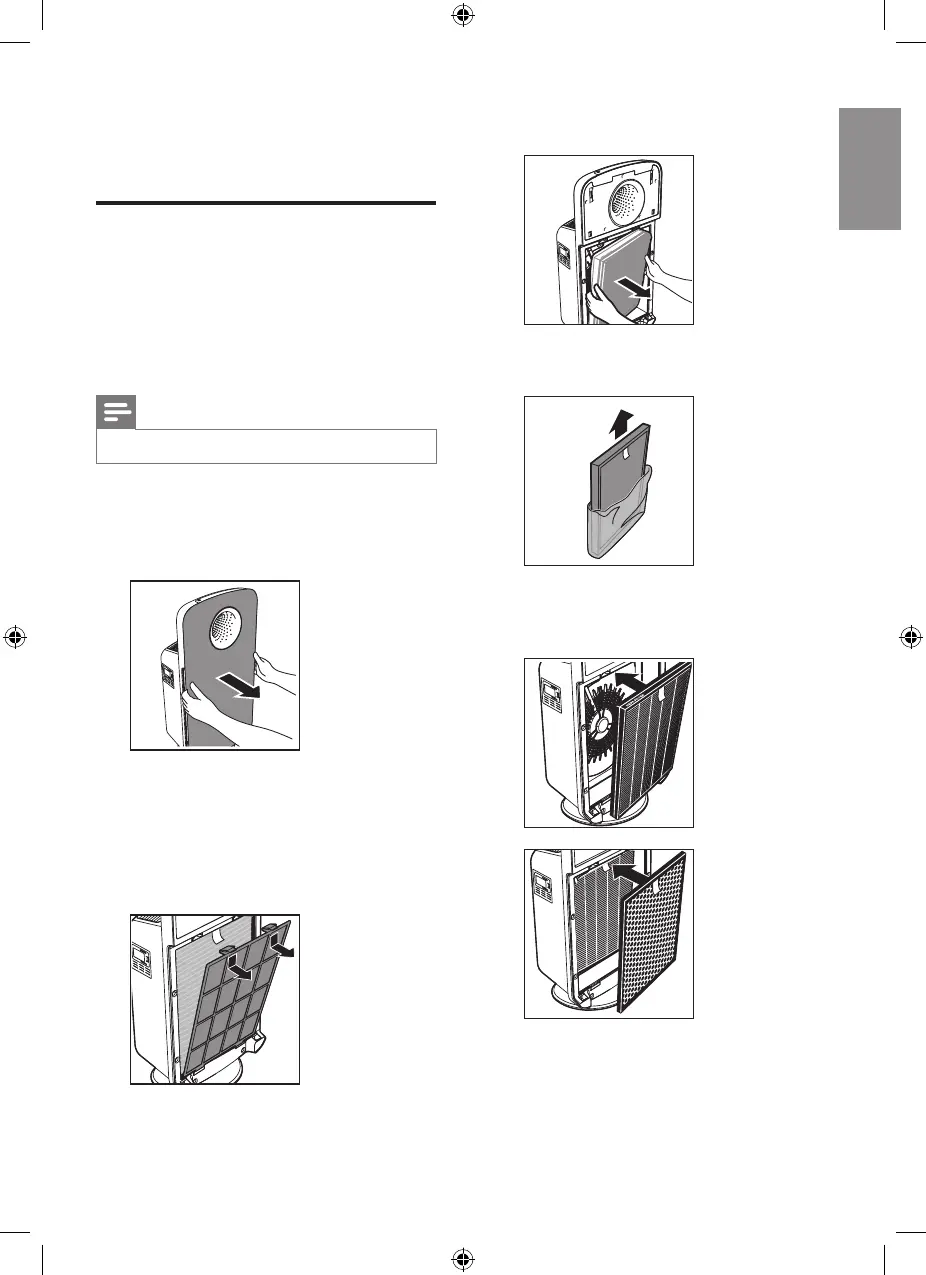
1 Place your ngers in the recesses of
the side panels and gently pull the
top part of the front panel towards
you.
2 Lift the hooks at the bottom of
the panel out of the bottom of the
appliance.
3 To remove the pre-lter, grab the
two projections and pull the lter
towards you.
4 Remove all the lters from the
appliance.
5 Remove all packaging material from
the lters.
6 For AC4372, put the HEPA lter,
activated carbon lter and multi-
care lter back into the purier.


 To Next Page