12
System Setting
Press on OK to show the menu list, and set different func-
tions of the device.
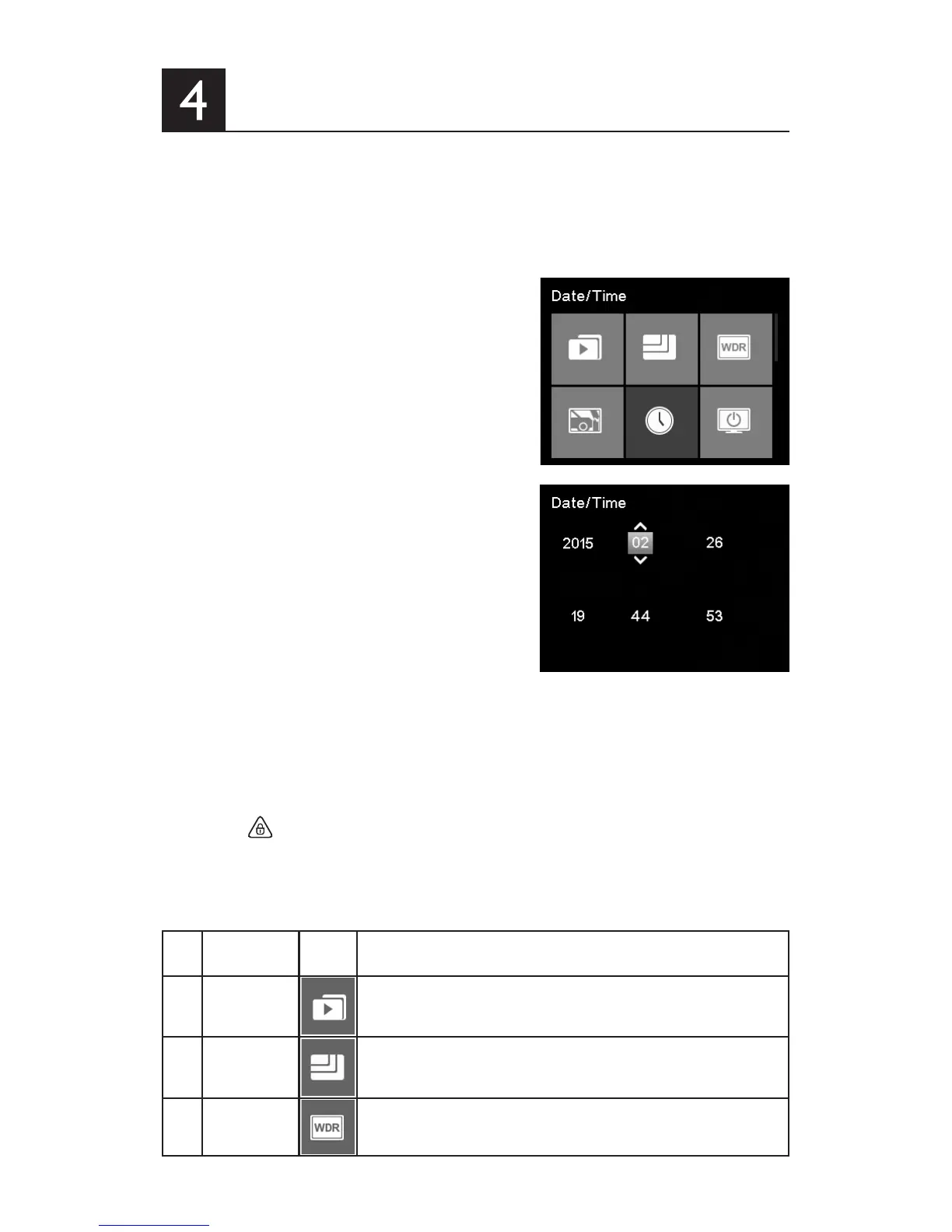
4.1 Set Date and Time
1. Press OK to open the on screen
display menu.
2. Press ▲/▼ to select Date/Time
and press OK to enter date and
time setting Menu.
3. To adjust date and time eld,
press OK to select the eld.
4. Press ▲/▼ to select the value.
5. Repeat steps 3-4 to adjust other elds.
6. Press
to save your changes.
4.2 Function Settings
No. Function Menu
Icon
Description
1 Video Operate normal and emergency video le, users can play,
pause, delete, lock, and unlock the video les.
2 Resolution Set the video resolution to Full HD 1080P(FHD), HD Premi-
um(60FPSHD+) and HD Premium(HD+).
3 WDR (Wide
Dynamic
Range)
Switch on/off WDR function.



 To Next Page