6
Quick Start
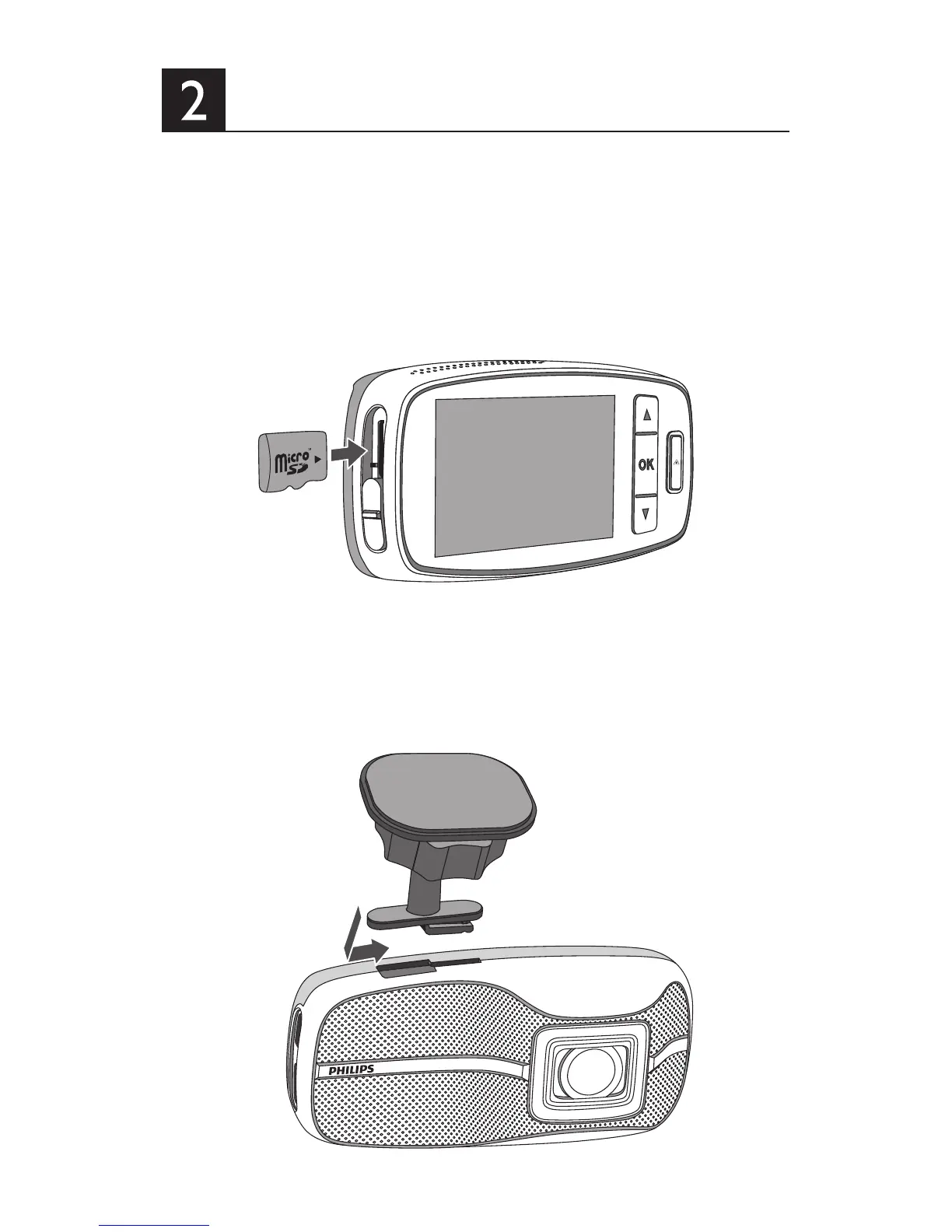
2.1 Insert the Memory Card
1. Insert the memory card with the gold contacts facing to
the front of the device.
2. Push the memory card until it clicks into place, and slide
the switch to ON.
2.2 Installing in Vehicles
Attach the bracket to the device. Slide it into the bracket
holder until you hear a click.



 To Next Page