15
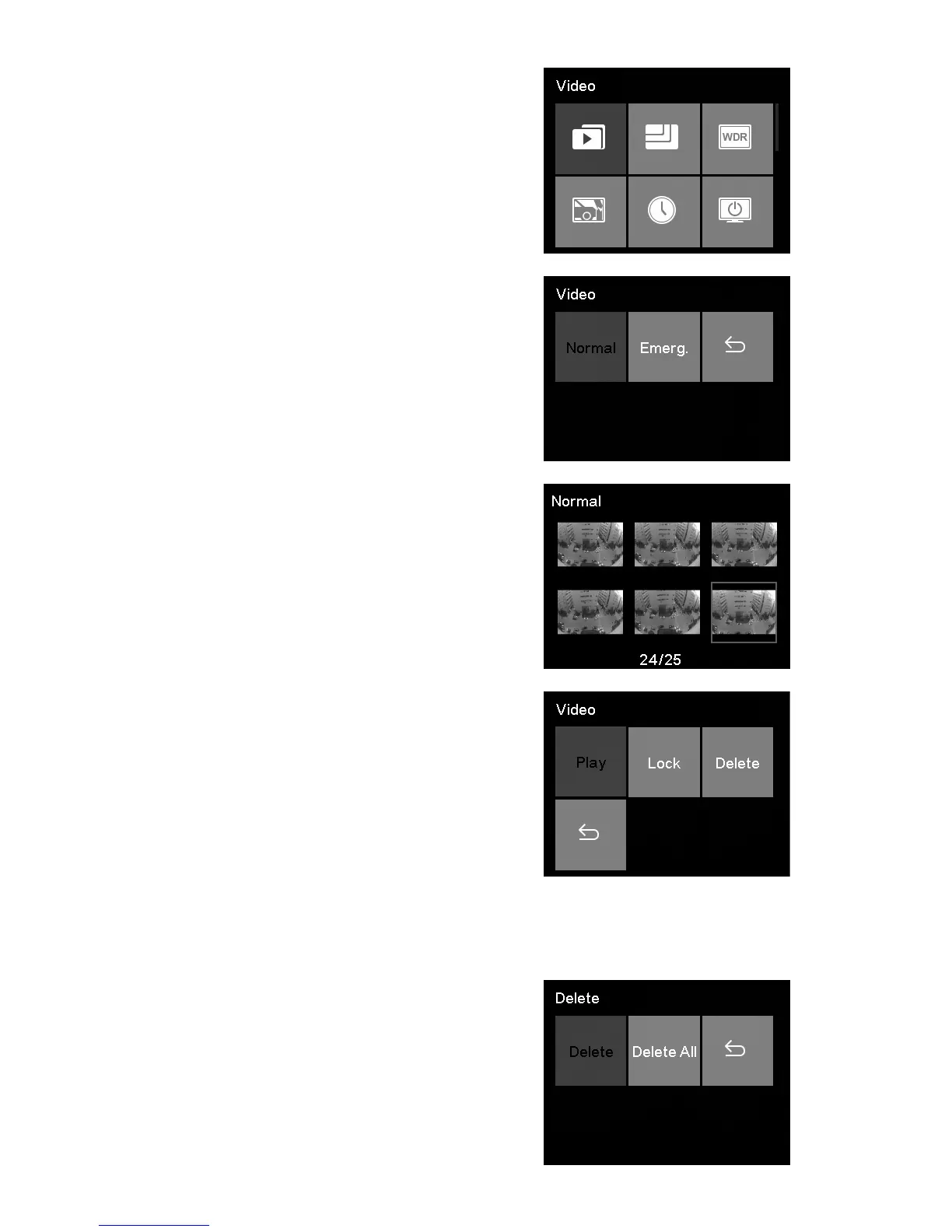
2. Press ▲/▼ to select Video
and press OK.
3. Press ▲/▼ to select Normal
Recording and press OK.
4. Press ▲/▼ to browse for the
desired video le and press OK,
and then select Play to play the
desired video.
5. During playing video, press OK to pause. Press ▲ to
fast forward, press ▼ to fast backward, press emergency
button to return.
5.3 Deleting Videos
1. Press ▲/▼ to browse for
deleting the desired video le
and press OK, and then select
Delete to remove video le.



 To Next Page