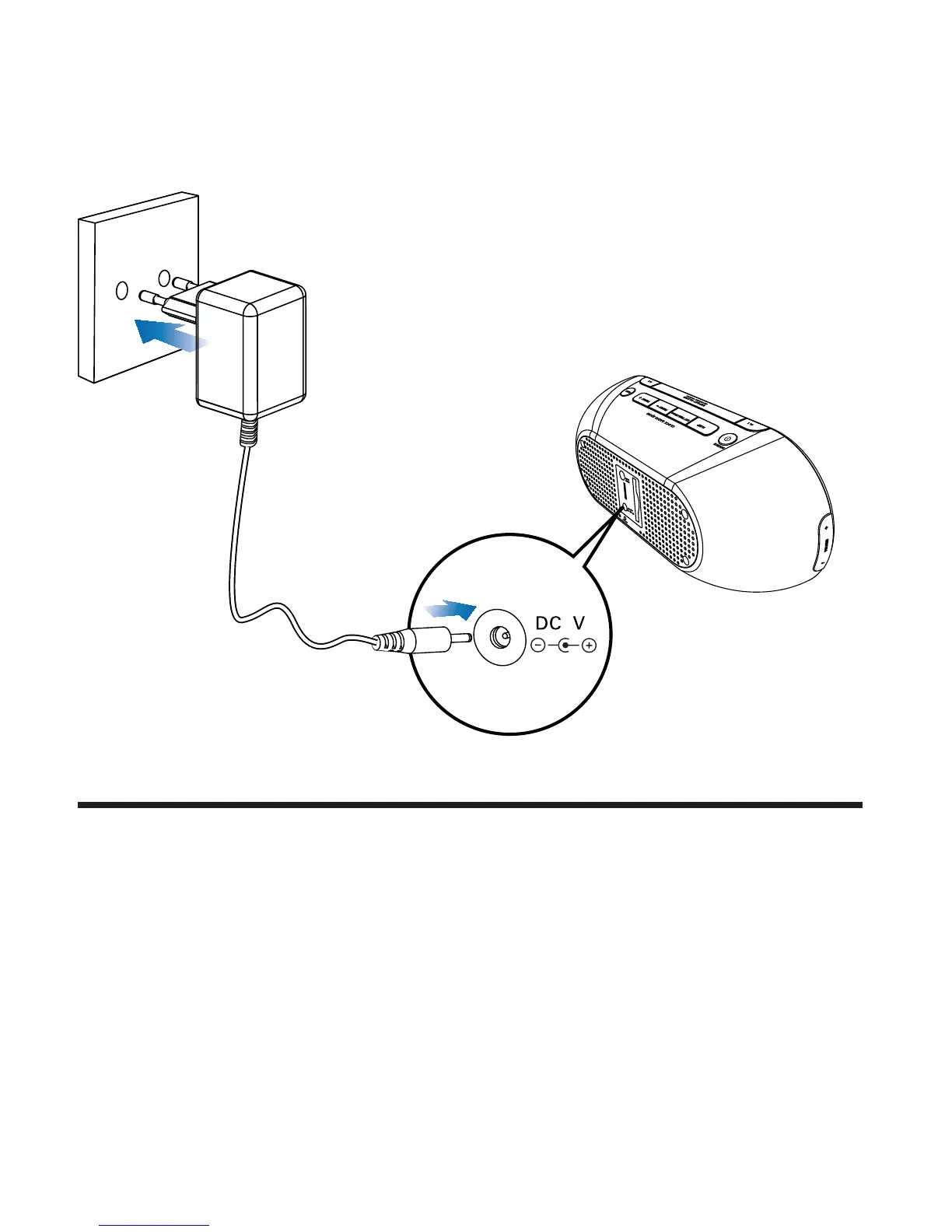
1 Connect the power adapter to
the DC IN (DC 5V) jack on the back of the main unit.
the power socket.
5
Set time and date
1 In clock mode, press and hold SET TIME/PROG for 2
seconds.
2 Press PRESET +/PRESET -.
» 12-hour or 24-hour format is selected.
3 Press SET TIME/PROG
» The hour digits begin to blink.
4 Repeat steps 2-3 to set the hour.


 To Next Page