- 10 -
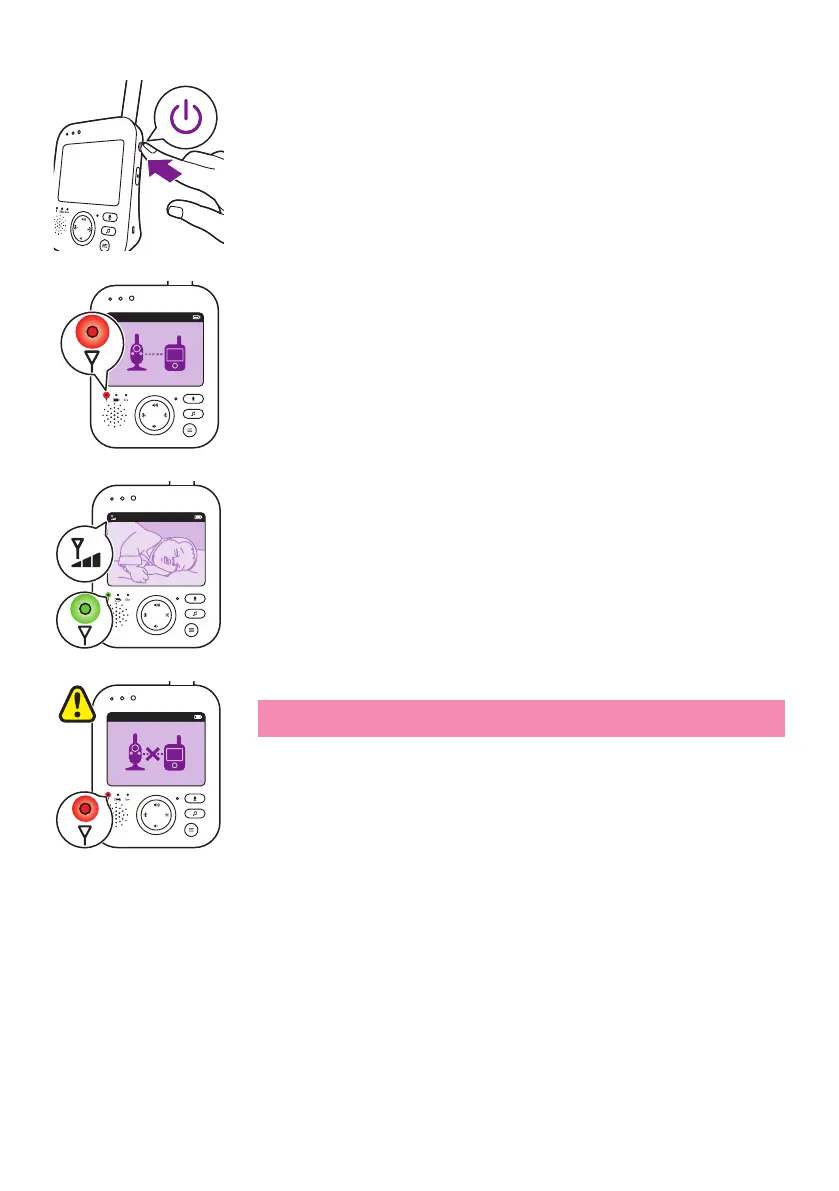
4 Press the on/o button on the parent unit for 1 second to switch on
the parent unit�
- The display goes on, the linking image appears on the display and
the link light lights up red� The parent unit starts to search for the
baby unit�
- When the parent unit and baby unit are linked, the link light lights
up green on the parent unit and one or more bars appear on the
display�
Note: It takes less than 10 seconds to establish the link between the
parent unit and the baby unit�
- When thebaby unit is turned o, the parent unit will show the out
of range image� Make sure that the baby unit is switched on�
- If no connection has been established, the link light turns red, the
parent unit beeps three short beeps every 20 seconds and the out-
of-range image appears on the display�
20°CEco
1
20°CEco
1
20°CEco
1









 To Next Page