- 9 -
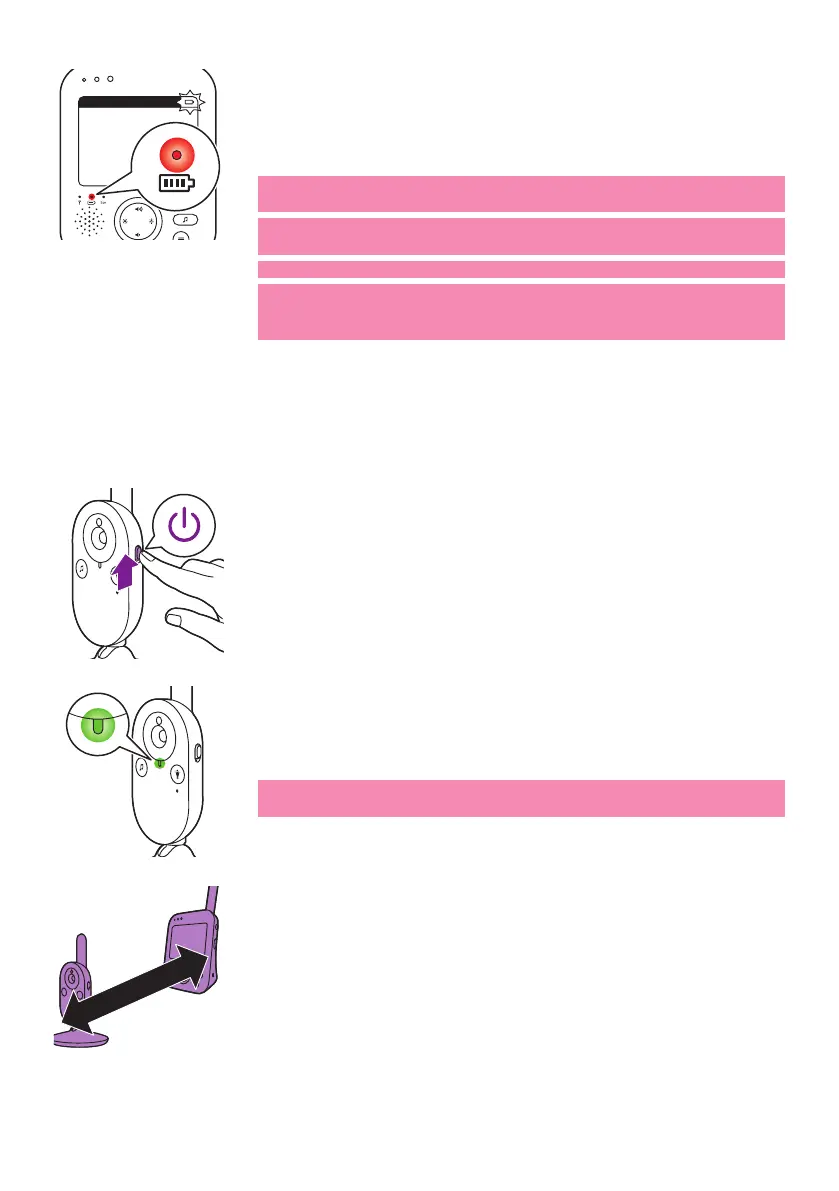
- When the rechargeable battery of the parent unit is almost empty,
the battery status light turnsred and the parent unit beeps.
- If the battery is completely empty and the parent unit it not
connected to the mains, the parent unit automatically switches o
and loses contact with the baby unit�
Note: The built in rechargeable battery cannot be removed from the
product�
Note: The battery gradually and very slowly discharges, even when the
parent unit is switched o.
Tip: To save battery, switch o the parent unit when you do not use it.
Note: We advise you to keep the parent unit connected to the mains
during the whole night� If the battery of the parent unit runs low
during the night, the parent unit beeps and this may wake you up.
Using the baby monitor
Linking parent unit and baby unit
1 Push the on/o slide on the baby unit upwards to the ON position.
2 When the baby unit is on, the power-on light on the baby unit lights
up green�
Note: The power-on light on the baby unit always lights up green,
even when there is no connection with the parent unit�
3 Make sure that the parent unit and the baby unit are at least
2.5meters/ 8.2 feet away from each otherto avoid acoustic feedback.
20°CEco
1
>2.5m /8.2ft









 To Next Page