- 20 -
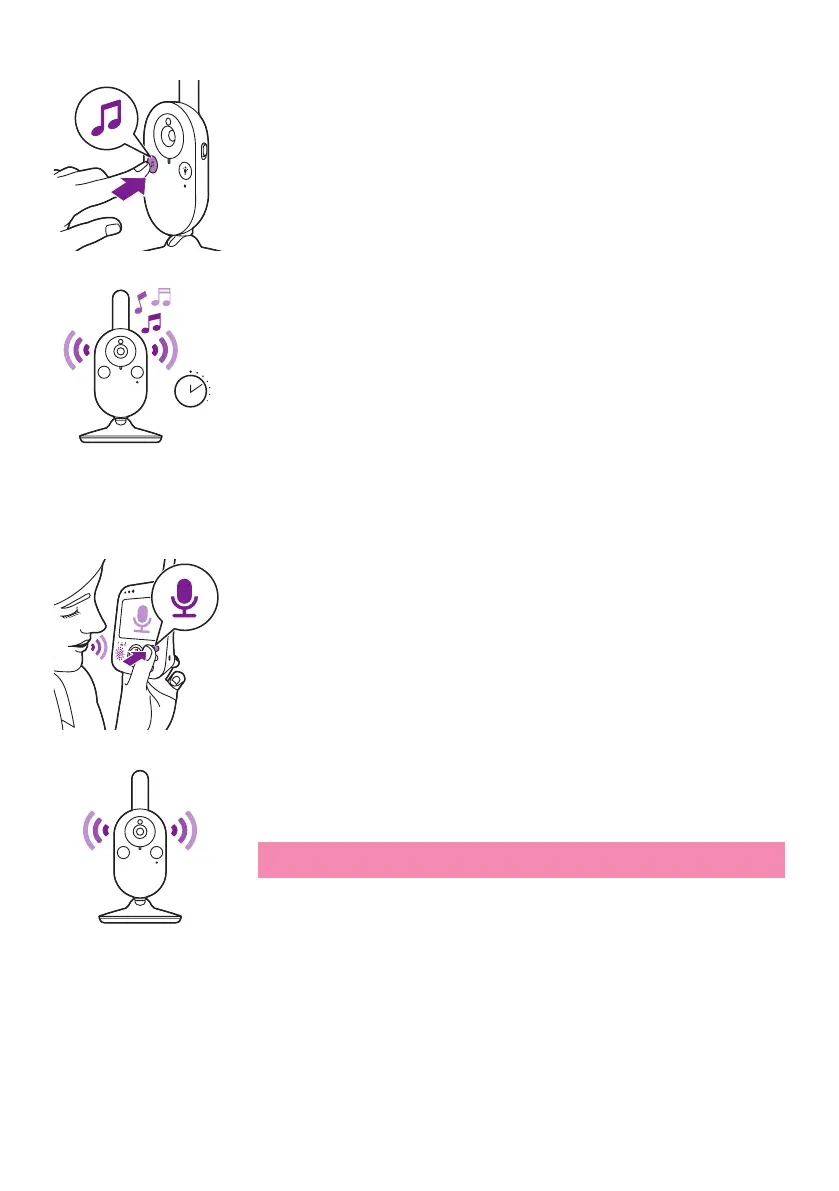
To activate the lullaby feature from the baby unit, press the lullaby on/
o button on the baby unit.
The latest lullaby selected on the parent unit starts to play on the baby
unit and is repeated continuously for approximately 15 minutes.To
stop the lullaby on the baby unit, press the lullaby on/o button on
the baby unit�
Talk-back
You can use the talk-back button on the parent unit to talk to your baby�
1 Press and hold the talk-back button on the parent unit�
2 Talk clearly into the microphoneat the front of the parent unit from a
distance between 15-30cm /0.5-1ft.
As long as the talk-back button is pressed, there is an open sound
connection to the baby unit� The display of the parent unit shows the
talk-back icon, indicating the active connection.
3 Release the talk-back button when you have nished talking.
Note: As long as the talk-back button is pressed, theparent
unitcannot process sounds coming from the baby unit.
15 min









 To Next Page