EasyManua.ls Logo

Philips AZ 1508 - Cassette Recording Methods; CD Synchro Start Recording; Radio and Microphone Recording

Philips AZ 1508
18 pages
Print Icon
To Next Page IconTo Next Page
To Previous Page IconTo Previous Page
Loading...
CASSETTE
RECORDER
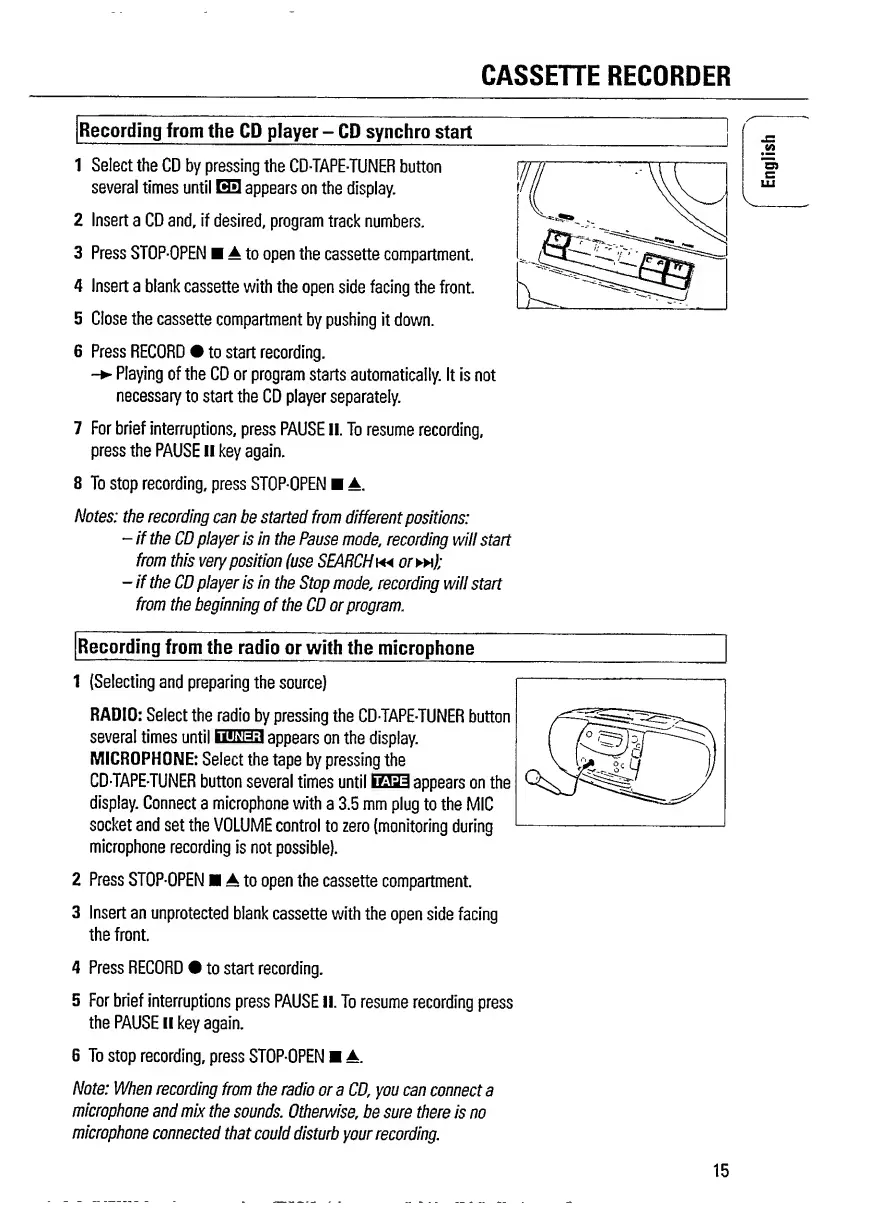
Recording
from
the
CD
player
-
CD
synchro
start
1
Select
the
CD
by
pressing
the
CDTAPE-TUNER
button
several
times
until
H3
appears
on
the
display.
2
Insert
a
CD
and,
if
desired,
program
track
numbers.
3
Press
STOP-OPEN
A
to
open
the
cassette
compartment
4
Insert
a
blank
cassette
with
the
open
side
facing
the
front.
5
Close
the
cassette
compartment
by
pushing
it
down.
6
Press
RECORD
to
start
recording.
-
Playing
of
the
CD
or
program
starts
automatically.
It
is
not
necessary
to
start
the
CD
player
separately.
7
F
or
brief
interruptions,
press
PAUSE
II.
To
resume
recording,
press
the
PAUSE
II
key
again.
8
T
o
stop
recording,
press
STOP-OPEN
A.
Notes:
the
recording
can
be
started
from
different
positions:
-
if
the
CD
player
is
in
the
Pause
mode,
recording
will
start
from
this
very
position
(use
SEARCH
ortw);
-
if
the
CD
player
is
in
the
Stop
mode,
recording
will
start
from
the
beginning
of
the
CD
or
program.
Recording
from
the
radio
or
with
the
microphone
1
(Selecting
and
preparing
the
source)
RADIO:
Select
the
radio
by
pressing
the
CDTAPE-TUNER
button
several
times
until
BSS
13
appears
on
the
display.
MICROPHONE:
Select
the
tape
by
pressing
the
CDTAPE-TUNER
button
several
times
until
EE0
appears
on
the
display.
Connect
a
microphone
with
a
3.5
mm
plug
to
the
MIC
socket
and
set
the
VOLUME
control
to
zero
(monitoring
during
microphone
recording
is
not
possible).
2
Press
STOP-OPEN
A
to
open
the
cassette
compartment.
3
Insert
an
unprotected
blank
cassette
with
the
open
side
facing
the
front.
4
Press
RECORD
to
start
recording.
5
For
brief
interruptions
press
PAUSE
II.
To
resume
recording
press
the
PAUSE
ll
key
again.
6
To
stop
recording,
press
STOP-OPEN
A.
Note:
When
recording
from
the
radio
or
a
CD,
you
can
connect
a
microphone
and
mix
the
sounds.
Otherwise,
be
sure
there
is
no
microphone
connected
that
could
disturb
your
recording.
15
English

Related product manuals