EasyManua.ls Logo

Philips AZ 1508 - Core Device Functions; Powering On;Off; Volume and Sound Adjustment

Philips AZ 1508
18 pages
Print Icon
To Next Page IconTo Next Page
To Previous Page IconTo Previous Page
Loading...
English
BASIC
FUNCTIONS
Switching
on
and
off/standby
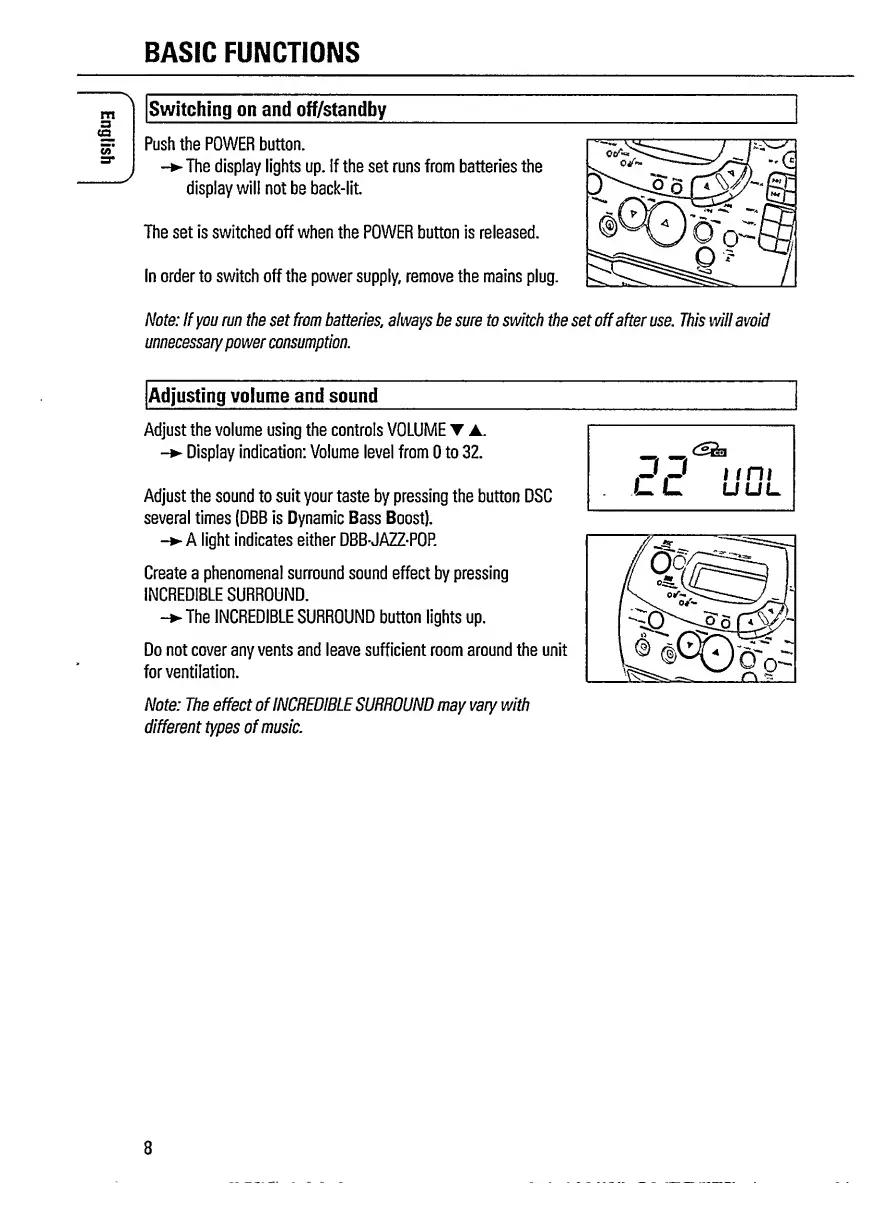
Push
the
POWER
button.
-
The
display
lights
up.
If
the
set
runs
from
batteries
the
display
will
not
be
back-lit.
The
set
is
switched
off
when
the
POWER
button
is
released.
In
order
to
switch
off
the
power
supply,
remove
the
mains
plug.
Note:
If
you
run
the
set
from
batteries
,
always
be
sure
to
switch
the
set
off
after
use.
This
will
avoid
unnecessary
power
consumption.
Adjusting
volume
and
sound
Adjust
the
volume
using
the
controls
VOLUME
Y
.
-
Display
indication:
Volume
level
from
0
to
32.
Adjust
the
sound
to
suit
your
taste
by
pressing
the
button
DSC
several
times
(DBB
is
Dynamic
Bass
Boost).
-
A
light
indicates
either
DBB-JAZZ-POP.
Create
a
phenomenal
surround
sound
effect
by
pressing
INCREDIBLE
SURROUND.
-
T
he
INCREDIBLE
SURROUND
button
lights
up.
Do
not
cover
any
vents
and
leave
sufficient
room
around
the
unit
for
ventilation.
Note:
The
effect
of
INCREDIBLE
SURROUND
may
vary
with
different
types
of
music.
8

Related product manuals