EasyManua.ls Logo

Philips AZ 1508 - CD Player Advanced Features; Track and Passage Searching; Shuffle and Repeat Playback Modes

Philips AZ 1508
18 pages
Print Icon
To Next Page IconTo Next Page
To Previous Page IconTo Previous Page
Loading...
English
CD
PLAYER
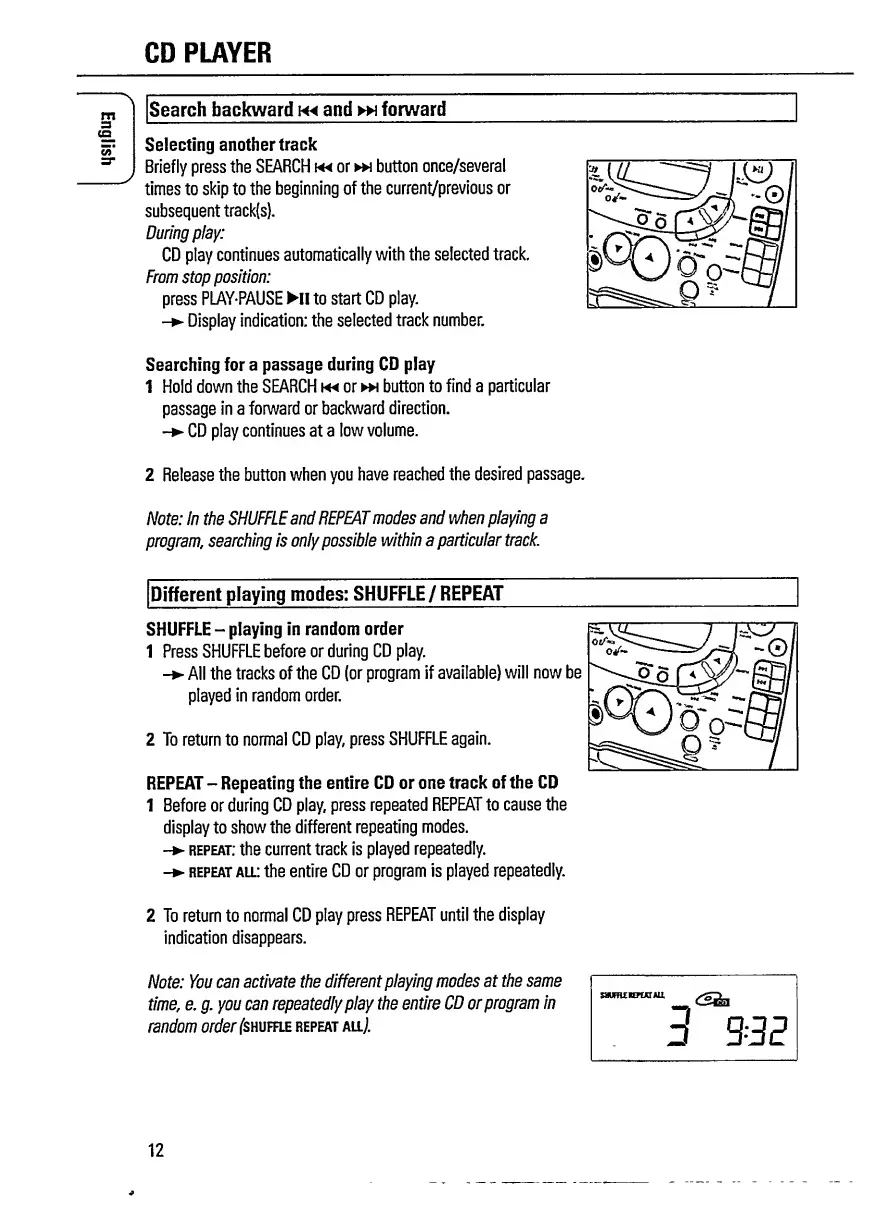
Search
backward
and
»\
forward
Selecting
another
track
Briefly
press
the
SEARCH
m
or
button
once/several
times
to
skip
to
the
beginning
of
the
current/previous
or
subsequent
track(s).
During
play:
CD
play
continues
automatically
with
the
selected
track.
From
stop
position:
press
PLAY'PAUSE
HI
to
start
CD
play.
-
Display
indication:
the
selected
track
number.
Searching
for
a
passage
during
CD
play
1
Hold
down
the
SEARCH
m
or
»\
button
to
find
a
particular
passage
in
a
forward
or
backward
direction.
-
CD
play
continues
at
a
low
volume.
2
Release
the
button
when
you
have
reached
the
desired
passage.
Note:
In
the
SHUFFLE
and
REPEAT
modes
and
when
playing
a
program,
searching
is
only
possible
within
a
particular
track.
Different
playing
modes:
SHUFFLE
/
REPEAT
SHUFFLE
-
playing
in
random
order
1
Press
SHUFFLE
before
or
during
CD
play.
-
All
the
tracks
of
the
CD
(or
program
if
available)
will
now
be
played
in
random
order.
2
To
return
to
normal
CD
play,
press
SHUFFLE
again.
REPEAT
-
Repeating
the
entire
CD
or
one
track
of
the
CD
1
Before
or
during
CD
play,
press
repeated
REPEAT
to
cause
the
display
to
show
the
different
repeating
modes.
-
repeat:
the
current
track
is
played
repeatedly.
-
repeat
all:
the
entire
CD
or
program
is
played
repeatedly.
2
To
return
to
normal
CD
play
press
REPEAT
until
the
display
indication
disappears.
Note:
You
can
activate
the
different
playing
modes
at
the
same
time,
e.
g.
you
can
repeatedly
play
the
entire
CD
or
program
in
random
order
(shuffle
repeat
all/
SWmiHPUTAU
3-3E
12

Related product manuals