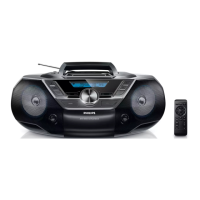
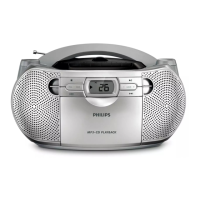
1 VOLUME
Adjust volume level
•
2 DBB
Turn the bass enhancement on/off
•
3 Cassette recorder buttons
•
Pause play or record
•
Stop cassette play or record
Open the cassette holder
•
/
Fast forward/rewind cassette
•
Start cassette play
•
Start cassette record
4 PROG
Program tracks and browse the program
•
5 MODE
Select a play mode: REPEAT or SHUFFLE
•
6 Basic play buttons:
•
Stop CD play
Erase a CD program
•
Start or pause CD play
•
/
Select the previous/next track
Fast search backwards/forwards within the current track
7 ALBUM +/-
Skip to the next/previous album in an MP3-CD
•
8 BAND
Select a wave band
•
9 MP3 LINK
Socket for audio input
•
10 TUNING +/-
•
Tune to radio stations
11 LIFT TO OPEN
Open/Close the CD compartment
•


 To Next Page