INSTRUCTIONS FOR USE
3-4
PCS 107 116
Erasing a programme
You can erase the programme by:
– pressing STOP 9 once in the STOP position;
– pressing STOP 9 twice during playback;
– pressing the CD door open;
– switching to another source: TAPE/TUNER.
• The display shows ' ' briefly.
CD player and CD handling
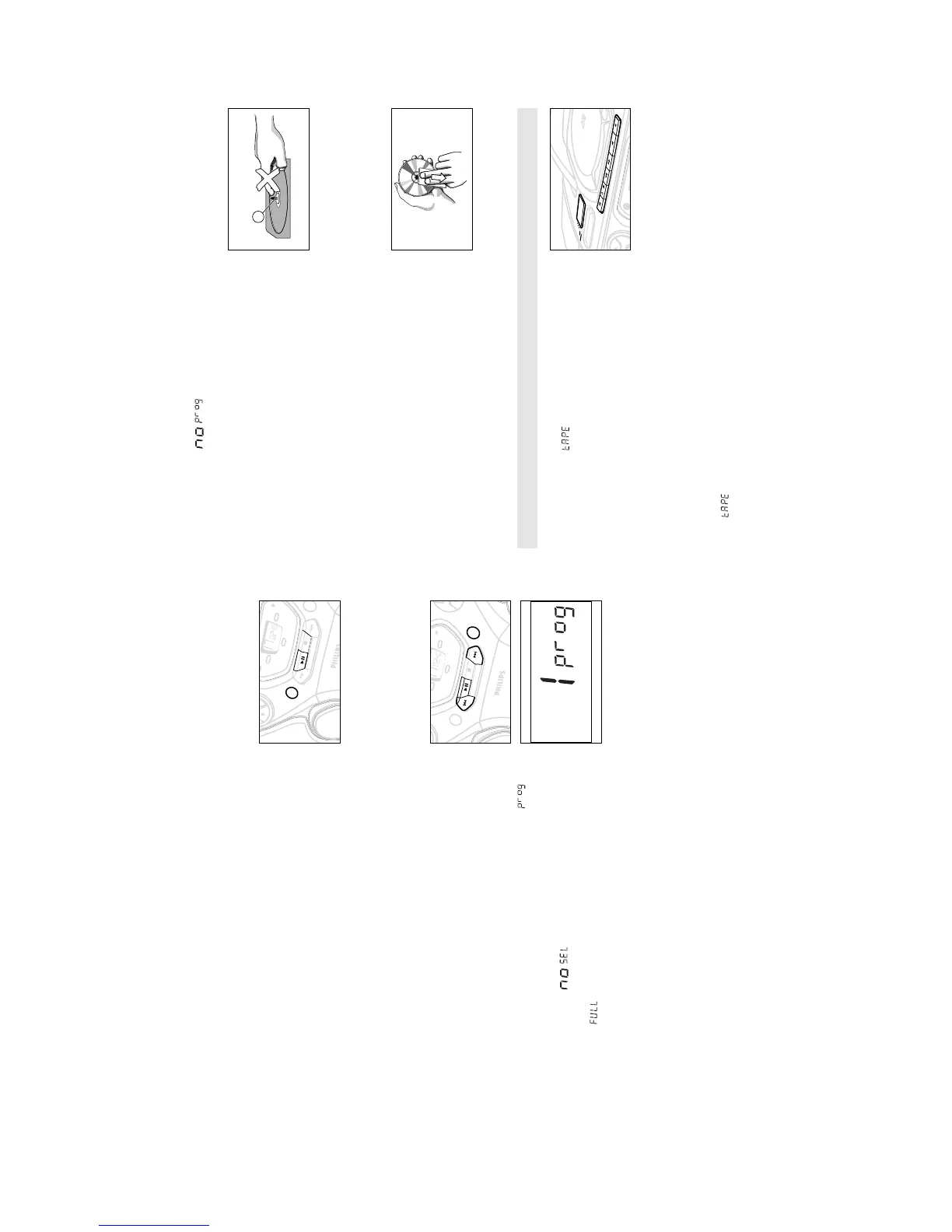
• The lens of the CD player should never be touched!
• If the CD player cannot read CDs correctly, use a commonly
available cleaning CD to clean the lens before taking the set to
repair. Other cleaning methods may destroy the lens.
• Sudden changes in the surrounding temperature can cause
condensation to cloud over on the lens of your CD player.
Playing a CD is then not possible. Do not attempt to clean the
lens but leave the set in a warm environment until the
moisture evaporates.
• Always keep the CD compartment closed to avoid dust on the
lens.
• To take a CD out of its box, press the centre spindle while
lifting the CD. Always pick up the CD by the edge and return
the CD to its box after use to avoid scratching and dust.
• To clean the CD, wipe in a straight line from the centre
towards the edge using a soft, lint-free cloth. Do not use
cleaning agents as they may damage the disc.
• Never write on a CD or attach any stickers to it.
CASSETTE PLAYBACK
1. Select TAPE source.
™ The display shows throughout tape operation, and the
function indication lights up.
2. Press STOP•OPEN 9/ to open the cassette door.
3. Insert a recorded cassette and close the cassette door.
4. Press PLAY 1 to start playback.
5. To pause playback, press PAUSE ;. To resume, press the key
again.
6. By pressing SEARCH 5 or 6 fast winding of the tape is
possible in both directions.
7. To stop the tape, press STOP•OPEN 9/.
– The keys are automatically released at the end of the tape and
the indication and function light go out, except if
PAUSE ; has been activated.
REC
ORD
PLA
Y
SE
AR
CH
ST
OP-OPEN
P
AUS
E
DB
B
POWE
R
TUNER
DYNAMIC BASS BOOST
CD
T
APE
OFF
AZ 1
065
CD RADIO CASSETTE RECORDER
Different play modes: SHUFFLE and REPEAT
You can select and change the various play modes before or during
playback. The play modes can also be combined with PROGRAM.
SHUFFLE - tracks of the entire CD/ programme are played in
random order
SHUFFLE and REPEAT ALL - to repeat the entire CD/ programme
continuously in random order
REPEAT ALL - repeats the entire CD/ programme
REPEAT - plays the current track continuously
1. To select your play mode, press the MODE button (on the
remote control SHUFFLE or REPEAT) before or during playback
until the display shows the desired function.
2. Press PLAY•PAUSE 2; (on the remote control 2;) to start
playback if in the STOP position.
3. To return to normal playback, press the respective MODE (or
the respective SHUFFLE or REPEAT) button until the various
SHUFFLE/ REPEAT modes are no longer displayed.
– You can also press STOP 9 to cancel your play mode.
Programming track numbers
Programme in the STOP position to select and store your CD tracks
in the desired sequence. If you like, store any track more than
once. Up to 20 tracks can be stored in the memory.
1. Use the SEARCH ∞ or § on the set, (on the remote control
¡ or ™
) to select your desired track number.
2. Press PROG.
™ Display: PROGRAM and the selected track number
appears briefly.
™ If you attempt to programme without first selecting a track
number, is shown.
3. Repeat steps 1-2 to select and store all desired tracks.
™ is displayed if you attempt to programme more than
20 tracks.
4. To start playback of your CD programme, press
PLAY•PAUSE 2; (on the remote control 2;).
Reviewing the programme
In the stop position, press and hold down PROG for a while until
the display shows all your stored track numbers in sequence.
S
HU
F
FL
E
A
LL
V
OLUME
BA
T
T
LO
W
MODE
T
A
PE
TUNER
CD
ST
OP
PLA
Y
•
P
A
USE
SE
A
RC
H
•
•
•
•
•
•
SE
A
RC
H
REMOTE
SENSOR
SHU
FF
LE
ALL


 To Next Page