EasyManua.ls Logo

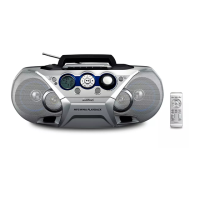
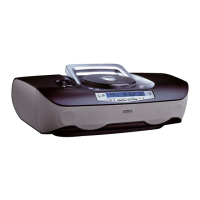
Philips AZ305 - User Manual

Philips AZ305
12 pages
Print Icon
To Next Page IconTo Next Page
Loading...
www.philips.com/welcome
AZ305
Always there to help you
User Manual
Question?
Contact
Philips
Register your product and get support at
Question and Answer IconNeed help?

Do you have a question about the Philips AZ305 and is the answer not in the manual?

Summary

Important Safety Information

General Safety Instructions

Covers installation, ventilation, power cord protection, and servicing guidelines.

Battery Usage Precautions

Safety guidelines for battery installation, mixing, removal, and exposure to heat.

Product Warnings

Important warnings about casing, electrical equipment, and laser beam.

Getting Started: Powering Up

Operational Cautions

Cautions regarding controls, adjustments, and potential hazardous operations.

AC Power Safety Warnings

Warnings about product damage and electric shock when using AC power.

Playing Audio

Troubleshooting

Troubleshooting Safety Warnings

Warnings about not removing the casing and not attempting self-repair.

Troubleshooting: Power Issues

Checks to perform if the unit does not turn on or respond.

Troubleshooting: Audio Issues

Steps to take if there is no sound output or poor radio reception.

Troubleshooting: Disc & Unit Issues

Solutions for the unit not detecting a disc or being unresponsive.

Summary

Important Safety Information

General Safety Instructions

Covers installation, ventilation, power cord protection, and servicing guidelines.

Battery Usage Precautions

Safety guidelines for battery installation, mixing, removal, and exposure to heat.

Product Warnings

Important warnings about casing, electrical equipment, and laser beam.

Getting Started: Powering Up

Operational Cautions

Cautions regarding controls, adjustments, and potential hazardous operations.

AC Power Safety Warnings

Warnings about product damage and electric shock when using AC power.

Playing Audio

Troubleshooting

Troubleshooting Safety Warnings

Warnings about not removing the casing and not attempting self-repair.

Troubleshooting: Power Issues

Checks to perform if the unit does not turn on or respond.

Troubleshooting: Audio Issues

Steps to take if there is no sound output or poor radio reception.

Troubleshooting: Disc & Unit Issues

Solutions for the unit not detecting a disc or being unresponsive.

Philips AZ305 Specifications

General IconGeneral
BrandPhilips
ModelAZ305
CD PlayerYes
FM RadioYes
USB PortNo
Battery TypeC
Weight1.1 kg
Built-in speaker(s)Yes
Number of speakers2
AC input voltage220-240V
RadioYes
Cassette PlayerNo
Tuner BandsFM
Power SourceAC/DC
Playback media typesCD

Related product manuals