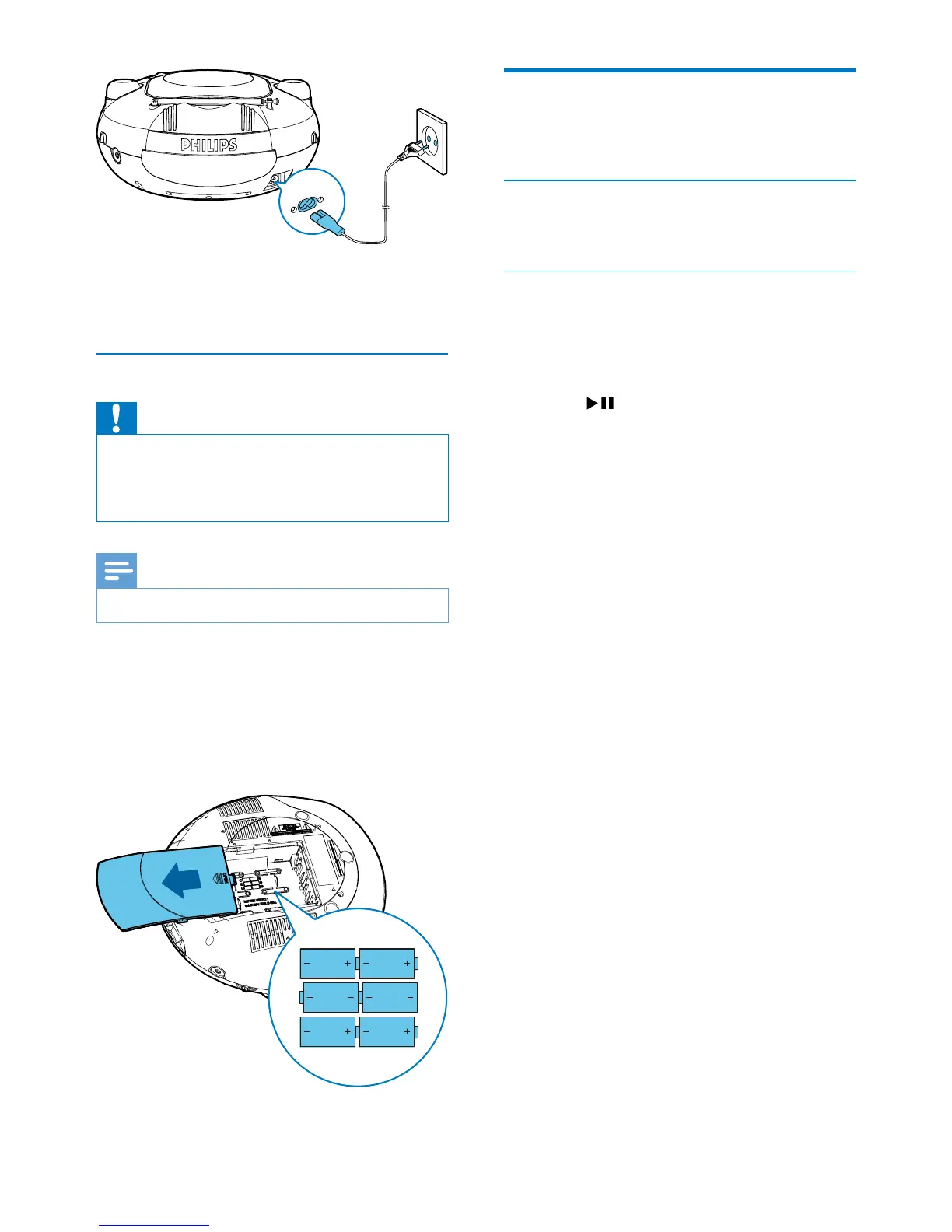
Option 2: Battery power
Caution
•
Risk of explosion! Keep batteries away from heat,
sunshineorre.Neverdiscardbatteriesinre.
• Batteries contain chemical substances, so they should
be disposed of properly.
Note
•
Batteries are not supplied with the accessories.
1 Open the battery compartment.
2 Insert6batteries(type:R14/UM2/C
CELL)withcorrectpolarity(+/-)as
indicated.
3 Close the battery compartment.
AC~MAINS
Turn on
Switch the source selector to FM, USB, or CD.
Turn off
Switch the source selector to OFF.
Switch to standby mode
Iftheunitisidlefor15minutes,itswitchesto
standby mode automatically.
To exit the standby mode,
• press
; or
• select a source.



 To Next Page