9 EN
5 Play options
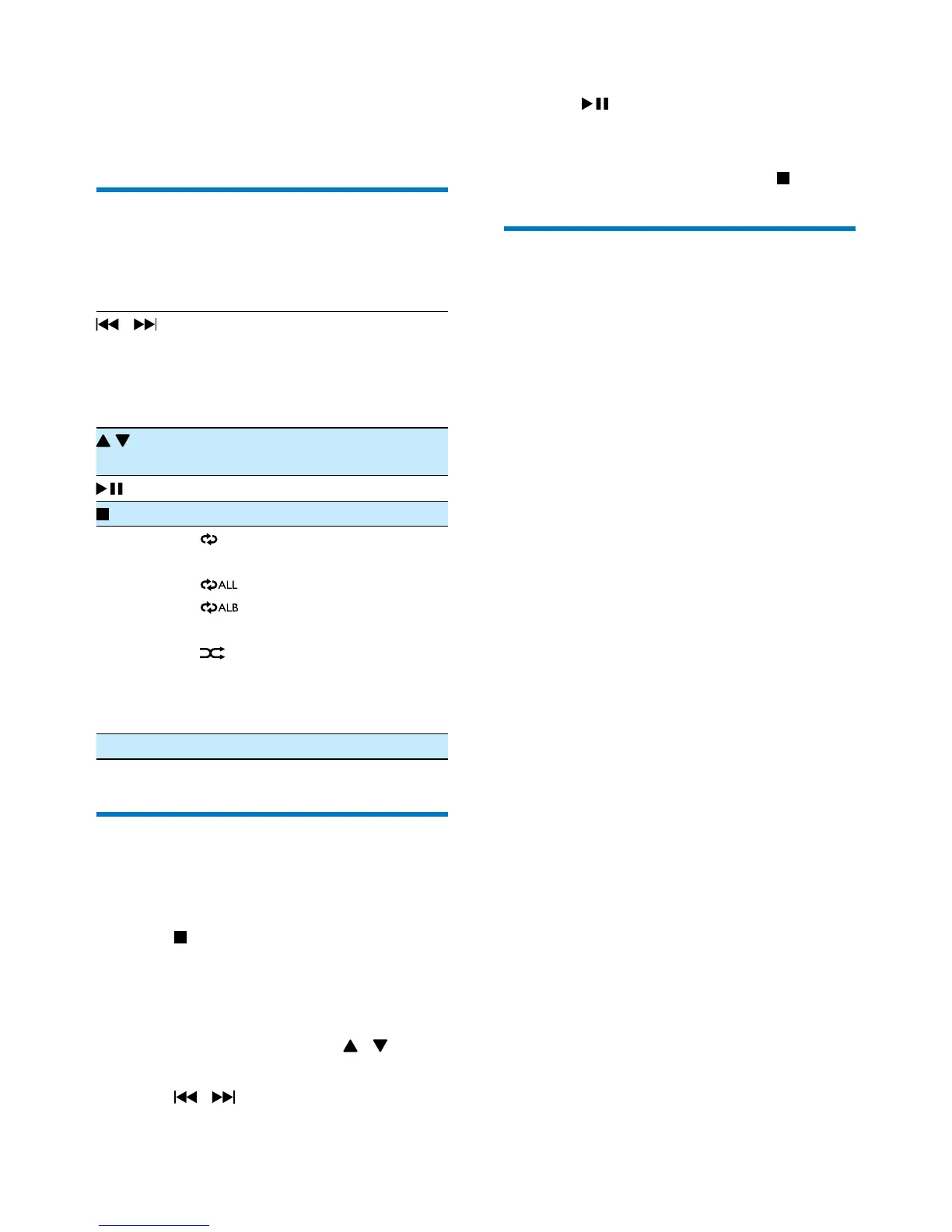
Control play
In CD or USB mode, you can control play
through the following operations.
/ Selectanaudiole;
Press and hold to fast-forward
or fast-reverse the track during
playback, then release to resume
play.
Skip to the previous or next MP3/
WMA album.
Pause or resume play.
Stop play.
MODE [
]: Play the current track
repeatedly.
[
]: Play all tracks repeatedly.
[
] (forMP3/WMAonly):
Play the current album repeatedly.
[
]: Play tracks randomly.
To return to normal play, press
MODE repeatedly until the repeat
orshufeiconsdisappear.
VOLUME Adjust volume.
Program tracks
In CD or USB mode, you can program a
maximumof20tracks.
1 Press to stop playback.
2 Press PROG to activate the program
mode.
» [PROG] (program)beginstoblink.
3 For MP3/WMA tracks, press / to
select an album.
4 Press / to select a track number,
and then press PROGtoconrm.
5 Repeat steps 3-4 to program more tracks.
6 Press to play the programmed tracks.
» During play, [PROG] (program)and
the preset number are displayed.
• To erase the program, press
twice.
Enhance bass
To turn dynamic bass boost on or off, slide DBB
switch to ON or OFF.



 To Next Page