5 Listen to radio
Note
• For optimal reception, fully extend the FM antenna and adjust its position.
1 Slide the source selector to FM.
2 Rotate the TUNING knob to tune to an FM radio station.
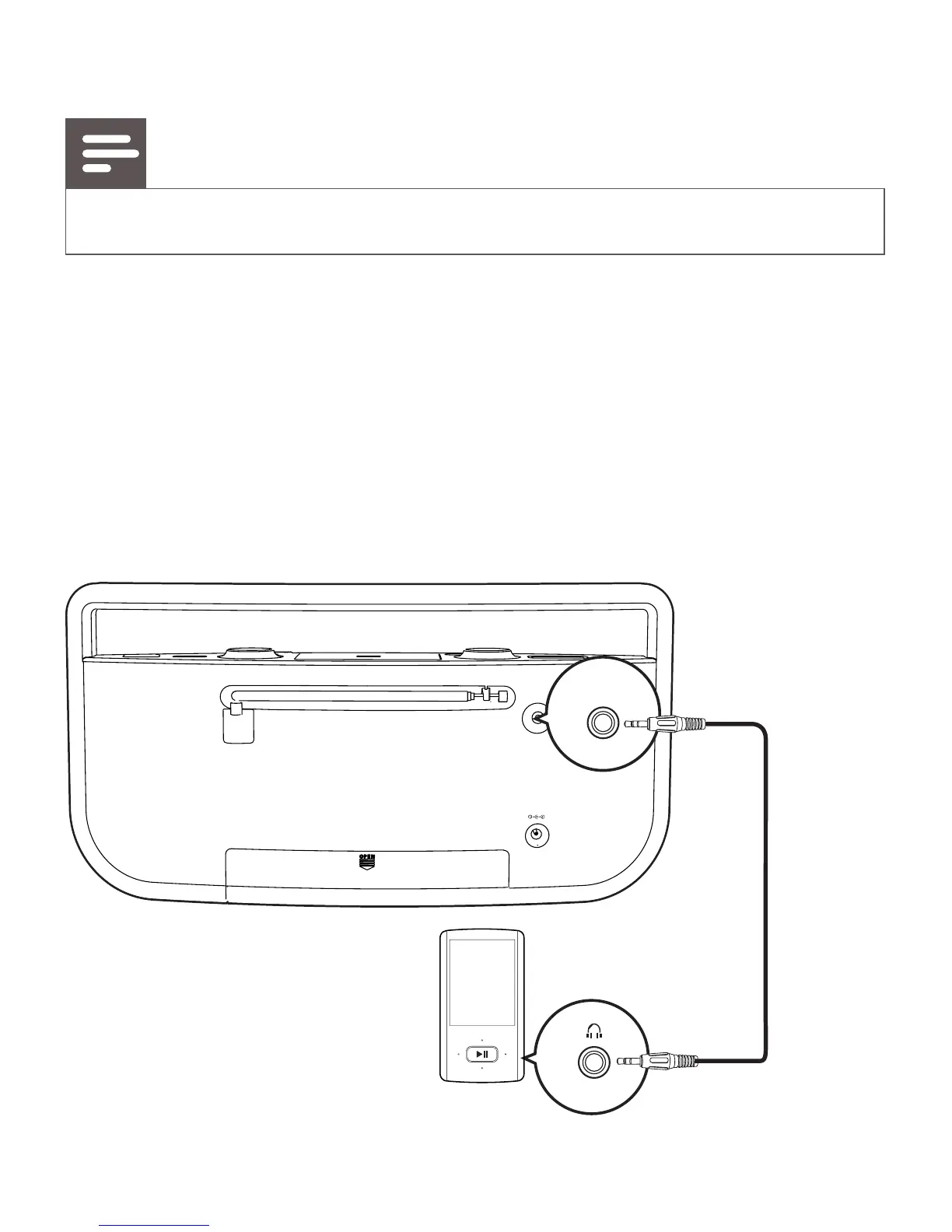
6 Listen to an external device
You can use the CD sound machine as a speaker to amplify the audio
input from an external device, for example, MP3 player.


 To Next Page