BDL4330QL
22
Before using import function of USB coping for URL, create a new
text document and name it “url_schedulinglist.txt”. When entering a
URL, the format must follow the format below: “Scheduling Number,
URL address.“
For example, Set URL of schedule 1 and schedule 2 to www.google.
com and tw.yahoo.com, respectively.
1, www.google.com 2, tw.yahoo.
com
Picture
Sound
Tiling
Network
Storage
General settings
Menu language
Monitor Group
Monitor ID
Auto search
Clock
Scheduling
Sleep timer
OneWire
Local KB lock
RC lock
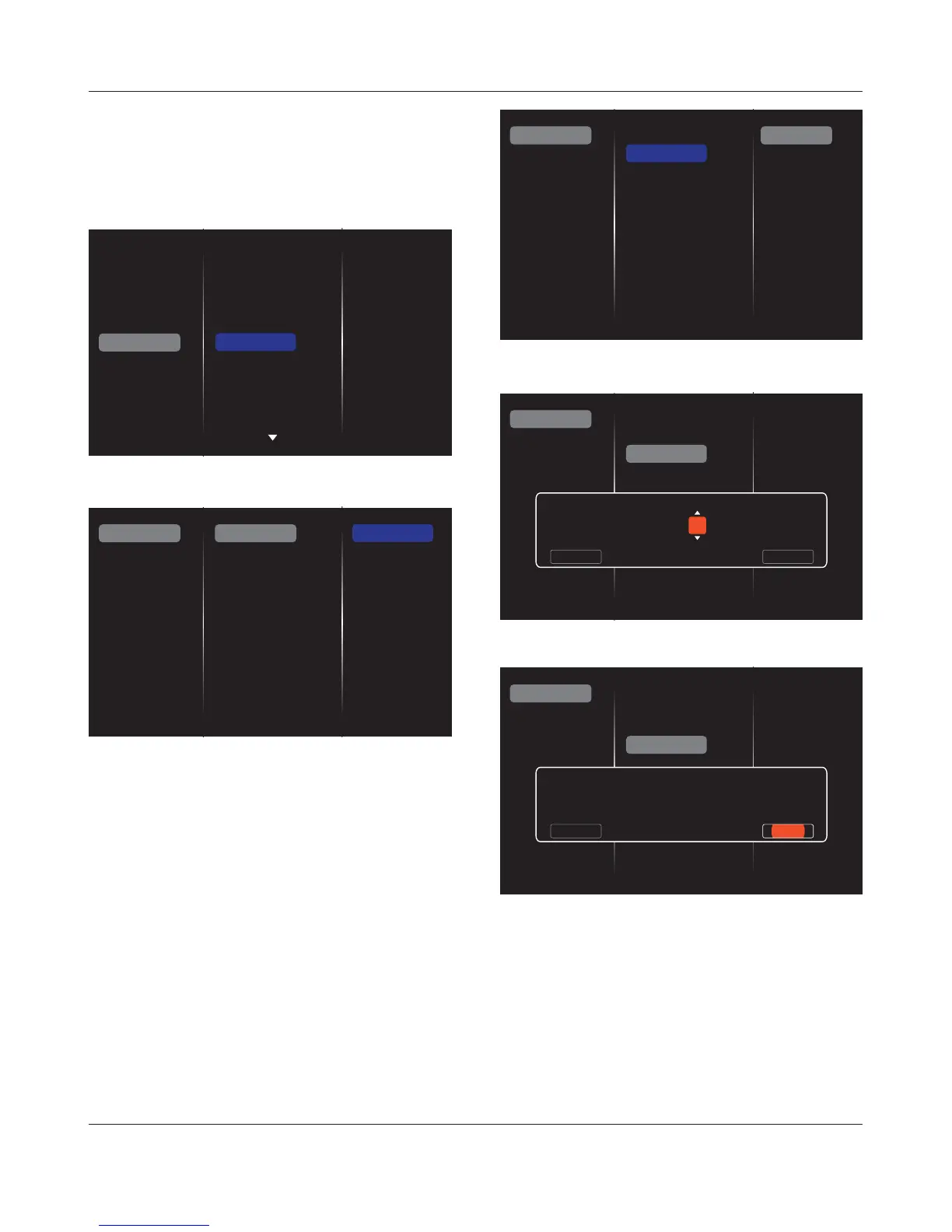
1. There are 7 schedule can be set. Go to
Status
and choose
On
.
Slideshow durations
Status
Source
On time
Off time
Repeat modes
Playlist setting
Off
On
Schedule 1
Schedule 2
Schedule 3
Schedule 4
Schedule 5
Schedule 6
Schedule 7
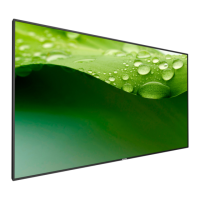
2. Go to Source and choose input source.
If {Source}
Æ
{USB playlist} is chosen. You need to set playlist.
If {Source}
Æ
{Internet} is chosen. You need to set URL address.
If {Source}
Æ
{USB AutoPlay} is chosen. You need to create a folder
QDPHG´3KLOLSVµLQWKH86%DQGSXWDOOPHGLDÀOHVLQWRWKHVSHFLÀFIROGHU
for auto play.
Status
Source
On time
Off time
Repeat modes
Playlist setting
Schedule 1
Schedule 2
Schedule 3
Schedule 4
Schedule 5
Schedule 6
Schedule 7
Slideshow durations
USB playlist
USB AutoPlay
Internet
SmartCMS
CVBS
YPbPr
VGA
HDMI
DVI-D
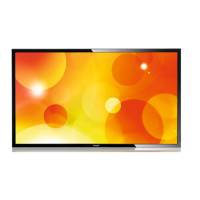
3. Set
On time
.
Status
Source
On time
Off time
Repeat modes
Playlist setting
Schedule 1
Schedule 2
Schedule 3
Schedule 4
Schedule 5
Schedule 6
Schedule 7
On time
Cancel Done
00 : 00
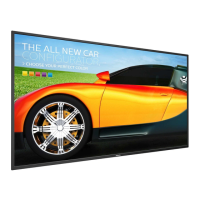
4. Set
Off time
.
Status
Source
On time
Off time
Repeat modes
Playlist setting
Schedule 1
Schedule 2
Schedule 3
Schedule 4
Schedule 5
Schedule 6
Schedule 7
Off time
Cancel
14 : 00
Done
5. Go to
Repeat modes
and choose.










 To Next Page