BDL4330QL
24
Logo
Choose {Off} and the display will not display the
logo when
you switch on.
Advanced power management
Choose {On}. Then, when no signal, the display will automatically turn
off.
Source notiÀcation
When you press [
] POWER button to turn on the display from
standby mode or change the input signal, the information OSD is
displayed on the upper left corner of the screen.
Choose {Off} to turn off this function.
Factory settings
Reset all your customized settings to the factory defaults.
5.1.7. Web control
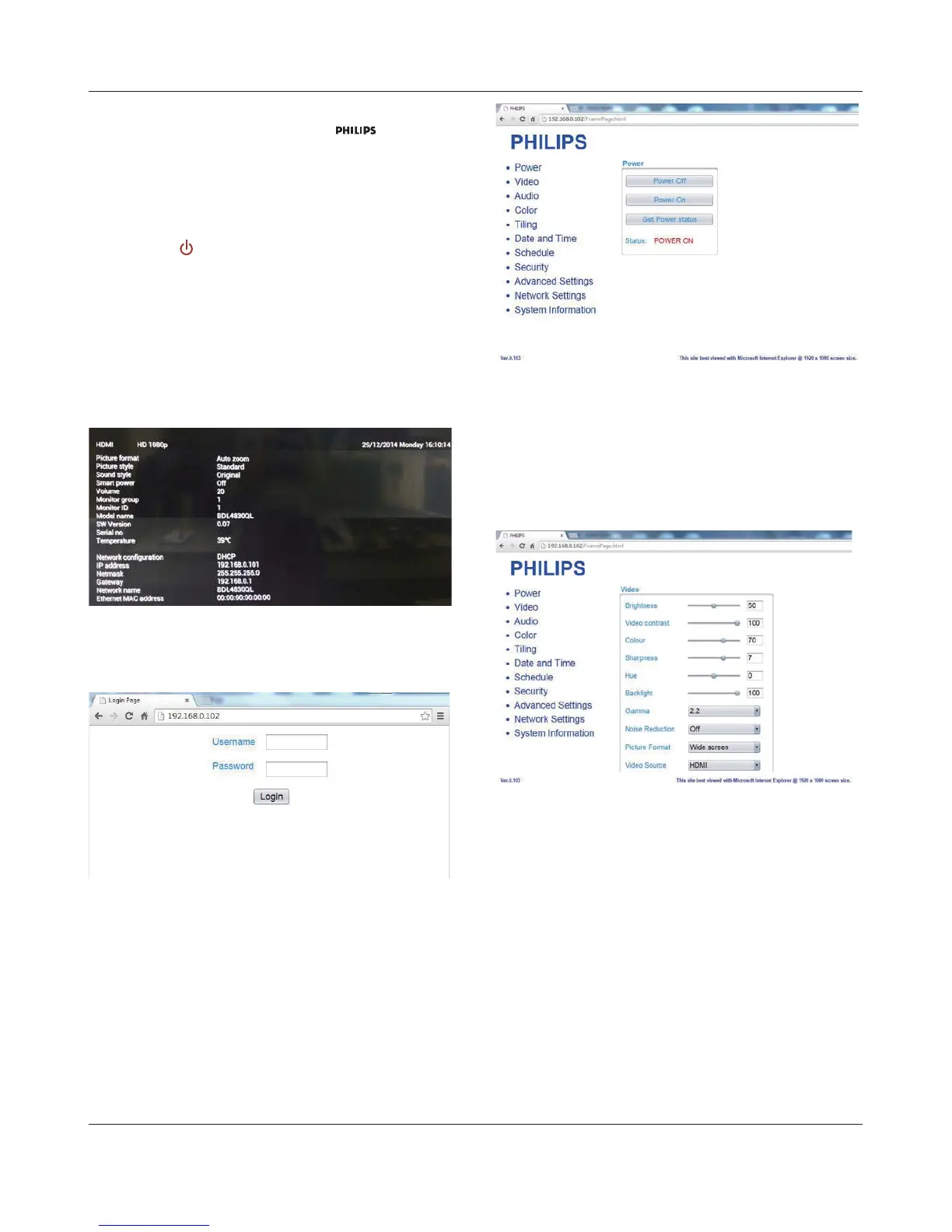
1.1. Ensure you have connected to the network. You can press INFO
button to display the connection of the network.
1.2. )URPWKHFRPSXWHUFRQQHFWHGWRWKH3'ÀUVWRSHQ\RXU:HE
browser. Then enter the PD’s address(192.168.0.101) for network
DGPLQLVWUDWLRQLQWKHZHEDGGUHVVÀHOGDQGKLWHQWHUWRUHDFKWKH
home page of Web Control.
Note: Default Username is admin with Password 1234.
1.3. The default Main Page of Web Control is Power Page. It provides
you an easy way to turn the display on or put the display to standby.
Power Off: Put the display to standby.
Power On: Turn the display on.
Get Power status: Click this button to get the display status.
Note: Power On function only supported after setting Eco mode to
Normal.
1.4. Click on video to switch to Video Page. It provides you an easy way
to adjust video settings.
Brightness: Adjust the overall image brightness by changing the intensity
of the LCD panel’s backlight. 0(minimum) to 100(maximum).
9LGHRFRQWUDVW$GMXVWWRVKDUSHQWKHSLFWXUHTXDOLW\7KHEODFNSRUWLRQV
of the picture become richer in darkness and the white become
brighter. 0(minimum) to 100(maximum).
Color: Adjust to increase or decrease the intensity of colors in the
image. 0(minimum) to 100(maximum).
Sharpness: Adjust to improve image detail. 0(minimum) to
100(maximum).
Hue: Adjust screen hue. -50(minimum) to 50(maximum).
Backlight: Adjust the brightness of the display’s backlight. 0(minimum) to
100(maximum).
Gamma: Adjust the non-linear setting for picture luminance and contrast.
1(minimum) to 4(maximum).
Noise Reduction: Adjust to remove the noise in the image. You can
select a suitable noise reduction level. Choose from: Off/Low/Medium/
High










 To Next Page