BDL5520QL
3
2. Parts and Functions
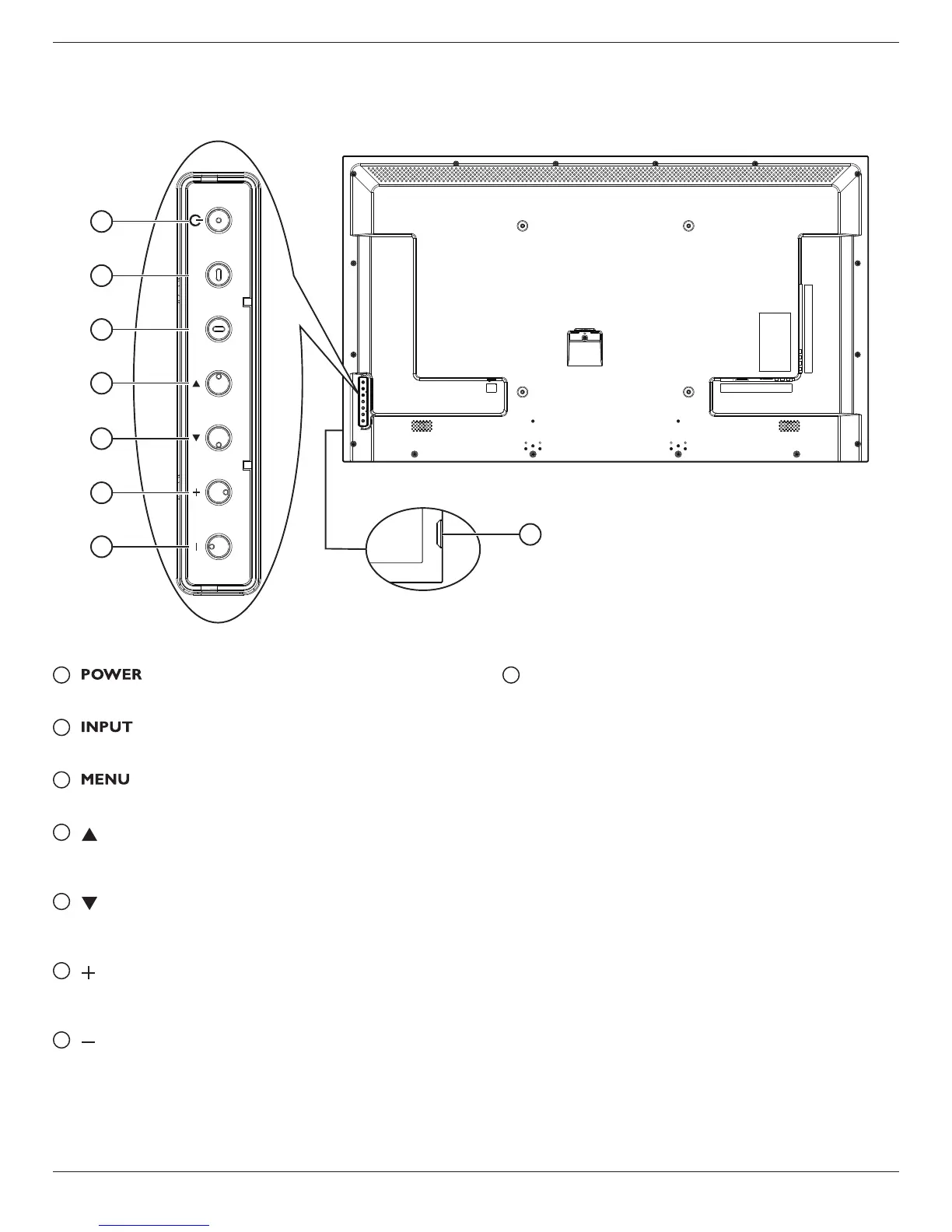
2.1. Control Panel
INPUT MENU
3
2
5
4
1
7
6
8
1
[ ] button
Press to switch the display on or off.
2
[ ] button
Press to select input source.
3
[ ] button
Press to access the OSD menu.
4
[ ] button
Press to move the highlight bar up to adjust the selected item while
OSD menu is on.
5
[ ] button
Press to move the highlight bar down to adjust the selected item
while OSD menu is on.
6
[ ] button
Press to increase the adjustment while OSD menu is on, or to
increase the audio output level while OSD menu is off.
7
[ ] button
Press to decrease the adjustment while OSD menu is on, or to
decrease the audio output level while OSD menu is off.
8
Remote control sensor and power status indicator
• Receives command signals from the remote control.
- Lights green when this display is turned on
- Lights red when this display is in standby mode
- Lights off when the main power of this display is turned off











 To Next Page