EasyManua.ls Logo

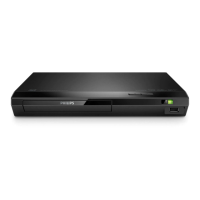
Philips BDP2190 - User Manual

Philips BDP2190
48 pages
Print Icon
To Next Page IconTo Next Page
Loading...
BDP2190
www.philips.com/support
User manual
Always there to help you
Register your product and get support at
Question?
Contact
Philips
BDP2190_05_UM_EN_V1.0.indb 1 2015/11/11 14:46:53

Questions and Answers

  • J
    James Clark IIIAug 28, 2025
    Why can't my Philips DVD Player read USB storage contents?
    • E
      Edward GlassAug 28, 2025
      If your Philips DVD Player isn't reading the contents of a connected USB storage device, ensure the format of the USB storage device is compatible with the player. Also, verify that the file system on the USB storage device is supported by the player. If you're using a USB HDD, it might need an external power source.
  • T
    Thomas JenkinsAug 27, 2025
    How to troubleshoot no audio output from Philips DVD Player to external speakers?
    • S
      Samuel RamirezAug 27, 2025
      If you are experiencing no audio output from the loudspeakers of the external audio device (home theater or amplifier) when using the Philips DVD Player, ensure that the audio cables are connected to the audio input of the audio device. Additionally, switch the external audio device to the correct audio source input.
  • J
    Joyce MasonAug 27, 2025
    How to fix no audio output from Philips DVD Player to TV?
    • A
      ashley74Aug 27, 2025
      If you are experiencing no audio output from your TV when using the Philips DVD Player, ensure the audio cables are correctly connected to the audio input of the TV. Also, make sure that the TV is switched to the correct source input for the DVD player.
  • K
    Kirsten SchultzAug 25, 2025
    What to do if my Philips DVD Player cannot play a disc?
    • M
      melodybradleyAug 26, 2025
      If your Philips DVD Player is not playing a disc, try cleaning the disc first. Make sure the disc is correctly loaded into the player. Verify that your player supports the disc type and the region code of the DVD or BD. If you are using a DVD±RW or DVD±R, ensure that the disc has been finalized.
  • I
    iwheelerAug 25, 2025
    Why is there no sound on HDMI connection with my Philips BDP2190 DVD Player?
    • C
      Christopher TurnerAug 25, 2025
      If you're not getting any sound through the HDMI connection on your Philips DVD Player, it might be because the connected device isn't HDCP compliant or is only DVI-compatible. In this case, you may not hear any sound from the HDMI output.

Summary

Safety and Important Notices

General Safety Precautions

Measures to prevent electric shock, fire, and other hazards.

Laser Safety and Product Protection

Warnings about laser radiation, overheating, and product damage.

Battery Handling and Safety

Guidelines for safe handling, replacement, and disposal of batteries.

1 Getting Started: Setup Guide

2 Using Your Blu-ray;DVD Player

Basic Playback Controls

Learn how to control playback functions like play, pause, and stop.

Video, Audio, and Picture Options

Adjusting playback settings for video, audio, and picture quality.

Setting Up Network Connectivity

Guide to connecting the player to a network for online features.

3 Changing Player Settings

Picture Settings Adjustment

Customizing video display parameters for optimal viewing.

Sound Settings Configuration

Adjusting audio preferences and output formats.

Network Setup and Status

Setting up and checking the network connection status.

4 Updating Player Software

Software Update via USB

Step-by-step guide for updating software using a USB drive.

5 Product Specifications

6 Troubleshooting Common Issues

Philips BDP2190 Specifications

General IconGeneral
BrandPhilips
ModelBDP2190
CategoryDVD Player
LanguageEnglish

Related product manuals