EasyManua.ls Logo

Philips BDP2590B/98 - User Manual

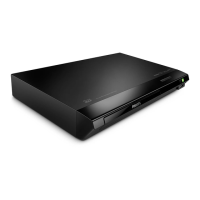
Philips BDP2590B/98
27 pages
Print Icon
To Next Page IconTo Next Page
Loading...
User manual
使用手冊
Manual pengguna
คู่มือผู้ใช้
www.philips.com/support
Register your product and get support at
BDP2590B_98_UM_V2.0.indb 1 10/10/2016 2:17:10 PM

Questions and Answers

  • D
    Danielle FletcherAug 18, 2025
    What to do if my Philips BDP2590B/98 DVD Player cannot play a disc?
    • P
      psmithAug 18, 2025
      If your Philips DVD Player can't play a disc, consider the following: * Clean the disc. * Ensure the disc is correctly loaded. * Verify the player supports the disc type. * Confirm the player supports the DVD or BD region code. * For DVD±RW or DVD±R discs, ensure they are finalized.
  • S
    Stephen DavidAug 21, 2025
    How to fix no audio output from TV with Philips DVD Player?
    • A
      Adam BarnesAug 21, 2025
      If you're experiencing no audio output from the TV when using your Philips DVD Player: * Check that the audio cables are correctly connected to the audio input of the TV. * Ensure the TV is switched to the correct source input for the player.
  • R
    robert77Aug 23, 2025
    What to do if my Philips BDP2590B/98 has no picture on HDMI connection?
    • T
      Traci EdwardsAug 23, 2025
      If you have no picture when using an HDMI connection with your Philips DVD Player: * Check the HDMI cable and replace it if faulty. * Press the numeric buttons '731' on the remote control to recover picture display. Alternatively, the picture should recover automatically after 10 seconds.
  • J
    Jesse SanchezAug 26, 2025
    What to do if my Philips DVD Player cannot read the contents of a connected USB storage?
    • S
      Sandra SmithAug 26, 2025
      If your Philips DVD Player cannot read the contents of a connected USB storage device: * Ensure the format of the USB storage device is compatible with the player. * Check that the file system on the USB storage device is supported by the player. * If using a USB HDD, an external power source may be needed.
  • W
    William MontesAug 27, 2025
    What to do if my Philips DVD Player cannot play DivX video files?
    • P
      Paul AndersonAug 28, 2025
      If your Philips DVD Player cannot play DivX video files: * Make sure that the DivX video file is complete. * Make sure that the video file name extension is correct.
  • B
    Benjamin AlvaradoAug 30, 2025
    Why is there no sound on HDMI connection with my Philips BDP2590B/98?
    • C
      Catherine WardAug 30, 2025
      If you are getting no sound through the HDMI connection on your Philips DVD Player, it may be because the connected device is non-HDCP compliant or only DVI-compatible. In this case, you might not hear any sound from the HDMI output.
  • D
    Diane WilliamsSep 1, 2025
    How to resolve no audio output from loudspeakers of external audio device (home theater or amplifier) with Philips DVD Player?
    • M
      Mitchell JohnsonSep 2, 2025
      If you're not getting audio output from the loudspeakers of your external audio device (home theater or amplifier) when using your Philips DVD Player: * Make sure the audio cables are connected to the audio input of the audio device. * Switch the external audio device to the correct audio source input.
  • L
    Lisa SmithSep 3, 2025
    Why does my Philips BDP2590B/98 not play high-definition video?
    • P
      paul11Sep 4, 2025
      If your Philips DVD Player isn't playing high-definition video: * Ensure the disc contains high-definition video. * Confirm that your TV supports high-definition video.
  • M
    Michelle McintyreSep 6, 2025
    How to fix DivX subtitles that do not display correctly on Philips DVD Player?
    • L
      Lori CostaSep 6, 2025
      If DivX subtitles are not displaying correctly on your Philips DVD Player: * Ensure the subtitle file has the same name as the DivX video file. * Make sure the subtitle file has a supported extension (.srt, .sub, .txt, .ssa, or .smi).
  • M
    Mary PayneSep 8, 2025
    How to enable EasyLink feature on Philips BDP2590B/98 DVD Player?
    • A
      Adam MooreSep 8, 2025
      To get EasyLink working on your Philips DVD Player, ensure that the player is connected to a Philips brand EasyLink TV and that the EasyLink option is turned on.

Philips BDP2590B/98 Specifications

General IconGeneral
TypeBlu-ray Disc Player
HDMI1 x HDMI output
EthernetYes
Smart TVNo
3D PlaybackYes
Video OutputsHDMI, Composite Video
Playable disc formatsBD-Video, DVD-Video, CD, CD-R/CD-RW
Video FormatsMPEG-1, MPEG-2, MPEG-4, VC-1, AVCHD
Audio FormatsDolby Digital, Dolby TrueHD, DTS
Video upscaling1080p
USBYes
Audio OutputsHDMI, Optical, Stereo
Supported Media FormatsJPEG, MP3

Related product manuals