EasyManua.ls Logo

Philips BDP2510W - User Manual

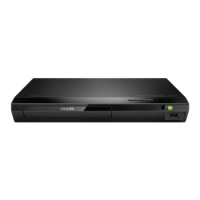
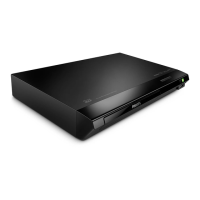
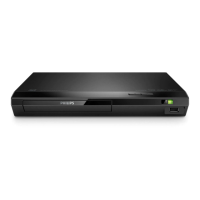
Philips BDP2510W
26 pages
Print Icon
To Next Page IconTo Next Page
Loading...
BDP2510B
BDP2510W
BDP2515B
www.philips.com/support
User manual
Always there to help you
Register your product and get support at
Question?
Contact
Philips

Questions and Answers

  • J
    Jacob AdamsSep 9, 2025
    Why is there no audio output from my Philips BDP2510W DVD Player to the TV?
    • J
      john36Sep 9, 2025
      Ensure the audio cables are properly connected to the audio input on your TV. Also, confirm that the TV is set to the correct source input for the DVD player.
  • V
    Vincent StarkAug 25, 2025
    What to do if there is no audio output from TV when using Philips BDP2510W?
    • J
      Jason LuceroAug 25, 2025
      If you're not getting any audio output from the TV when using your Philips DVD player, ensure the audio cables are correctly connected to the audio input of the TV. Also, verify that the TV is switched to the correct source input for the DVD player.
  • Z
    zimmermanbiancaAug 25, 2025
    What to do if Philips BDP2510W cannot read USB storage?
    • M
      Michael BradshawAug 26, 2025
      Make sure the USB storage device's format is compatible with the player and that the file system is supported. If you're using a USB HDD, it might need an external power source.
  • N
    nortonchristopherSep 22, 2025
    What does 'No entry' or 'x' sign displayed on TV mean with Philips Blu-ray Player?
    • P
      palmerbrianSep 22, 2025
      The 'No entry' or 'x' sign displayed on the TV when using your Philips Blu-ray Player indicates that the operation is not possible.
  • R
    Rebecca LiuSep 9, 2025
    What to do if my Philips BDP2510W cannot play a disc?
    • K
      Kelly GuerraSep 10, 2025
      First, try cleaning the disc. Then, make sure the disc is correctly loaded into the player. Check the player's specifications to ensure it supports the disc type and region code. If it's a DVD±RW or DVD±R, make sure it has been finalized.
  • K
    Kent FloresSep 14, 2025
    How do I fix DivX subtitles that don't display correctly on my Philips BDP2510W?
    • A
      Amanda DavisSep 14, 2025
      To fix DivX subtitles that aren't displaying correctly on your Philips DVD Player, ensure that the subtitle file has the same name as the DivX video file. Also, verify that the subtitle file has a supported extension (.srt, .sub, .txt, .ssa, or .smi).
  • C
    Carolyn RobinsonSep 4, 2025
    Why Philips BDP2510W does not play high-definition video?
    • R
      Robert PetersSep 4, 2025
      If your Philips DVD Player isn't playing high-definition video, first make sure that the disc actually contains high-definition video. Secondly, ensure that your TV supports high-definition video.
  • C
    caroline79Sep 4, 2025
    Why EasyLink feature does not work on my Philips DVD Player?
    • Y
      yolsonSep 4, 2025
      If the EasyLink feature isn't working, ensure that your Philips DVD player is connected to a Philips EasyLink TV and that the EasyLink option is turned on.
  • F
    fleonardSep 23, 2025
    How to fix no secondary audio output for Picture-in-Picture feature on Philips Blu-ray Player?
    • J
      Jeanne BrownSep 23, 2025
      If you're not getting secondary audio output for the Picture-in-Picture feature on your Philips Blu-ray Player, it may be because [Bitstream] is selected under the [HDMI audio] or [Digital audio] menu. Deselect [Bitstream].
  • R
    robertsonlisaAug 29, 2025
    What to do if there is no picture on HDMI connection with Philips Blu-ray Player?
    • C
      Charlene WalkerAug 29, 2025
      If you're not getting a picture on your Philips Blu-ray Player via HDMI, first ensure the HDMI cable isn't faulty by testing it or replacing it with a new one. If that doesn't work, try pressing the numeric buttons “731” on the remote control, or wait 10 seconds for auto recovery. Also, the audio and video signals may not be output if the player is connected to an unauthorized display device.

Philips BDP2510W Specifications

General IconGeneral
USB PlaybackYes
HDMI OutputYes
USB PortYes
Ethernet PortNo
Dolby DigitalYes
DTSYes
UpscalingYes
Supported Disc FormatsCD, CD-R, CD-RW, DVD, DVD+R, DVD+RW, DVD-R, DVD-RW

Related product manuals