EasyManua.ls Logo

Philips BDP2510W - User Manual

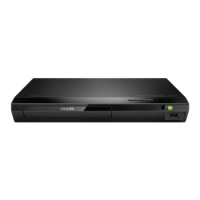
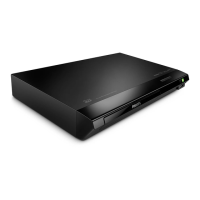
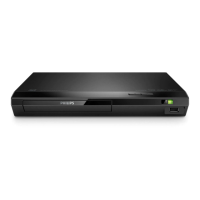
Philips BDP2510W
26 pages
Print Icon
To Next Page IconTo Next Page
Loading...
BDP2510B
BDP2510W
BDP2515B
www.philips.com/support
User manual
Always there to help you
Register your product and get support at
Question?
Contact
Philips

Questions and Answers

  • C
    Carolyn RobinsonSep 4, 2025
    Why Philips BDP2510W does not play high-definition video?
    • R
      Robert PetersSep 4, 2025
      If your Philips DVD Player isn't playing high-definition video, first make sure that the disc actually contains high-definition video. Secondly, ensure that your TV supports high-definition video.
  • C
    caroline79Sep 4, 2025
    Why EasyLink feature does not work on my Philips DVD Player?
    • Y
      yolsonSep 4, 2025
      If the EasyLink feature isn't working, ensure that your Philips DVD player is connected to a Philips EasyLink TV and that the EasyLink option is turned on.
  • T
    Timothy LongSep 5, 2025
    What to do if DivX subtitles do not display correctly on Philips DVD Player?
    • A
      Anthony MillerSep 5, 2025
      If DivX subtitles aren't displaying correctly on your Philips DVD Player, make sure that the subtitle file has the same name as the DivX video file. Also, verify that the subtitle file has an extension name supported by the player (.srt, .sub, .txt, .ssa, or .smi).
  • M
    Michael FischerSep 5, 2025
    Why Philips BDP2510W cannot play DivX video files?
    • D
      debra90Sep 6, 2025
      If your Philips DVD Player can't play DivX video files, ensure that the DivX video file is complete. Also, verify that the video file name extension is correct.
  • E
    Edward NavarroSep 6, 2025
    How to enable secondary audio output for Picture-in-Picture on Philips DVD Player?
    • M
      Marie AllenSep 6, 2025
      If you're not getting secondary audio output for the Picture-in-Picture feature, it might be because [Bitstream] is selected under the [HDMI audio] or [Digital audio] menu. Deselect [Bitstream] to enable interactive sound like secondary sound for Picture-in-Picture.
  • Q
    qmurraySep 7, 2025
    How to fix Philips BDP2510W when the buttons do not work?
    • D
      Daniel BeltranSep 7, 2025
      If the buttons on your Philips DVD player aren't working, disconnect the player from the power supply for a few minutes, and then reconnect it.

Philips BDP2510W Specifications

General IconGeneral
USB PlaybackYes
HDMI OutputYes
USB PortYes
Ethernet PortNo
Dolby DigitalYes
DTSYes
UpscalingYes
Supported Disc FormatsCD, CD-R, CD-RW, DVD, DVD+R, DVD+RW, DVD-R, DVD-RW

Related product manuals