EasyManua.ls Logo

Philips BDP2590B/98 - User Manual

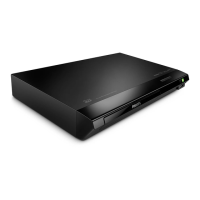
Philips BDP2590B/98
27 pages
Print Icon
To Next Page IconTo Next Page
Loading...
User manual
使用手冊
Manual pengguna
คู่มือผู้ใช้
www.philips.com/support
Register your product and get support at
BDP2590B_98_UM_V2.0.indb 1 10/10/2016 2:17:10 PM

Questions and Answers

  • M
    Matthew DaviesSep 12, 2025
    What to do if Philips BDP2590B/98 DVD Player cannot access BD-Live features?
    • B
      Beverly MathisSep 12, 2025
      If your Philips DVD Player cannot access BD-Live features: * Ensure the player is connected to the network. * Make sure the network installation is complete. * Confirm that the Blu-ray disc supports BD-Live features. * Clear memory storage.
  • I
    Isaac MoralesSep 13, 2025
    How to fix network not found issue on Philips DVD Player?
    • H
      howarddiazSep 13, 2025
      If your Philips DVD Player cannot find the network: * Ensure the network is correctly connected. * Make sure that the network installation is complete. * Check the router connection (refer to the user manual for the router).
  • J
    Joshua WhiteSep 15, 2025
    How to troubleshoot cannot see 3D effects on Philips DVD Player?
    • M
      Marcus MartinezSep 15, 2025
      If you cannot see 3D effects with your Philips DVD Player: * Make sure that 3D output is turned on. * Make sure that the disc title being played is Blu-ray 3D compliant. * Make sure that the TV is 3D and HDMI compliant, and the TV is set to 3D mode (refer to the TV's user manual). * Make sure that the 3D glasses are activated (refer to the TV’s user manual).

Philips BDP2590B/98 Specifications

General IconGeneral
TypeBlu-ray Disc Player
HDMI1 x HDMI output
EthernetYes
Smart TVNo
3D PlaybackYes
Video OutputsHDMI, Composite Video
Playable disc formatsBD-Video, DVD-Video, CD, CD-R/CD-RW
Video FormatsMPEG-1, MPEG-2, MPEG-4, VC-1, AVCHD
Audio FormatsDolby Digital, Dolby TrueHD, DTS
Video upscaling1080p
USBYes
Audio OutputsHDMI, Optical, Stereo
Supported Media FormatsJPEG, MP3

Related product manuals