EasyManua.ls Logo

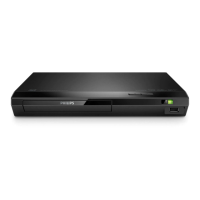
Philips BDP2305X - User Manual

Philips BDP2305X
30 pages
Print Icon
To Next Page IconTo Next Page
Loading...
BDP2305X
www.philips.com/support
User manual
Always there to help you
Register your product and get support at
Question?
Contact
Philips

Questions and Answers

  • K
    katietaylorSep 4, 2025
    How to fix Philips BDP2305X DVD Player buttons that do not work?
    • A
      ajohnsonSep 4, 2025
      If the buttons on your Philips DVD Player aren't working, disconnect the player from the power supply for a few minutes, and then reconnect it.
  • M
    Melanie GarrettSep 18, 2025
    Why is there no secondary audio output for Picture-in-Picture feature on my Philips DVD Player?
    • A
      Amber LongSep 18, 2025
      If you're not getting secondary audio for Picture-in-Picture, it might be because [Bitstream] is selected under the [HDMI Audio] or [Digital Audio] menu, which mutes interactive sound. Deselect [Bitstream].
  • C
    Christina DelacruzSep 16, 2025
    Why EasyLink feature does not work on my Philips BDP2305X DVD Player?
    • H
      Heather WalkerSep 16, 2025
      If EasyLink isn't working, make sure the player is connected to a Philips brand EasyLink TV, and that the EasyLink option is turned on.
  • S
    Samantha SmithSep 14, 2025
    What does 'No entry' or 'x' sign displayed on the TV mean for Philips BDP2305X DVD Player?
    • D
      Danielle LeblancSep 14, 2025
      The 'No entry' or 'x' sign displayed on the TV indicates that the operation is not possible.
  • J
    Jose JonesSep 12, 2025
    Why do Internet services not work on my Philips BDP2305X DVD Player?
    • J
      Jacob ReeseSep 12, 2025
      If internet services aren't working, make sure the network is correctly connected and the network installation is complete. You may also need to check the router connection, referring to the user manual for the router.
  • S
    Samantha StewartSep 12, 2025
    Why I can't read the contents of a connected USB storage on my Philips BDP2305X?
    • S
      Stephen RobinsonSep 12, 2025
      If you can't read the contents of a connected USB storage device, make sure the format and file system of the USB storage device are compatible with the player. For a USB HDD, an external power source may be needed.
  • A
    Alex AllenSep 9, 2025
    How to fix DivX subtitles not displaying correctly on Philips BDP2305X?
    • D
      dylangreenSep 9, 2025
      If DivX subtitles aren't displaying correctly, make sure the subtitle file has the same name as the DivX video file and that it uses a supported extension (.srt, .sub, .txt, .ssa, or .smi).
  • E
    estesmichaelSep 7, 2025
    What to do if my Philips BDP2305X cannot play DivX video files?
    • A
      andrew56Sep 7, 2025
      If your Philips DVD Player can't play DivX video files, ensure that the DivX video file is complete and that the video file name extension is correct.
  • S
    Sean FloresSep 5, 2025
    What to do if my Philips BDP2305X DVD Player cannot access BD-Live features?
    • S
      Sheryl ScottSep 5, 2025
      To access BD-Live features, ensure the player is connected to the network and that the network installation is complete. Also, verify that the Blu-ray disc supports BD-Live features and clear the memory storage.
  • J
    jillsextonAug 20, 2025
    Why is there no picture on my Philips DVD Player using HDMI?
    • B
      Brandy LeeAug 20, 2025
      If you're not getting a picture via HDMI, first check the HDMI cable itself and replace it if faulty. If that doesn't work, try pressing the numeric buttons “731” on the remote control to recover picture display. Auto recovery will happen in 10 seconds. Also, be aware that if the player is connected to an unauthorized display device, the audio and video signals may not be output.

Philips BDP2305X Specifications

General IconGeneral
Video UpconversionYes
HDMI OutputYes
USB PortYes
Ethernet PortNo
Wi-FiNo
Progressive ScanYes
Supported Disc TypesCD, CD-R, CD-RW, DVD, DVD+R, DVD+RW, DVD-R, DVD-RW
Video Formats SupportedMPEG2, MPEG4
Audio Formats SupportedAAC, MP3, WMA

Related product manuals