EasyManua.ls Logo

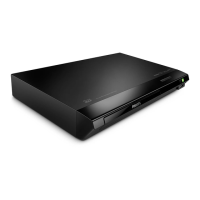
Philips BDP2510B/05 - User Manual

Philips BDP2510B/05
25 pages
Print Icon
To Next Page IconTo Next Page
Loading...
BDP2510B
www.philips.com/support
User manual
Always there to help you
Register your product and get support at
Question?
Contact
Philips
BDP2510B_05_UM_EN.indd 1 2016/7/20 10:05:39

Questions and Answers

  • D
    Dustin LaneAug 31, 2025
    What to do if the buttons on Philips Blu-ray Player do not work?
    • L
      Larry YorkAug 31, 2025
      If the buttons on your Philips Blu-ray Player are not working, disconnect the player from the power supply for a few minutes, and then reconnect it.
  • A
    Anna AndrewsSep 9, 2025
    Why is there no audio output from my Philips BDP2510B/05 to the TV?
    • M
      Megan PerrySep 9, 2025
      Ensure the audio cables are properly connected to the audio input on your TV. Also, confirm that the TV is set to the correct source input for the DVD player.
  • D
    Dr. David Wilson DVMAug 29, 2025
    What to do if there is no picture on HDMI connection with Philips Blu-ray Player?
    • A
      Adam ThompsonAug 29, 2025
      If you're not getting a picture on your Philips Blu-ray Player via HDMI, first ensure the HDMI cable isn't faulty by testing it or replacing it with a new one. If that doesn't work, try pressing the numeric buttons “731” on the remote control, or wait 10 seconds for auto recovery. Also, the audio and video signals may not be output if the player is connected to an unauthorized display device.
  • M
    Mrs. Rachel TurnerSep 23, 2025
    Why EasyLink feature does not work on Philips Blu-ray Player?
    • L
      lucasrobertSep 23, 2025
      If the EasyLink feature is not working on your Philips Blu-ray Player, ensure that the player is connected to a Philips brand EasyLink TV and that the EasyLink option is turned on.
  • J
    Jacob GillespieSep 10, 2025
    Why is there no sound on HDMI connection with my Philips BDP2510B/05 DVD Player?
    • J
      jonescharlesSep 12, 2025
      If the connected device is not HDCP compliant or is only DVI-compatible, you might not hear any sound from the HDMI output.
  • D
    daisyhaasSep 14, 2025
    How do I fix DivX subtitles that don't display correctly on my Philips BDP2510B/05?
    • R
      robinsonnicoleSep 14, 2025
      To fix DivX subtitles that aren't displaying correctly on your Philips DVD Player, ensure that the subtitle file has the same name as the DivX video file. Also, verify that the subtitle file has a supported extension (.srt, .sub, .txt, .ssa, or .smi).
  • L
    lori35Sep 23, 2025
    How to fix DivX subtitles that do not display correctly on Philips Blu-ray Player?
    • C
      curtis42Sep 23, 2025
      If DivX subtitles are not displaying correctly on your Philips Blu-ray Player, ensure that the subtitle file has the same name as the DivX video file. Also, make sure the subtitle file has a supported extension name (.srt, .sub, .txt, .ssa, or .smi).
  • W
    wlandryAug 27, 2025
    What to do if Philips DVD Player buttons do not work?
    • A
      Austin KellyAug 27, 2025
      Disconnect the player from the power supply for a few minutes, and then reconnect it.
  • J
    Jonathan GonzalesAug 26, 2025
    Why Philips BDP2510B/05 disc does not play high-definition video?
    • R
      robert66Aug 26, 2025
      Verify that the disc actually contains high-definition video content. Also, make sure your TV supports high-definition video.
  • R
    Rebecca CervantesAug 25, 2025
    What to do if Philips DVD Player cannot read USB storage?
    • K
      Katie ScottAug 26, 2025
      Make sure the USB storage device's format is compatible with the player and that the file system is supported. If you're using a USB HDD, it might need an external power source.

Philips BDP2510B/05 Specifications

General IconGeneral
BrandPhilips
ModelBDP2510B/05
CategoryDVD Player
LanguageEnglish

Related product manuals