10
player
Congratulations on your purchase, and
the support that Philips offers (e.g. product
software upgrade), register your product at
www.philips.com/welcome.
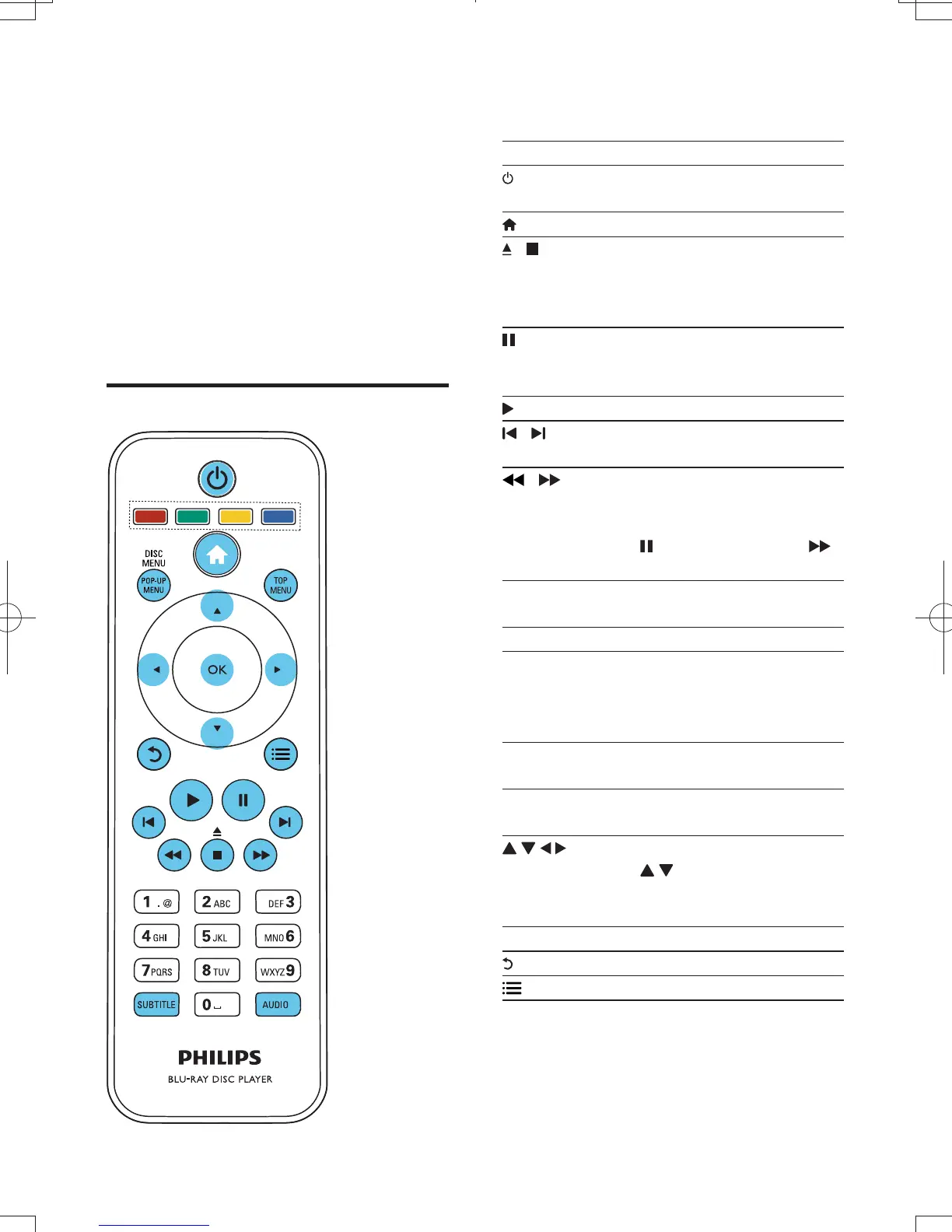
During play, press the following buttons to
control.
Turn on the player, or switch to
standby.
Access the home menu.
/ Stop play.
Press and hold (more than 4
seconds) to open or close the
disc compartment.
Pause play.
Press repeatedly to slow forward
frame by frame.
Start or resume play.
/ Skip to the previous or next track,
/ Fast backward or forward.
Press repeatedly to change the
search speed.
Press
once, and then press
to slow forward.
Select an audio language or
channel.
Select a subtitle language.
/
Access or exit the disc menu.
Access the main menu of a video
disc.
Color
Select tasks or options for Blu-ray
discs.
Navigate the menus.
Press
to rotate a picture
clockwise or counter-clockwise
during slideshow.
Return to a previous display menu.
Access more options during play.
BDP3380K_51_UM_V1.0.indb 10 2012-2-23 11:43:31



 To Next Page