English
15EN
Play a Blu-ray 3D video
Before you start, make sure that:
the TV is 3D compliant, and is connected to this player through HDMI•
the disc is a Blu-ray 3D disc•
you have 3D glasses compatible with the TV.•
1 Make sure that 3D output is turned on: press , and select [Setup] > [Video] > [Watch 3D
video] > [Auto].
2 Play a Blu-ray 3D video.
3 Put on the 3D glasses for 3D effects.
To play 3D video in 2D, turn off Blu-ray 3D output (press •
, and select [Setup] > [Video]
> [Watch 3D video] > [Off]).
Set up a network
Connect this player to a computer network and the Internet to access the services:
• Browse PC (DLNA): play photos, music and video files streamed from your computer.
• Browse Net TV: access online services, such as pictures, music and video stores.
• Update software: update the software of this player via the Internet.
• BD-Live: access online bonus features (applicable to Blu-ray discs that are BD-Live enabled).
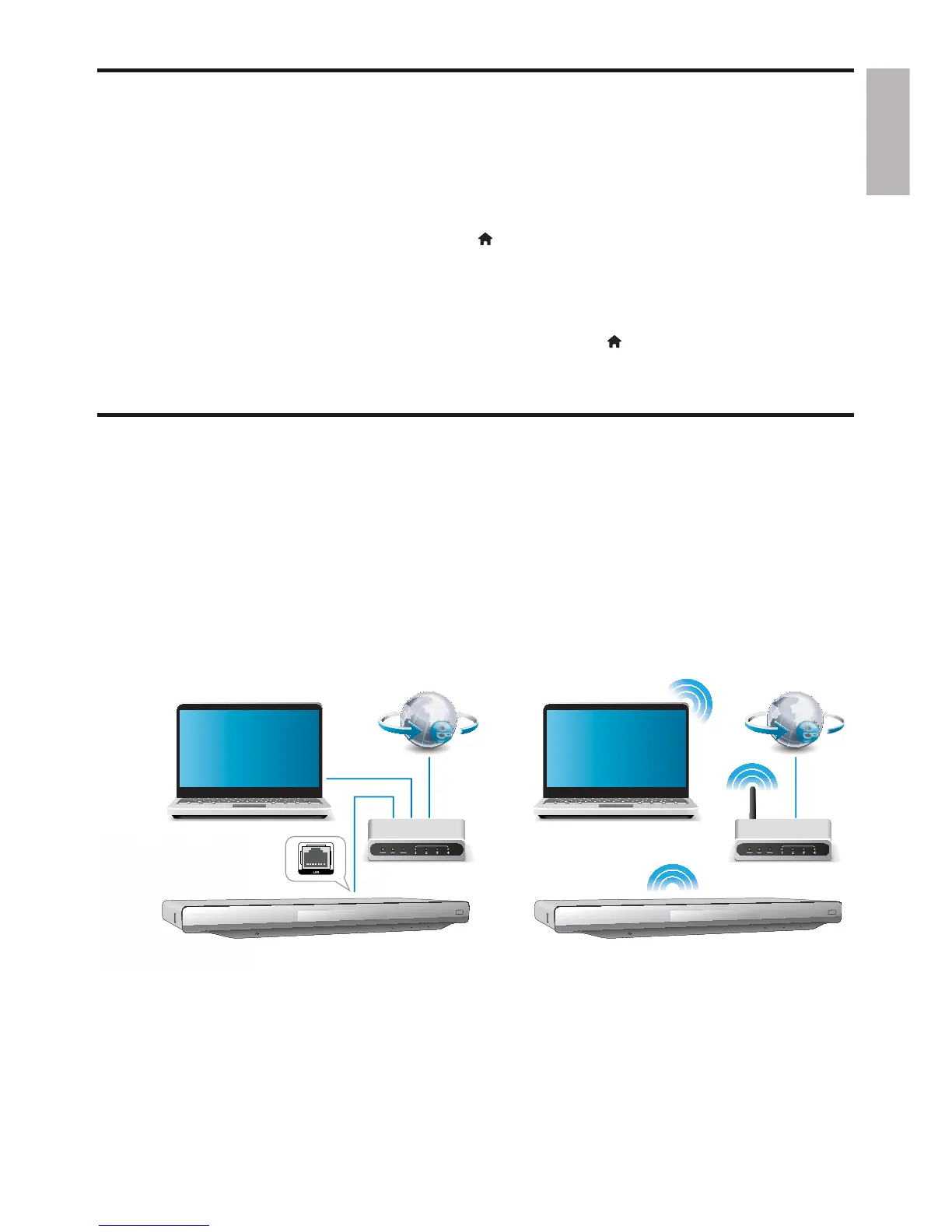
1 Connect this player to a computer network and the Internet, through wired (Ethernet) or
wireless connection.
This player has a built-in Wi-Fi for a wireless connection.•
PC (DLNA) PC (DLNA)



 To Next Page