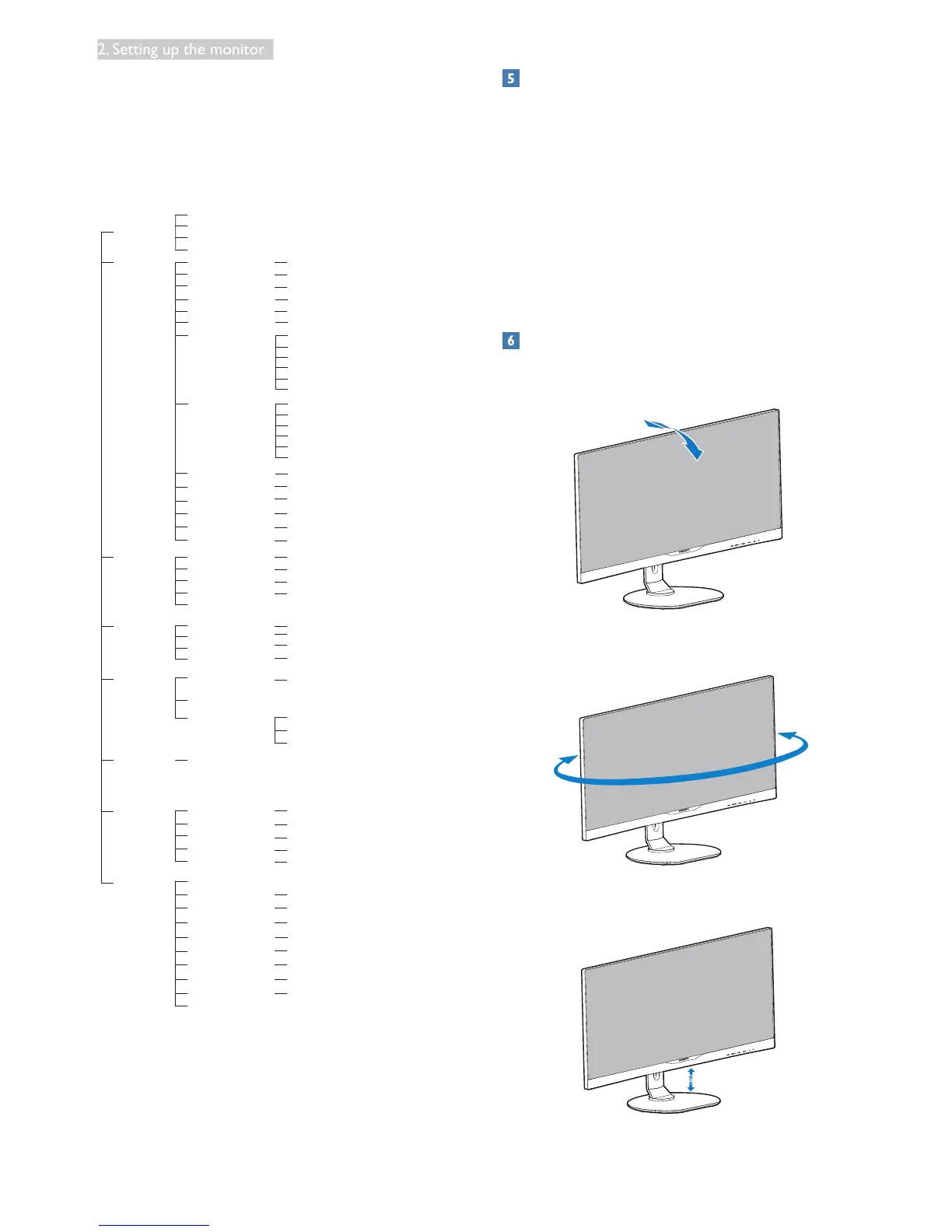
DisplayPort
RS232
SmartResponse
Picture Format
SmartContrast
Gamma
Pixel Orbiting
Over Scan
Contrast
Brightness
Volume
Mute
Audio Source
Stand-Alone
PiP Position
PiP/PbP Mode
Swap
PiP Size
PiP/PbP Input
User
DVI
MHL-HDMI
DisplayPort
VGA
0~100
0~100
Off, 1, 2, 3, 4
5s, 10s, 20s, 30s, 60s
0~100
0~100
0~100
5000K, 6500K, 7500K,
8200K, 9300K, 11500K
Red: 0~100
Green: 0~100
Blue: 0~100
R HUE: 0~100
G HUE: 0~100
B HUE: 0~100
C HUE: 0~100
M HUE: 0~100
Y HUE: 0~100
R Saturation: 0~100
G Saturation: 0~100
B Saturation: 0~100
C Saturation: 0~100
M Saturation: 0~100
Y Saturation: 0~100
0~100
On, Off
Yes, No
1.1, 1.2
On, Off
Input, Audio Source, Volume
0~100
On, Off
On, Off
0~100
On, Off
Audio in, HDMI, DisplayPort
Off, Fast, Faster, Fastest
On, Off
1.8, 2.0, 2.2, 2.4, 2.6
0~100
Wide screen, 4:3, 16:9, Movie1, Movie2, 1:1
On, Off
Small, Middle, Large
Top-Right, Bottom-Right
VGA,DVI, MHL-HDMI, DisplayPort
Off, PiP, PbP
English, Deutsch, Español, Ελληνική, Français, Italiano,
Maryar, Nederlands, Português, Português do Brazil,
Polski, Русский, Svenska, Suomi, Türkçe, Čeština,
Українська,
简体中文, 繁體中文, 日本語,
한국어
Sharpness
Black level
0~100
0~100
Hue
0~100
Saturation
6 Color
6 Saturation
0~100
Resolutionnotication
This monitor is designed for optimal
performance at its native resolution,
3440 x 1440 @ 60 Hz. When the monitor is
powered on at a different resolution, an alert is
displayed on screen: Use
3440 x 1440 @ 60 Hz for best results.
Display of the native resolution alert can be
switched off from Setup in the OSD
(OnScreenDisplay)menu.
Physical Function
Tilt
20˚
-5˚
Swivel
+170˚
-170˚
Height adjustment
180mm










 To Next Page