4.1 Resolution & Preset Modes
Maximum Resolution
2560x1080@60Hz(analoginput)
3440x1440@60Hz(digitalinput)
Recommended Resolution
3440x1440@60Hz(digitalinput)
H. freq (kHz) Resolution V. freq (Hz)
31.47 720 x 400 70.09
31.47 640 x 480 59.94
35.00 640 x 480 66.67
37.86 640 x 480 72.81
37.50 640 x 480 75.00
37.88 800 x 600 60.32
46.88 800 x 600 75.00
48.36 1024 x 768 60.00
60.02 1024 x 768 75.03
44.77 1280x 720 59.86
63.89 1280 x 1024 60.02
79.98 1280 x 1024 75.03
55.94 1440 x 900 59.89
70.64 1440 x 900 74.98
65.29 1680 x 1050 59.95
67.50 1920 x 1080 60.00
66.64 2560 x 1080 59.98
44.74 3440 x 1440 29.97
89.48 3440 x 1440 59.94
Note
Please notice that your display works best at
native resolution of 3440 x 1440 @ 60Hz. For
best display quality, please follow this resolution
recommendation.
Recommended resolution
VGA: 2560x1080 @ 60Hz
DVI/HDMI: 3440x1440 @ 30Hz,
2560x1080 @ 60Hz
DisplayPort: 3440x1440 @ 30Hz,
3440x1440 @ 60Hz
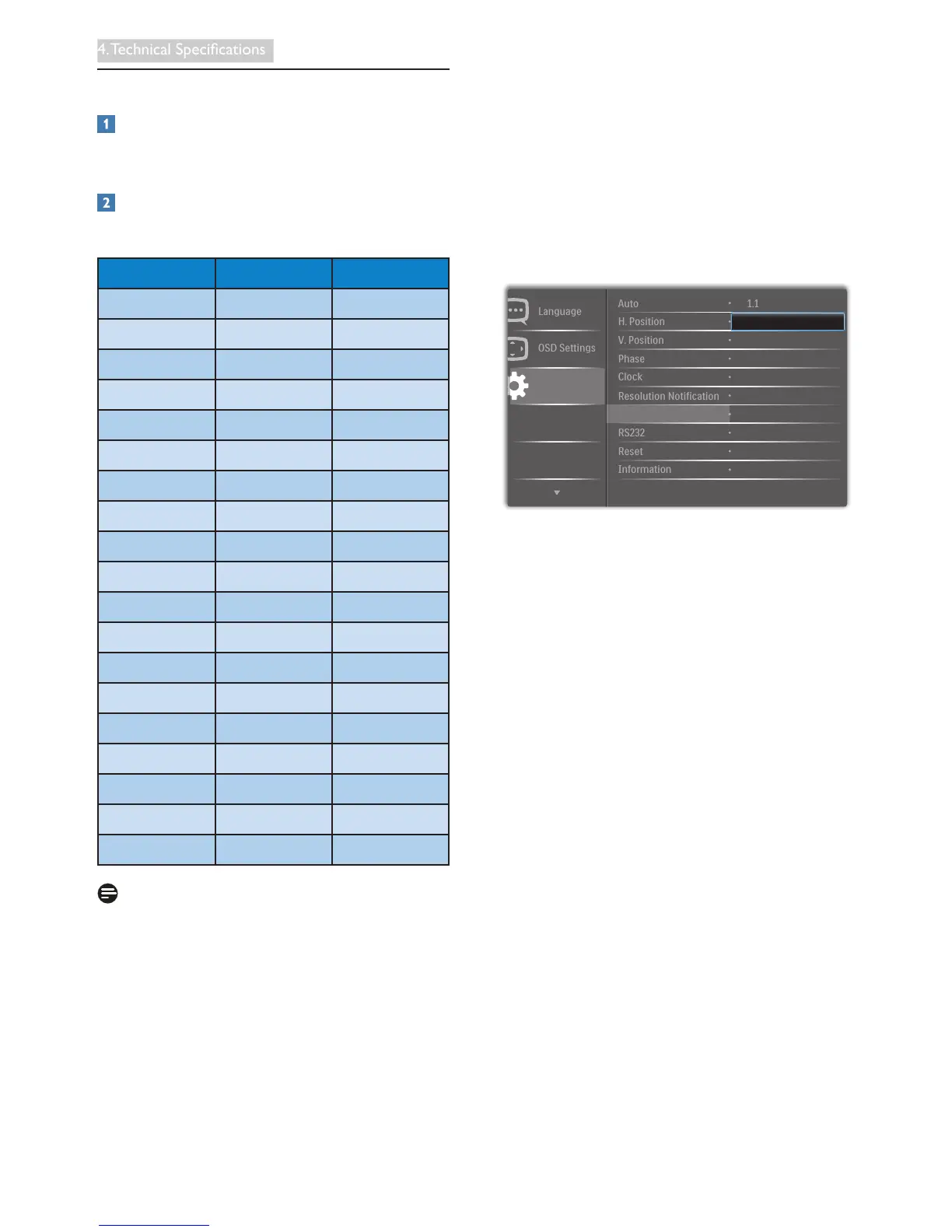
The factory default setting DisplayPort v1.1
supports to the resolution 3440x1440 @ 30 Hz.
For optimized resolution 3440x1440 @ 60Hz,
please enter to OSD menu and change the
setting to DisplayPort v1.2, also please make
sure your graphic card supports DisplayPort
v1.2.
Setting path: [OSD] / [Setup] / [DisplayPort] /
[1.1, 1.2]










 To Next Page