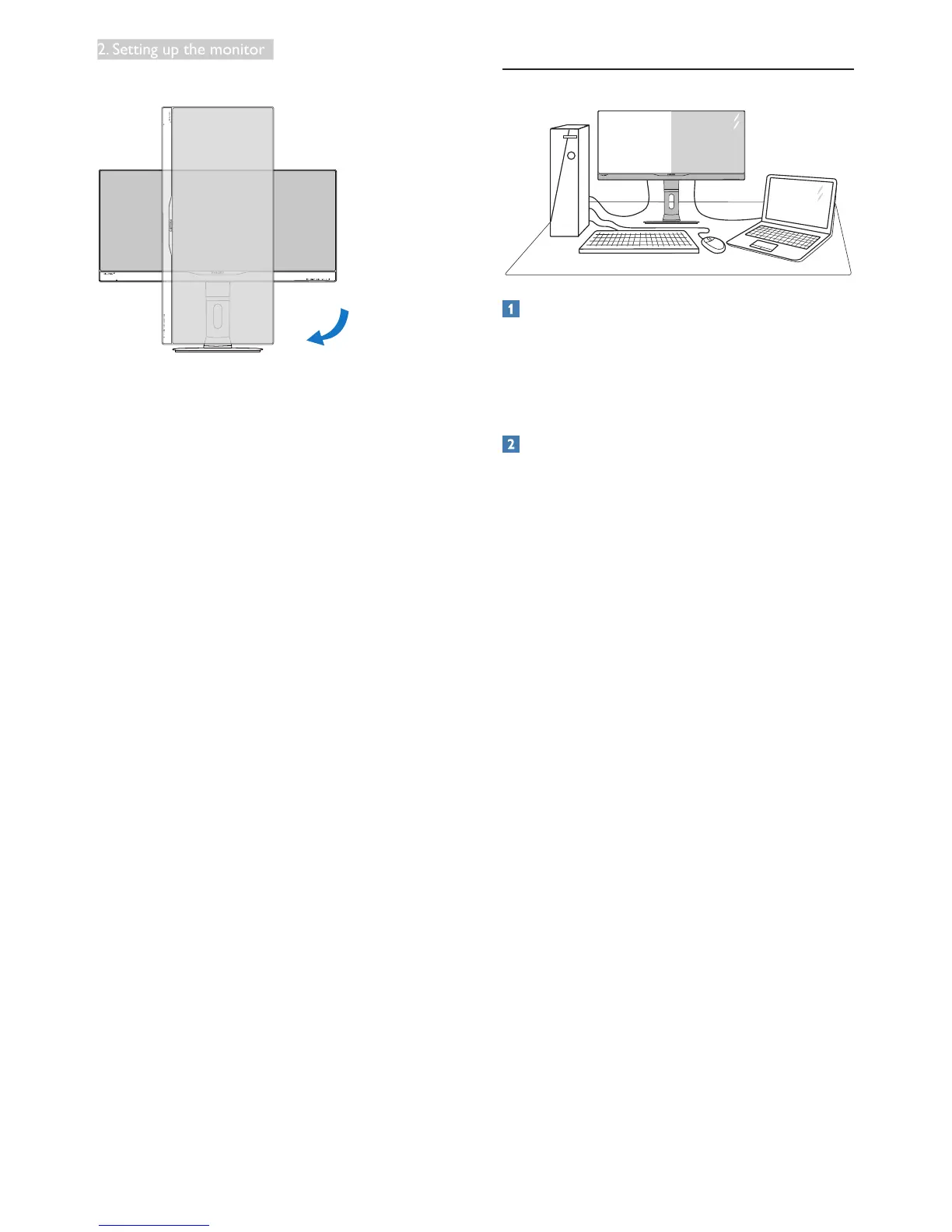
Pivot
90˚
0˚
2.3 MultiView
What is it?
Multiview enables active dual connect and view
so that you can work with multiple devices like
PC and Notebook side-by-side simultaneously,
making complex multi-tasking work a breeze.
Why do I need it?
With the ultra high resolution Philips
MultiView display, you can experience a world
of connectivity in a comfortable way in the
ofceorathome.Withthisdisplay,youcan
conveniently enjoy multiple content sources at
one screen. For example: You may want to keep
an eye on the live news video feed with audio
in the small window, while working on your
latestblog,oryoumaywanttoeditanExcelle
from your Ultrabook, while logged into secured
companyintranettoaccesslesfromadesktop.










 To Next Page