11EN
Skip tracks
For CD:
Press
/ to select tracks.
For MP3 disc and USB:
1 Press / to select an album or a
folder.
2 Press / to select a track or a
le.
Program tracks
This function allows you to program
20 tracks in the desired sequence.
1 In stop mode, press to
activate the program mode.
»
is displayed.
2 For MP3 tracks, press / to select
an album.
3 Press / to select a track, and
then press
to conrm.
4 Repeat steps 2 to 3 to program
more tracks.
5 Press to play the programmed
tracks.
To erase the program
Press
twice.
Play from Bluetooth-
enabled devices
Note
•
Compatibility with all Bluetooth devices is
not guaranteed.
• Any obstacle between the unit and the
device can reduce the operational range.
• The eective operation range between this
unit and your Bluetooth enabled device is
approximately 25 meters (82 feet).
• The unit can memorize up to 8 previously
connected Bluetooth devices.
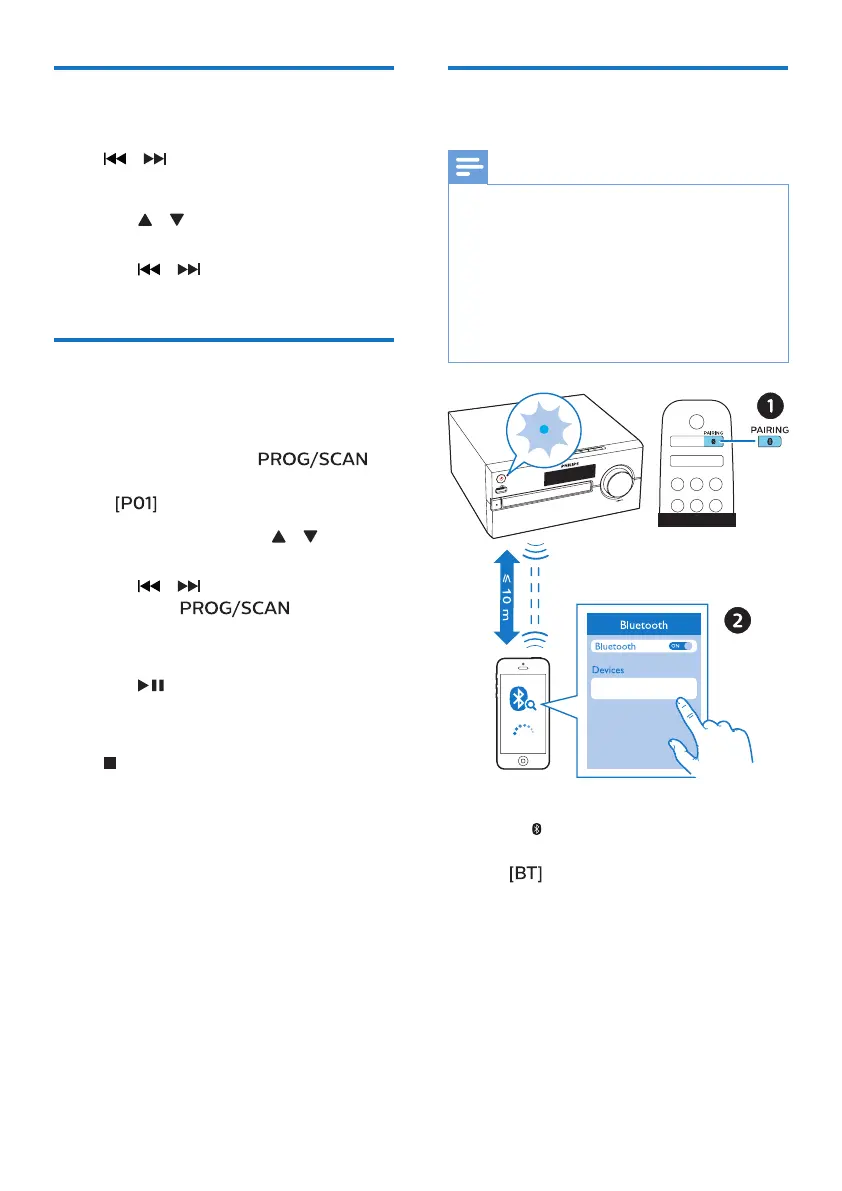
Philips BTB2570
BTB2570
1 Press to select the Bluetooth
source.
»
(Bluetooth) is displayed.
» The Bluetooth indicator ashes
blue.
2 On your device that supports
Advanced Audio Distribution Prole
(A2DP), enable Bluetooth and
search for Bluetooth devices that
can be paired (refer to the user
manual of the device).



 To Next Page