5EN
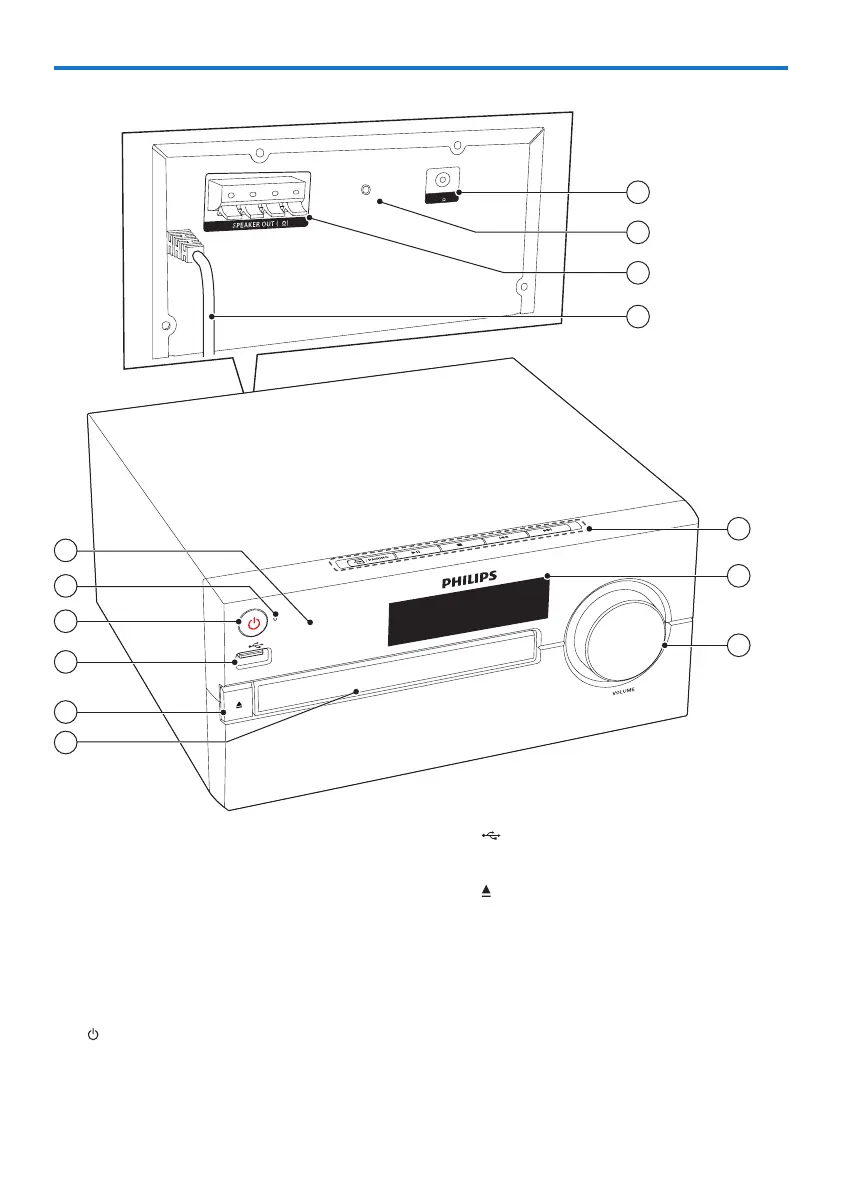
Overview of the main unit
5
4
3
2
1
6
9
8
7
AUDIO IN
8
FM/DAB AERIAL
(75 )
12
11
10
13
d
• Connect USB storage devices.
e
• Open or close the disc
compartment.
f Disc compartment
g Volume knob
• Adjust volume.
h Display panel
• Show current status.
a IR sensor
b LED indicator
• Standby indicator: turns red
when this product is switched to
standby.
• Bluetooth indicator: turns
blue to indicate the Bluetooth
connection status.
c
• Switch this product on or to
standby.



 To Next Page