19 EN
Cannot connect with the device.
• The Bluetooth function of the device is not
enabled. Refer to the user manual of the
device for how to enable the function.
• The system is already connected with
another Bluetooth-enabled device.
Disconnect that device and then try again.
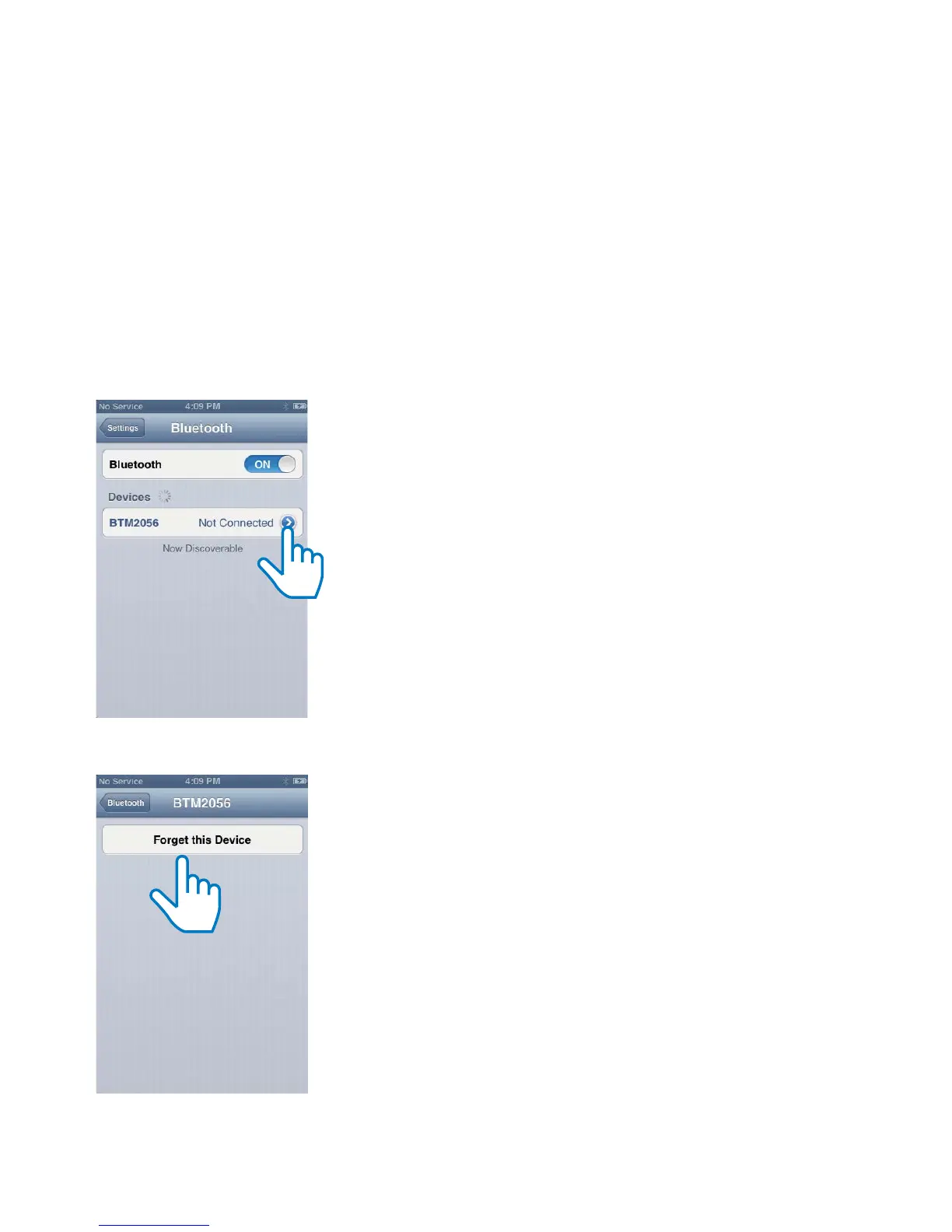
• You have cleared the pairing history in
the micro system. On your iPhone, iPad,
orothersmartphones,rstselect[forget
this device] (the exact word may vary on
different devices), then press [BTM2056]
on your Bluetooth menu to reconnect
with the device.
The paired device connects and disconnects
constantly.
• The Bluetooth reception is poor. Move
the device closer to the system or remove
any obstacle between the device and the
system.
• For some devices, the Bluetooth
connection may be deactivated
automatically as a power-saving feature.
This does not indicate any malfunction of
the system.



 To Next Page